This post is older than 2 years and might not be relevant anymore
More Info: Consider searching for newer posts

BusFault exception when debugging nrf9160 with segger ozone

Hi,

I have written one application with logging disabled to save power.

However, when I tried to debug the code with Ozone, during startup, it raises BusFault exception.

According to call stack, it happened after calling nordisemi_nrf91_init in nrf91 soc.c file.

I loaded with the zephyr.elf file and chosen M33 as the target, with SWD 4MHz.

NCS 1.2.0 is used and I want to avoid any upgrade if it is possible.
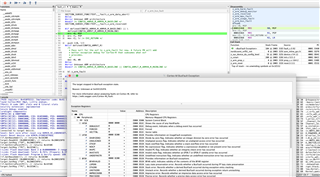
Do you have any idea what leads to this weird behavior? And do you have the same issue on your side?

Thanks!

Parents
  • Hi,


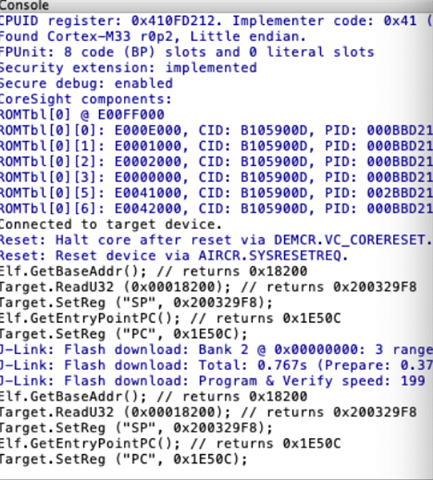
    Ozone loads the start address and MSP from the .elf file itself, and not from the start of the flash (ie: the secure "spm" image), which will give you some strange behavior if you do not use "attach to running target".

    You can fix this by editing the ozone project (save as -> open the file in a editor) and manually pointing the project to load the SP and PC from address 0.

     Please see this page on how to change this:

    https://wiki.segger.com/Debug_on_a_Target_with_Bootloader


    Note: you should edit the two function AfterTargetDownload() and AfterTargetReset().

    Originally, you will see this line:

    VectorTableAddr = Elf.GetBaseAddr();


    Which should be changed to:

    VectorTableAddr = 0;


    Could you try this, and see if the debug session gives another behavior?


    Kind regards,

    Håkon

Reply
  • Hi,


    Ozone loads the start address and MSP from the .elf file itself, and not from the start of the flash (ie: the secure "spm" image), which will give you some strange behavior if you do not use "attach to running target".

    You can fix this by editing the ozone project (save as -> open the file in a editor) and manually pointing the project to load the SP and PC from address 0.

     Please see this page on how to change this:

    https://wiki.segger.com/Debug_on_a_Target_with_Bootloader


    Note: you should edit the two function AfterTargetDownload() and AfterTargetReset().

    Originally, you will see this line:

    VectorTableAddr = Elf.GetBaseAddr();


    Which should be changed to:

    VectorTableAddr = 0;


    Could you try this, and see if the debug session gives another behavior?


    Kind regards,

    Håkon

Children
Related