This post is older than 2 years and might not be relevant anymore
More Info: Consider searching for newer posts

Bluetooth is not working

We have developed a PCB using nrf52840 controller. It's a brand new controller. I am using SEGGER embedded studio for programing.

I have flashed an example code ble_app_blinky_pca10056_s140 on the controller,.

This code isn't working on this controller. there is no problem in flashing the code but it's not working.
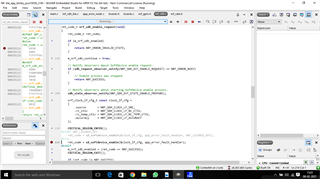
In above picture is the last location where code stops working.

This is mine main function

int main(void)
{
// Initialize.
log_init();

nrf_gpio_cfg_output(Led1);
nrf_gpio_cfg_output(Led2);
nrf_gpio_cfg_output(Led3);
nrf_gpio_cfg_output(Led4);
nrf_gpio_pin_write(LEDBUTTON_BUTTON, 1);

//leds_init();
timers_init();
//buttons_init();
power_management_init();
ble_stack_init();
gap_params_init();
gatt_init();
services_init();
advertising_init();
conn_params_init();

// Start execution.
NRF_LOG_INFO("Blinky example started.");
advertising_start();

// Enter main loop.
for (;;)
{
idle_state_handle();
}
}

Is this happening because of soft devices?

Parents
  • Hello,

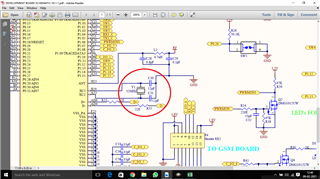
    The SDK examples assumes that you have an external LFXTAL, which I assume that your custom PCB doesn't, as this is optional.

    You need to configure the example to use the internal RC Oscillator instead of an external LFXTAL. Open sdk_config.h in your example project and change set the following settins:

    #define NRFX_CLOCK_CONFIG_LF_SRC 0
    #define CLOCK_CONFIG_LF_SRC 0
    #define NRF_SDH_CLOCK_LF_SRC 0
    #define NRF_SDH_CLOCK_LF_RC_CTIV 16
    #define NRF_SDH_CLOCK_LF_RC_TEMP_CTIV 2
    #define NRF_SDH_CLOCK_LF_ACCURACY 1

    They should be defined, so you need to find them and change the numbers.

    Let me know whether that works for your PCB.

    Best regards,

    Edvin

Reply
  • Hello,

    The SDK examples assumes that you have an external LFXTAL, which I assume that your custom PCB doesn't, as this is optional.

    You need to configure the example to use the internal RC Oscillator instead of an external LFXTAL. Open sdk_config.h in your example project and change set the following settins:

    #define NRFX_CLOCK_CONFIG_LF_SRC 0
    #define CLOCK_CONFIG_LF_SRC 0
    #define NRF_SDH_CLOCK_LF_SRC 0
    #define NRF_SDH_CLOCK_LF_RC_CTIV 16
    #define NRF_SDH_CLOCK_LF_RC_TEMP_CTIV 2
    #define NRF_SDH_CLOCK_LF_ACCURACY 1

    They should be defined, so you need to find them and change the numbers.

    Let me know whether that works for your PCB.

    Best regards,

    Edvin

Children
Related