I've got several problems but they are all linked more or less with the power profiler.
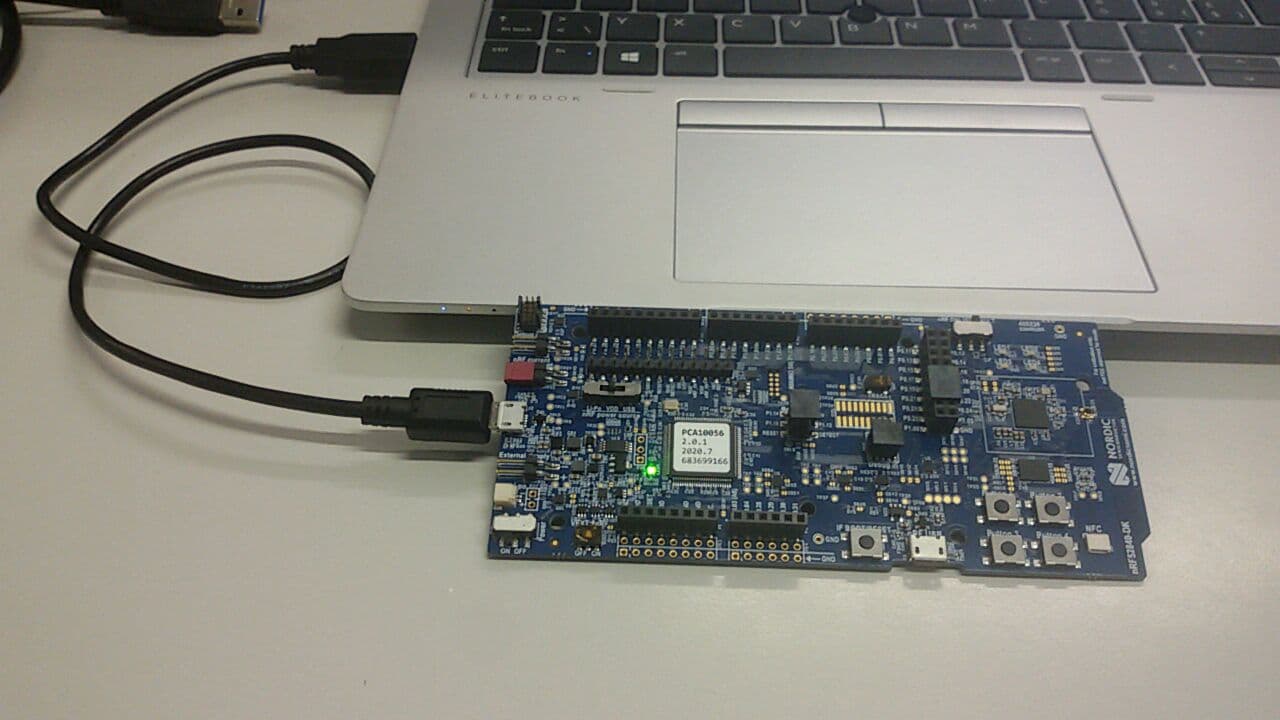
All devices I have are nRF52840 dk. The code is written with Zephyr but I doubt it plays a big role. For power profiler, we have the power profiler kit.
1st problem : I had one device with which I could use the power profiler correctly. Unfortunately I'm not able to flash a program on it. I'm always getting this error :
ERROR: JLinkARM DLL reported an error. Try again. If error condition
ERROR: persists, run the same command again with argument --log, contact Nordic
ERROR: Semiconductor and provide the generated log.log file to them.
FATAL ERROR: command exited with status 33: nrfjprog --program /home/ahayoz/zephyrproject/code/SAMPLES/beacon_le_ds/build/zephyr/zephyr.hex --chiperase -f NRF52 --snr 683699166
I tried to do nrfjprog -e but it gives me the same error. I tried to hard reset and add manually the J-Link OB-SAM3U128-V2NordicSemi170724.bin, still have same error.
The log file is as follow :
[2021-Feb-19 15:21:40] [ info] --------------------------------------------------------------------------------
[2021-Feb-19 15:21:40] [ info] nrfjprog --program /home/ahayoz/zephyrproject/code/SAMPLES/beacon_le_ds/build/zephyr/zephyr.hex --chiperase -f NRF52 --snr 683699166 --log
[2021-Feb-19 15:21:40] [ info] nrfjprog version 10.10.0
[2021-Feb-19 15:21:40] [ info] --------------------------------------------------------------------------------
[2021-Feb-19 15:21:40] [debug] [ nRF0x0] - open_dll
[2021-Feb-19 15:21:40] [debug] [ nRF0x0] - Load library at /opt/nrfjprog/libjlinkarm_nrf52_nrfjprogdll.so.
[2021-Feb-19 15:21:40] [debug] [ nRF0x0] - Library loaded, loading member functions.
[2021-Feb-19 15:21:40] [debug] [ nRF0x0] - Member functions succesfully loaded.
[2021-Feb-19 15:21:40] [debug] [Backend] - Logger callback at 0x564944f57e00 registered in Segger backend logger.
[2021-Feb-19 15:21:40] [debug] [  JLink] - [Debug   ] [JLink     ] Logger callback at 0x564944f57e00 registered in JLink logger.
[2021-Feb-19 15:21:40] [debug] [nRF520x0] - open
[2021-Feb-19 15:21:40] [debug] [Backend] - open_dll
[2021-Feb-19 15:21:40] [debug] [Backend] - No J-Link DLL path was provided. Attempting to auto detect.
[2021-Feb-19 15:21:40] [debug] [Backend] - Load library at /opt/SEGGER/JLink/libjlinkarm.so.6.88.1.
[2021-Feb-19 15:21:40] [debug] [Backend] - Library loaded, loading member functions.
[2021-Feb-19 15:21:40] [debug] [Backend] - Member functions succesfully loaded.
[2021-Feb-19 15:21:40] [debug] [Backend] - dll_version
[2021-Feb-19 15:21:40] [debug] [Backend] - Segger dll version 6.88.a loaded.
[2021-Feb-19 15:21:40] [debug] [ nRF0x0] - enum_emu_snr
[2021-Feb-19 15:21:40] [debug] [nRF520x0] - enum_emu_snr
[2021-Feb-19 15:21:40] [debug] [Backend] - is_connected_to_emu
[2021-Feb-19 15:21:40] [debug] [Backend] - enum_emu_snr
[2021-Feb-19 15:21:40] [debug] [Backend] - ---just_enum_emu_snr
[2021-Feb-19 15:21:40] [debug] [Backend] - ---just_get_num_emus
[2021-Feb-19 15:21:41] [debug] [Backend] - is_connected_to_emu
[2021-Feb-19 15:21:41] [debug] [ nRF0x0] - connect_to_emu_with_snr
[2021-Feb-19 15:21:41] [debug] [nRF520x0] - connect_to_emu_with_snr
[2021-Feb-19 15:21:41] [debug] [Backend] - is_connected_to_emu
[2021-Feb-19 15:21:41] [debug] [Backend] - connect_to_emu_with_snr
[2021-Feb-19 15:21:41] [debug] [Backend] - is_connected_to_emu
[2021-Feb-19 15:21:41] [debug] [Backend] - ---just_enum_emu_snr
[2021-Feb-19 15:21:41] [debug] [Backend] - ---just_get_num_emus
[2021-Feb-19 15:21:41] [debug] [Backend] - ---just_connect_to_emu_with_snr
[2021-Feb-19 15:21:41] [debug] [Backend] - ---just_connect_to_emu_without_snr
[2021-Feb-19 15:21:41] [debug] [Backend] - Segger logging enabled.
[2021-Feb-19 15:21:41] [debug] [  JLink] - [Debug   ] [JLink     ] Firmware: J-Link OB-SAM3U128-V2-NordicSemi compiled Mar 17 2020 14:43:00
[2021-Feb-19 15:21:41] [debug] [  JLink] - [Debug   ] [JLink     ] Hardware: V1.00
[2021-Feb-19 15:21:41] [debug] [  JLink] - [Debug   ] [JLink     ] S/N: 683699166
[2021-Feb-19 15:21:41] [debug] [  JLink] - [Debug   ] [JLink     ] OEM: SEGGER
[2021-Feb-19 15:21:41] [debug] [  JLink] - [Debug   ] [JLink     ] Feature(s): RDI, FlashBP, FlashDL, JFlash, GDB
[2021-Feb-19 15:21:41] [debug] [  JLink] - [Debug   ] [JLink     ] TELNET listener socket opened on port 19021
[2021-Feb-19 15:21:41] [debug] [  JLink] - [Debug   ] [JLink     ] WEBSRV Starting webserver
[2021-Feb-19 15:21:41] [debug] [  JLink] - [Debug   ] [JLink     ] WEBSRV Webserver running on local port 19080
[2021-Feb-19 15:21:41] [debug] [  JLink] - [Debug   ] [JLink     ] - 4.874ms returns "O.K."
[2021-Feb-19 15:21:41] [debug] [  JLink] - [Debug   ] [JLink     ] JLINK_HasError()
[2021-Feb-19 15:21:41] [debug] [  JLink] - [Debug   ] [JLink     ] JLINK_Lock()
[2021-Feb-19 15:21:41] [debug] [  JLink] - [Debug   ] [JLink     ] JLINK_GetHWStatus(...)
[2021-Feb-19 15:21:41] [debug] [  JLink] - [Debug   ] [JLink     ] - 0.097ms returns 0
[2021-Feb-19 15:21:41] [debug] [  JLink] - [Debug   ] [JLink     ] JLINK_HasError()
[2021-Feb-19 15:21:41] [debug] [  JLink] - [Debug   ] [JLink     ] JLINK_ExecCommand("SetRestartOnClose = 0", ...).
[2021-Feb-19 15:21:41] [debug] [  JLink] - [Debug   ] [JLink     ] - 0.002ms returns 0x01
[2021-Feb-19 15:21:41] [debug] [  JLink] - [Debug   ] [JLink     ] JLINK_HasError()
[2021-Feb-19 15:21:41] [debug] [  JLink] - [Debug   ] [JLink     ] JLINK_ExecCommand("DisableFlashDL", ...).
[2021-Feb-19 15:21:41] [debug] [  JLink] - [Debug   ] [JLink     ] - 0.002ms returns 0x00
[2021-Feb-19 15:21:41] [debug] [  JLink] - [Debug   ] [JLink     ] JLINK_HasError()
[2021-Feb-19 15:21:41] [debug] [  JLink] - [Debug   ] [JLink     ] JLINK_ExecCommand("ExcludeFlashCacheRange 0x0-0xFFFFFFFF", ...).
[2021-Feb-19 15:21:41] [debug] [  JLink] - [Debug   ] [JLink     ] - 0.002ms returns 0x00
[2021-Feb-19 15:21:41] [debug] [  JLink] - [Debug   ] [JLink     ] JLINK_HasError()
[2021-Feb-19 15:21:41] [debug] [  JLink] - [Debug   ] [JLink     ] JLINK_SetHookUnsecureDialog
[2021-Feb-19 15:21:41] [debug] [  JLink] - [Debug   ] [JLink     ] JLINK_SetHookUnsecureDialog(...)
[2021-Feb-19 15:21:41] [debug] [  JLink] - [Debug   ] [JLink     ] - 0.008ms returns 0
[2021-Feb-19 15:21:41] [debug] [  JLink] - [Debug   ] [JLink     ] JLINK_HasError()
[2021-Feb-19 15:21:41] [debug] [  JLink] - [Debug   ] [JLink     ] JLINK_TIF_Select(JLINKARM_TIF_SWD)
[2021-Feb-19 15:21:41] [debug] [  JLink] - [Debug   ] [JLink     ] - 0.287ms returns 0x00
[2021-Feb-19 15:21:41] [debug] [  JLink] - [Debug   ] [JLink     ] JLINK_HasError()
[2021-Feb-19 15:21:41] [debug] [  JLink] - [Debug   ] [JLink     ] JLINK_SetSpeed(2000)
[2021-Feb-19 15:21:41] [debug] [  JLink] - [Debug   ] [JLink     ] - 0.044ms
[2021-Feb-19 15:21:41] [debug] [  JLink] - [Debug   ] [JLink     ] JLINK_HasError()
[2021-Feb-19 15:21:41] [debug] [  JLink] - [Debug   ] [JLink     ] JLINK_GetSN()
[2021-Feb-19 15:21:41] [debug] [  JLink] - [Debug   ] [JLink     ] - 0.005ms returns 683699166
[2021-Feb-19 15:21:41] [debug] [  JLink] - [Debug   ] [JLink     ] JLINK_HasError()
[2021-Feb-19 15:21:41] [debug] [Backend] - ---just_load_core_data
[2021-Feb-19 15:21:41] [debug] [  JLink] - [Debug   ] [JLink     ] JLINK_ExecCommand("CORESIGHT_SetIndexAHBAPToUse = 0", ...).
[2021-Feb-19 15:21:41] [debug] [  JLink] - [Debug   ] [JLink     ] - 0.001ms returns 0x00
[2021-Feb-19 15:21:41] [debug] [  JLink] - [Debug   ] [JLink     ] JLINK_HasError()
[2021-Feb-19 15:21:41] [debug] [  JLink] - [Debug   ] [JLink     ] JLINK_ExecCommand("device = nRF52", ...).
[2021-Feb-19 15:21:41] [debug] [  JLink] - [Debug   ] [JLink     ] XML file found at: /opt/SEGGER/JLink/JLinkDevices.xml
[2021-Feb-19 15:21:41] [debug] [  JLink] - [Debug   ] [JLink     ] /opt/SEGGER/JLink/JLinkDevices.xml evaluated successfully.
[2021-Feb-19 15:21:41] [debug] [  JLink] - [Debug   ] [JLink     ] Device "NRF52" selected.
[2021-Feb-19 15:21:41] [debug] [  JLink] - [Debug   ] [JLink     ] - 13.265ms returns 0x00
[2021-Feb-19 15:21:41] [debug] [  JLink] - [Debug   ] [JLink     ] JLINK_HasError()
[2021-Feb-19 15:21:41] [debug] [Backend] - read_debug_port_idr
[2021-Feb-19 15:21:41] [debug] [Backend] - read_debug_port_register
[2021-Feb-19 15:21:41] [debug] [Backend] - ---just_read_debug_port_register
[2021-Feb-19 15:21:41] [debug] [Backend] - coresight_configure
[2021-Feb-19 15:21:41] [debug] [  JLink] - [Debug   ] [JLink     ] JLINK_CORESIGHT_Configure()
[2021-Feb-19 15:21:41] [debug] [  JLink] - [Debug   ] [JLink     ] - 100.832ms returns 0
[2021-Feb-19 15:21:41] [debug] [  JLink] - [Debug   ] [JLink     ] JLINK_HasError()
[2021-Feb-19 15:21:41] [debug] [  JLink] - [Debug   ] [JLink     ] JLINK_CORESIGHT_ReadAPDPReg(DP reg 0x00)
[2021-Feb-19 15:21:41] [debug] [  JLink] - [Debug   ] [JLink     ] failed
[2021-Feb-19 15:21:41] [debug] [  JLink] - [Debug   ] [JLink     ] - 1.089ms returns -1
[2021-Feb-19 15:21:41] [debug] [  JLink] - [Debug   ] [JLink     ] JLINK_HasError()
[2021-Feb-19 15:21:41] [debug] [Backend] - JLinkARM.dll reported "-1", an unknown error.
[2021-Feb-19 15:21:41] [debug] [Backend] - ---just_abort_debug_action
[2021-Feb-19 15:21:41] [debug] [Backend] - Attempting to clear any configuration errors in debug port before closing connection.
[2021-Feb-19 15:21:41] [debug] [  JLink] - [Debug   ] [JLink     ] JLINK_CORESIGHT_WriteAPDPReg(DP reg 0x00, 0x0000001F)
[2021-Feb-19 15:21:41] [debug] [  JLink] - [Debug   ] [JLink     ] - 0.914ms returns -1
[2021-Feb-19 15:21:41] [debug] [  JLink] - [Debug   ] [JLink     ] JLINK_HasError()
[2021-Feb-19 15:21:41] [debug] [Backend] - JLinkARM.dll reported "-1", an unknown error.
[2021-Feb-19 15:21:41] [debug] [  JLink] - [Debug   ] [JLink     ] - 0.042ms
[2021-Feb-19 15:21:41] [debug] [ nRF0x0] - close_dll
[2021-Feb-19 15:21:41] [debug] [nRF520x0] - close
[2021-Feb-19 15:21:41] [debug] [Backend] - is_connected_to_emu
[2021-Feb-19 15:21:41] [debug] [  JLink] - [Debug   ] [JLink     ] JLINK_IsOpen()
[2021-Feb-19 15:21:41] [debug] [  JLink] - [Debug   ] [JLink     ] - 0.014ms returns 0x01
[2021-Feb-19 15:21:41] [debug] [  JLink] - [Debug   ] [JLink     ] JLINK_HasError()
[2021-Feb-19 15:21:41] [debug] [  JLink] - [Debug   ] [JLink     ] JLINK_Lock()
[2021-Feb-19 15:21:41] [debug] [Backend] - close
[2021-Feb-19 15:21:41] [debug] [Backend] - disconnect_from_emu
[2021-Feb-19 15:21:41] [debug] [Backend] - ---just_disconnect_from_emu
[2021-Feb-19 15:21:41] [debug] [Backend] - is_connected_to_device
[2021-Feb-19 15:21:41] [debug] [  JLink] - [Debug   ] [JLink     ] JLINK_IsConnected()
[2021-Feb-19 15:21:41] [debug] [  JLink] - [Debug   ] [JLink     ] - 0.015ms returns FALSE
[2021-Feb-19 15:21:41] [debug] [  JLink] - [Debug   ] [JLink     ] JLINK_HasError()
[2021-Feb-19 15:21:41] [debug] [Backend] - ---just_is_debug_region_powered
[2021-Feb-19 15:21:41] [debug] [Backend] - ---just_read_debug_port_register
[2021-Feb-19 15:21:41] [debug] [Backend] - ---just_write_debug_port_register
[2021-Feb-19 15:21:41] [debug] [  JLink] - [Debug   ] [JLink     ] JLINK_CORESIGHT_WriteAPDPReg(DP reg 0x02, 0x00000000)
[2021-Feb-19 15:21:41] [debug] [  JLink] - [Debug   ] [JLink     ] - 0.890ms returns -1
[2021-Feb-19 15:21:41] [debug] [  JLink] - [Debug   ] [JLink     ] JLINK_HasError()
[2021-Feb-19 15:21:41] [debug] [Backend] - JLinkARM.dll reported "-1", an unknown error.
[2021-Feb-19 15:21:41] [debug] [Backend] - ---just_abort_debug_action
[2021-Feb-19 15:21:41] [debug] [Backend] - Attempting to clear any configuration errors in debug port before closing connection.
[2021-Feb-19 15:21:41] [debug] [  JLink] - [Debug   ] [JLink     ] JLINK_CORESIGHT_WriteAPDPReg(DP reg 0x00, 0x0000001F)
[2021-Feb-19 15:21:41] [debug] [  JLink] - [Debug   ] [JLink     ] - 0.882ms returns -1
[2021-Feb-19 15:21:41] [debug] [  JLink] - [Debug   ] [JLink     ] JLINK_HasError()
[2021-Feb-19 15:21:41] [debug] [Backend] - JLinkARM.dll reported "-1", an unknown error.
[2021-Feb-19 15:21:41] [debug] [  JLink] - [Debug   ] [JLink     ] - 0.032ms
[2021-Feb-19 15:21:41] [debug] [  JLink] - [Debug   ] [JLink     ] JLINK_Close()
[2021-Feb-19 15:21:41] [debug] [Backend] - Segger Backend closed.
[2021-Feb-19 15:21:41] [debug] [nRF520x0] - nRF family DLL closed
What can I do ?
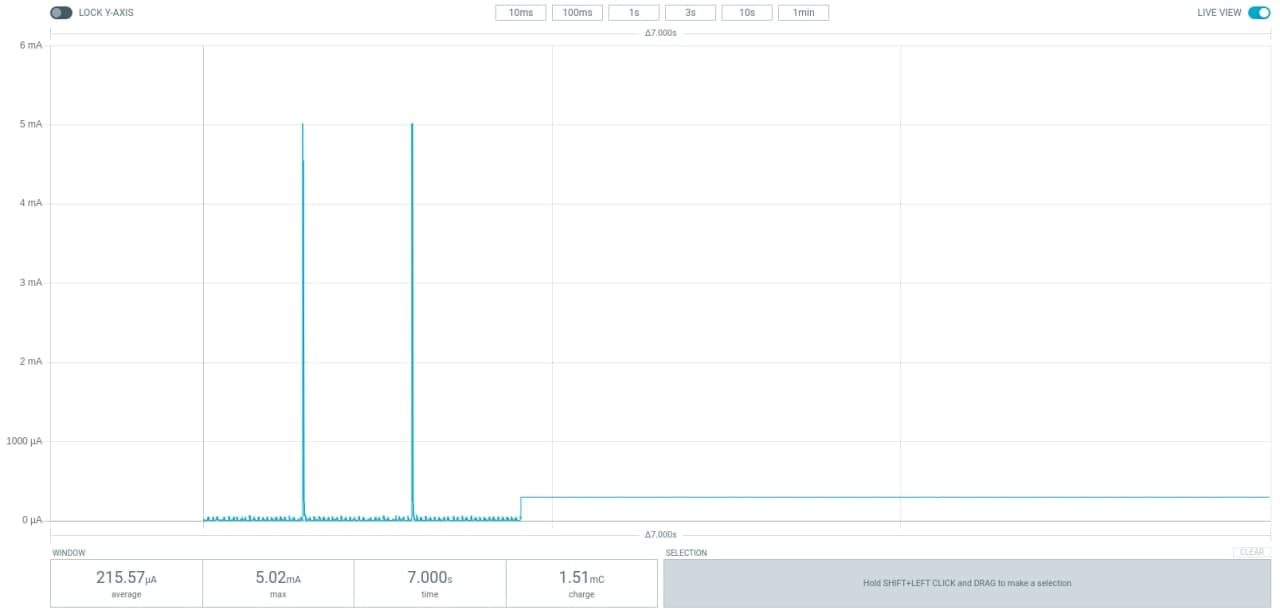
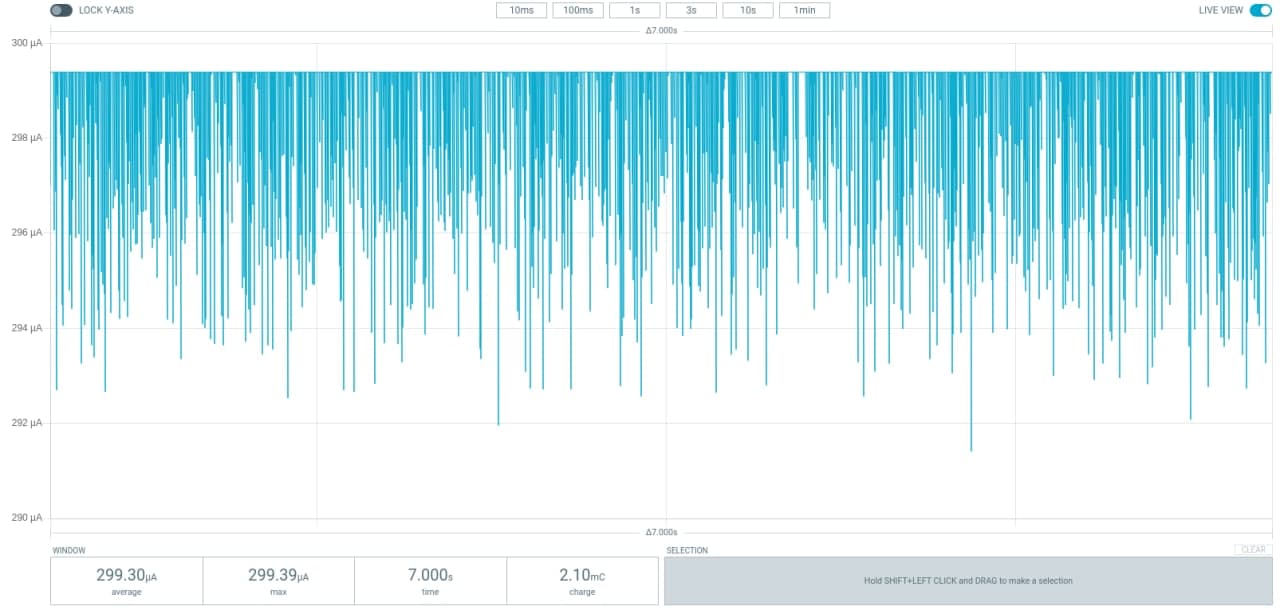
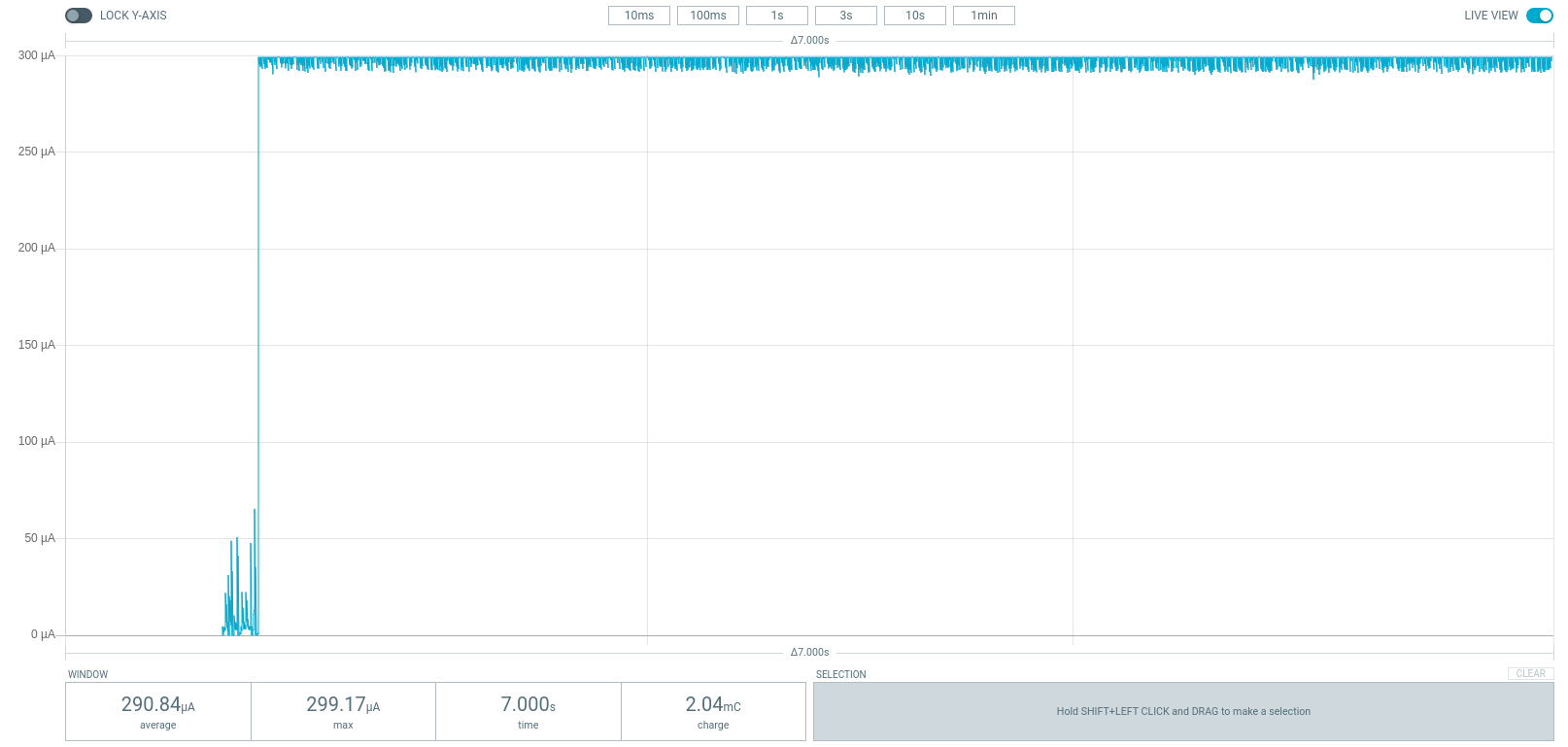
2nd problem : I tried to use another nRF52840 with the power profiler. I cut the SB40. The problem is that I seem to get wrong measurements. I'm flashing a simple beacon app to test so I'm expecting to get high value from time to time (beacon being send), otherwise low power consumption. Sometimes, the beginning is okey, but then I just have a straight line, and sometimes I seem to get only noise. Why ? The configuration of the power profiler is as follow :
- SW2 on DK
- SW4 on DK
- COM on DK
The jumper is removed when measuring. I removed the USB hub as well. I'm connecting the nRF52840 with an USB cable directly to the computer.
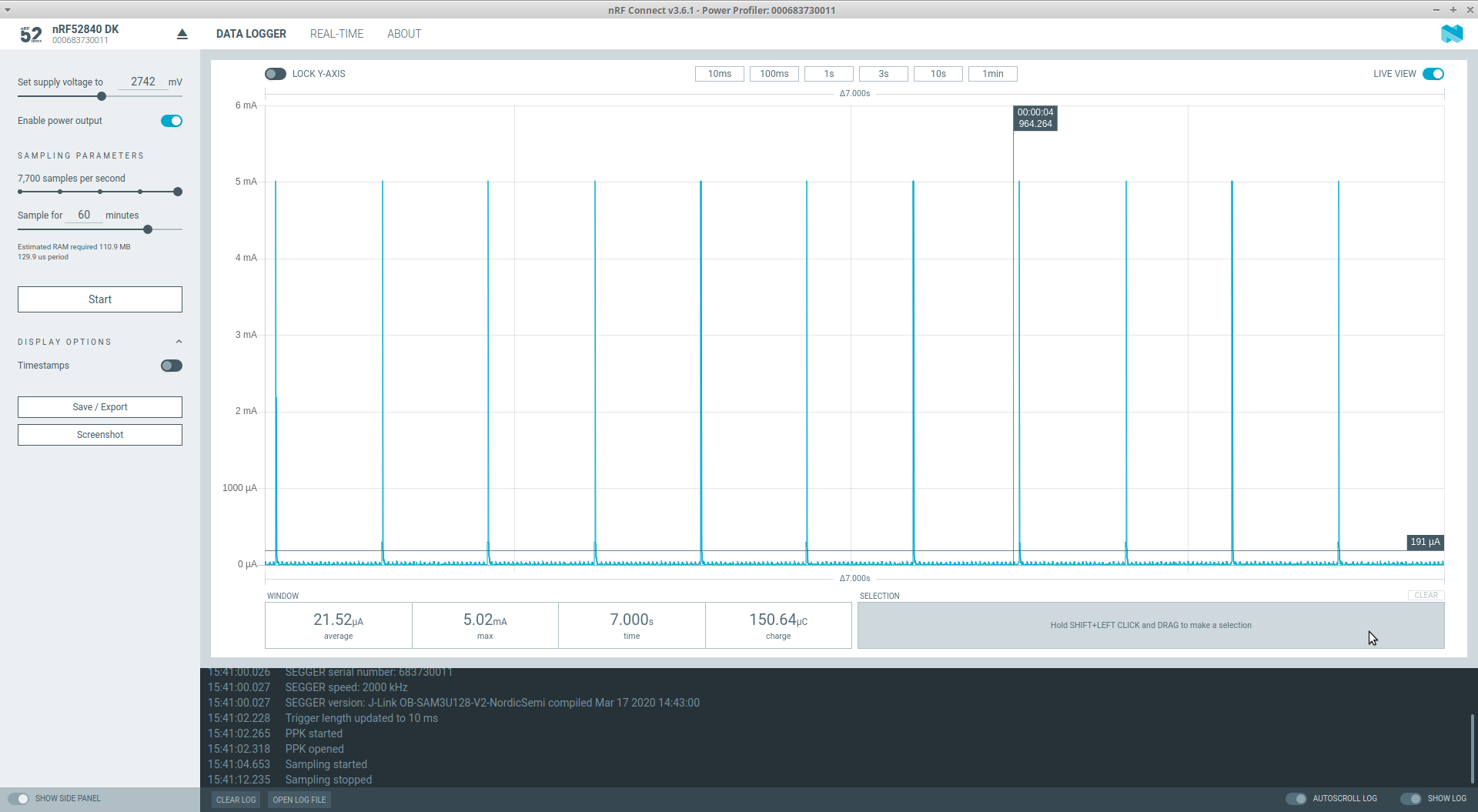
If I test with the device that I can't flash anymore, it's working perfectly, I have the beacon power consumption.
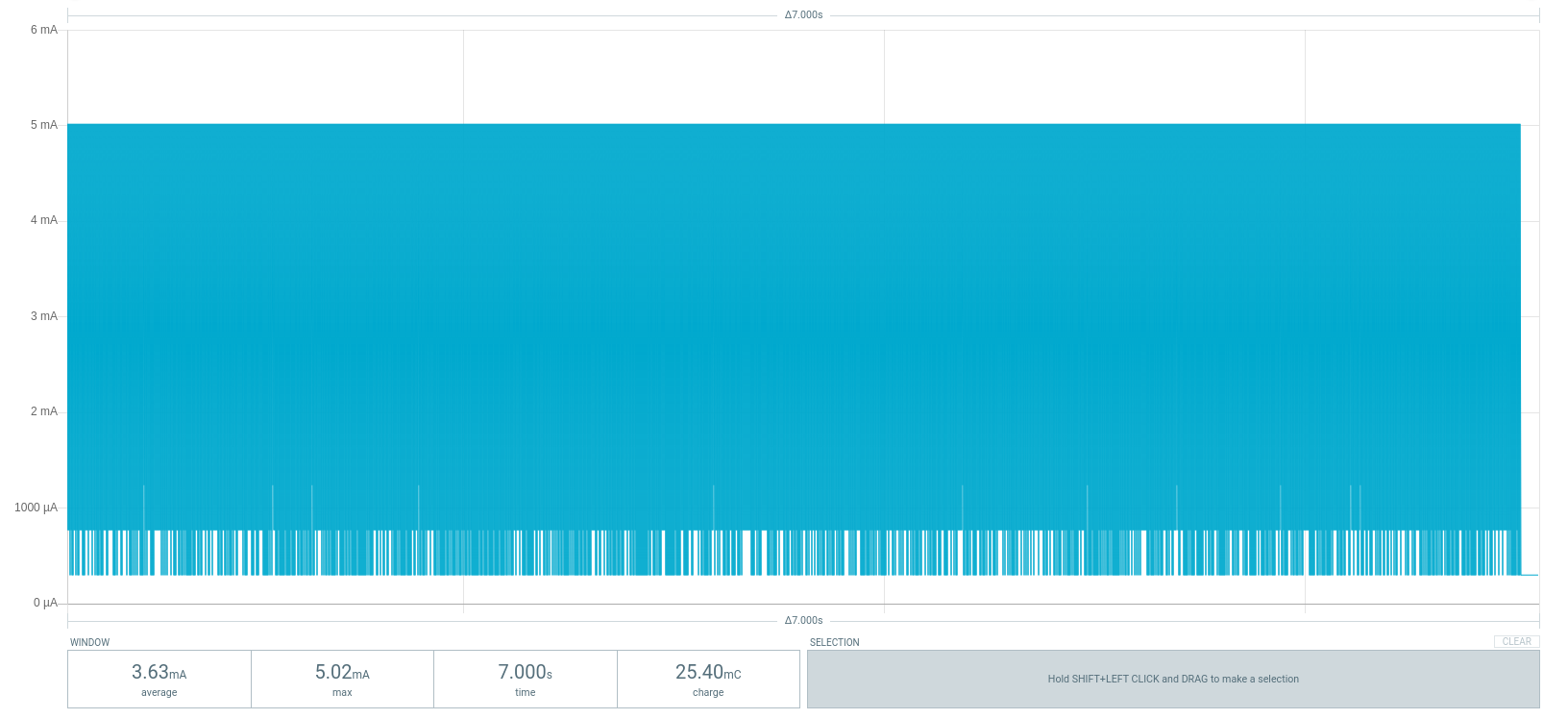
3rd problem : I tried to measure the power consumption of the sparkfun nRF52840 Mini as DUT and using the power profiler. When measuring the beacon app, everything is working great, so I'm able to set up everything correctly. But then measuring a mesh network application, I only see a blue square, or a straight line. Why is that ?
Best regards.