This post is older than 2 years and might not be relevant anymore
More Info: Consider searching for newer posts

Dependency error when attempting to compile alexa_gadget example

After having development success with the nRF52840 I'm beginning to look at development on the newer nRF5340. I've successfully gotten the blinky example working on the development kit, but am running into issues with the alexa_gadget example, which I'm unable to compile successfully in Segger (v5.34a); I'm on a Windows 64bit machine, using NCS 1.5.0-rc1, and on the nRF5340 DK. When opening nRF Connect SDK project, the board name I'm loading this project on is: nrf5340dk_nrf5340_cpuapp (which I'm assuming is the right one for this dev kit?)

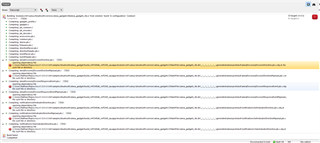
Compilation halts when it reaches alexaDiscoveryDiscoverDirective.pb.c, providing a "No such file or directory" error for the file alexaDiscoveryDiscoverDirective.pb.c.obj.d. Here is the full text of the error:

opening dependency file C:/Users/Nathan/Repos/ncs/v1.5.0-rc1/nrf/samples/bluetooth/alexa_gadget/build_nrf5340dk_nrf5340_cpuapp/modules\nrf\subsys\bluetooth\services\alexa_gadgets\CMakeFiles\alexa_gadgets_lib.dir\__\__\__\__\__\__\generated\alexa\protobuf\alexaDiscoveryDiscoverDirective.pb.c.obj.d: No such file or directory

Here is a screenshot of the full set of compiler errors, which all relate to a similar dependency error:
Navigating to the folder in question, which does in fact exist (though it almost seems like an issue that there are 6 nested folders, each named __, along the way), these are the files I see present:
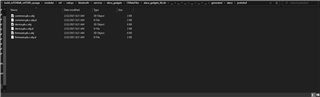
I'm hoping I'm missing something simple. Thanks in advance for your help!

Parents Reply Children
  • Hi Amanda, thanks for the response!

    1. Do you know when/if support will be added for the NRF5340DK?

    2. In that case, I'm still getting the exact same error during compilation when I build the project for my nRF52840DK (selecting board nrf52840dk_nrf52840). I'd love to still be able to get the example working and begin development on our current nRF52840 architecture.

  • Hi Nathan,

    1) Please check with your Regional Sales Manager for the support plan.  

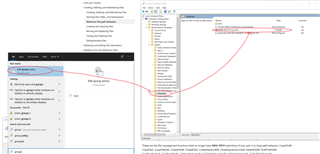
    2) I think the problem is caused by the windows path length limit. I see the same error on windows. Can you try to enable windows "long path aware", reboot and try again? 

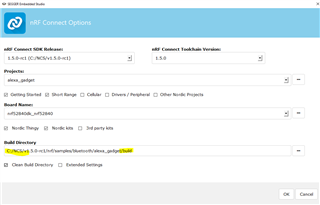
    To get the SES build working on windows I had to shorten the name of the build directory (from "build_nrf52840dk_nrf52840" to "build") to get within the 260 char windows path length limit.

    -Amanda H.

  • Hi Amanda,

    Good news and bad news. Enabling long path aware, along with shortening the build directory name, has allowed me to successfully compile the project, so thank you!

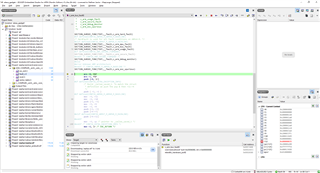
    The bad news is that when I go to program the nRF52840 dev kit, it near immediately experiences a fault. When I hit the play/continue execution button it seems to work for a second or two, then goes back to the fault condition. Here is a screenshot:

    To confirm, this is the default alexa_gadget app and has not been modified at all. I made sure to erase the memory (Erase all via the programmer) for the dev kit just in case there was as softdevice previously loaded, but even after doing that the fault still occurs.

  • Hi Nathan, 

    It appears the main stack overruns on the nRF52840-DK target. Try increasing the main stack size in prj.conf. For example:

    CONFIG_MAIN_STACK_SIZE=2048

    You also need to reopen the Segger to source the new configs.

    -Amanda H. 

  • Hi Amanda,

    Perfect, that did the trick! I really appreciate all your help. Everything works like a charm now.

    In summary for all those who see this post and have similar compilation and runtime issues:

    - Enable windows "long path aware"

    - Make sure your code base is close to root, and shorten the build folder name

    - Increase CONFIG_MAIN_STACK_SIZE in prj.conf to 2048 from 1024

Related