Beware that this post is related to an SDK in maintenance mode
More Info: Consider nRF Connect SDK for new designs
This post is older than 2 years and might not be relevant anymore
More Info: Consider searching for newer posts

nrf52810 BLE examples only run in debug mode

Hello

I have built a custom board using an nrf52810 chip and have been trying to upload some examples from the nrf52SDK (specifically BLE examples with the s112 SoftDevice) within Segger Embedded Studio. I am using the JLink interface on an nrf52840-DK to connect to the board.

The examples I have tested seem to work absolutely fine when debugging. I can upload the SoftDevice hex and firmware elf files, step through line by line and print stuff to the debug terminal. The device appears If I scan using the nRF Connect app on my phone.

However, if I select 'Build and Run' from the Build menu in ses, the code uploads fine but doesn't seem to run because the device doesn't appear on nRF Connect. If I power cycle the device the result is the same.

I've been looking through similar posts on this forum and have tried the following:

- change LF clock source from XTAL to RC (as my board doesn't have an LF crystal) in sdk_config.h

- remove the CONFIG_GPIO_AS_PINRESET define

- upload the prebuilt hex file using nrf Connect app on my Desktop

According to nrf Connect, the hex seems to have been uploaded correctly and the board is correctly identified as an nrf52810:
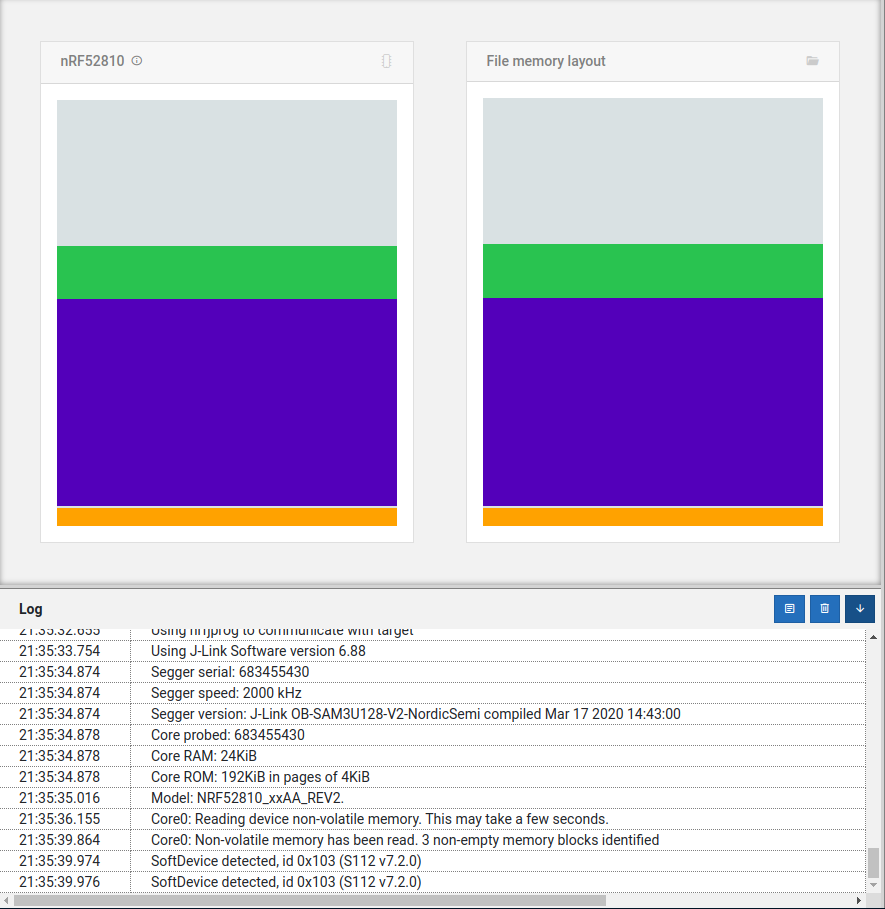
I'm sure it must be something very simple I've overlooked. Any help you can offer would be very much appreciated.

Thanks

Parents
  • Hello,

    I am not sure whether this is the issue, but it was the first thing that came to mind. What HW are you running this on? And what debugger are you using? Are you using a DK with the on board DK, or a custom setup?

    Are you using UART in your application? A common mistake is that people who use the DK and UART struggles when the debugger is not connected, because this is also the device keeping the UART RX pin grounded. When this pin is floating, you may receive some APP_UART_COMMUNICATION_ERROR events, causing your device to reset.

    Do you have any way to monitor the log when the debugger is not connected? If possible, you can use UART with an external UART to USB device. 

    BR,

    Edvin

Reply
  • Hello,

    I am not sure whether this is the issue, but it was the first thing that came to mind. What HW are you running this on? And what debugger are you using? Are you using a DK with the on board DK, or a custom setup?

    Are you using UART in your application? A common mistake is that people who use the DK and UART struggles when the debugger is not connected, because this is also the device keeping the UART RX pin grounded. When this pin is floating, you may receive some APP_UART_COMMUNICATION_ERROR events, causing your device to reset.

    Do you have any way to monitor the log when the debugger is not connected? If possible, you can use UART with an external UART to USB device. 

    BR,

    Edvin

Children
  • Hi Edvin,

    thanks for your suggestion. I am not using UART for my application, and I have tried disabling everything relating to UART in the example app but this doesn't make any difference.

    I have tried other examples without Bluetooth and they work perfectly (I can run the code normally with no debugger connected). So there must be something in the Bluetooth code - or some config setting in Segger Embedded Studio - which causes this.

    I am going to try incrementally adding Bluetooth bits to a working example to see which component causes it to stop working.

Related