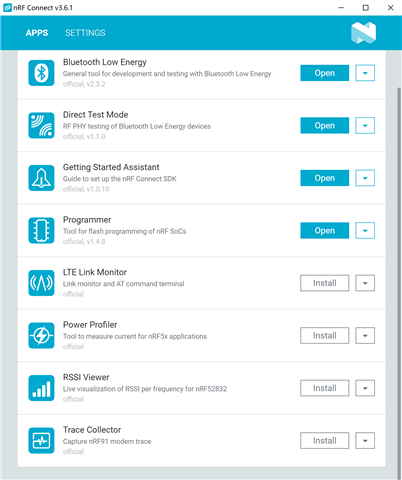
I'm going to play NCS, but I can't find toolchain manager while Getting Started Assistant is depricated.

I'm going to play NCS, but I can't find toolchain manager while Getting Started Assistant is depricated.

Hi,
What operating system are you using? If you try searching for it in the search bar above the apps, are you able to see it then?
Could you try uninstalling nRF Connect for Desktop and removing all related files then reinstalling it?
Best regards,
Marte
win10-64.It doesn't show up either when typed "toolchain" in search bar.
Yes I tried re-installation.
I search the zone here ,it seems that nobody else has ever posted this problem. That is wierd.
win10-64.It doesn't show up either when typed "toolchain" in search bar.
Yes I tried re-installation.
I search the zone here ,it seems that nobody else has ever posted this problem. That is wierd.
Hi,
I have not seen this problem before either. I will ask our developers and come back to you.
Best regards,
Marte
Any progress?
Hi,
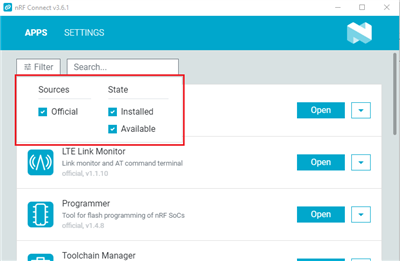
Could you show your filter settings in nRF Connect for Desktop?

Could you try to removing the .nrfconnect-apps folder located in your home directory?
Best regards,
Marte
Your app list seems generally outdated, because you also have other outdated apps (the BLE app has newer versions) which do not show an “Update” button.
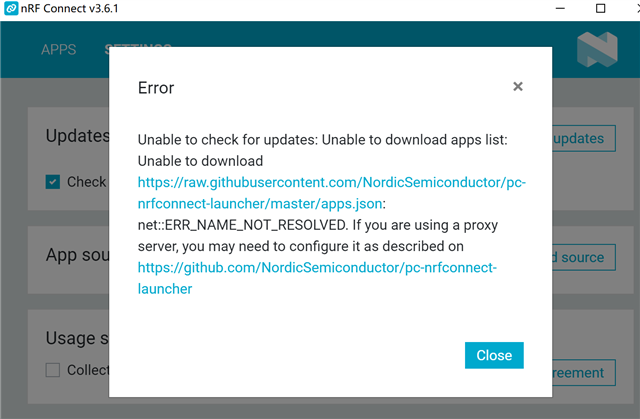
Please go to the Settings. I assume you have “Check for updates at startup” disabled there. Click on “Check for updates” in the settings. This should update the app list, which should then include the toolchain manager and also show you existing updates for other apps.
I think it is a network issue.