

Hi, I'm having issues programming my Thingy91 via the NRFConnect programmer app.
The Thingy in question has had various applications run on it over time, but the objective now is to get it back to it's factory state, and load the Asset Tracker app onto it.
Firstly my Thingy91 was not showing up in the programmer at all.
To try to fix this, I was able to flash the nrf52840 with the latest version of the connectivity bridge (thingy91_nrf52_connectivity_bridge_2021-03-04_8e8c6089.hex) by putting it into serial recovery mode - holding down the tiny button. After doing this the Thingy91 shows up in the programmer with a slightly different name than before. It used to be something like PCA0000029 but it is different now (as pictured), which was unexpected.
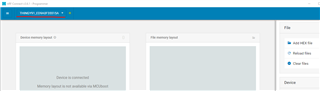
Next, I attempt to put the nrf9160 into serial recovery mode. When I do this and attempt to flash the modem firmware, I get this:
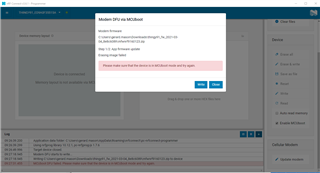
Please make sure that the device is in MCUboot mode and try again.
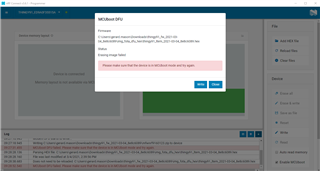
And similarly with the application firmware:
I also have an nrf9160DK, and I attempted to use this to program the Thingy via the 10 pin JTAG cable. I followed the instructions here to no avail. The Thingy is still a brick.
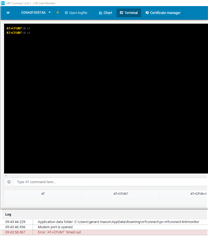
I can't see anything in the LTE Link Monitor either - all the AT commands time out.
It is eminently possible I am doing something wrong, but not sure how to proceed from here.
Help!
Thanks,
Gerard

