This post is older than 2 years and might not be relevant anymore
More Info: Consider searching for newer posts

Error when adding MCUBOOT to project

I'm using nRF Connect v1.5.0, Zephyr, and Segger Embedded Studio (SES) to develop an application I'm testing on nRF5340-DK.

I have a project that compiles and runs.    But now I want to include MCUBOOT so I can eventually add in FOTA updates.

My understanding is that I only need to add "CONFIG_BOOTLOADER_MCUBOOT=y" to prj.conf and rebuild the solution to include MCUBOOT in the project.

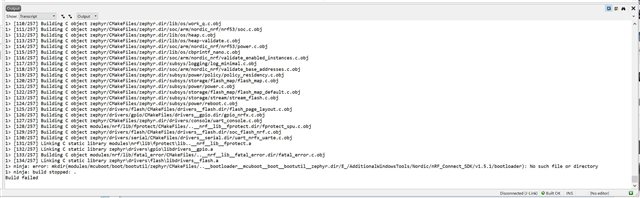
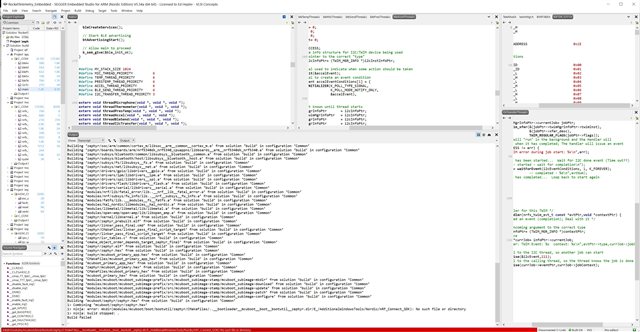
I added the statement to prj.conf, ran Cmake in SES, then attempted to rebuild the project/solution, but the build fails.

The error message seems to indicate that it can't find a file, but it looks like the path listed in the error message may be malformed.   The first part of the path looks like it proceeds down through the build directory hierarchy, but then the "relative back-a-directory" attempts to traverse a directory that doesn't exist.  The path ends with the install directory where nRF_Connect SDK is installed (E:/AdditionalWindowsTools/Nordic/nRF_Connect_SDK).

Is there some other parameter I need to set to get MCUBOOT included in my project?

Here is a screen capture showing the error:
Thanks!

Parents Reply
  • I reduced the directory-name length and tried again with the same result.    Note the error message states that a file is not found, but that path that is printed is not a legal path.

    Note the area of the path with the ".." that is not followed by "/" 

    Also note that after the long name "..__bootloader__mcuboot__boot__bootutil_zephyr.dir" (which itself is not legal) is  "/E_/AdditionalWindowsTools/Nordic"     This is the install directory for the SDK, which is really at "E:/AdditionalWindowsTools/Nordic".    I don't think this absolute path name (including the volume (E:) name) can/should be embedded in the overall path like it is.    

    Can you identify which script is creating this?  Perhaps I can take a look to see if I can figure out what is supposed to be happening...

    Thanks...

Children
  • How short did you make the path? The path length error is a common bug that is being worked on by Nordic.

    Other than that, you could try reinstalling the toolchain/NCS and see if it fixes the issue.

  • Note that I also enabled "Long path names" in Windows 10, so the limitation in Windows should not be an issue.

    I also moved to v1.5.1 (loading both the SDK and ToolChain) with the same results.

    The path length issue doesn't explain the malformed path I mentioned earlier.    I suspect that there is an issue in the script that puts together the path, since the path that fails doesn't look remotely correct.

  • CktDesigner said:
    Note that I also enabled "Long path names" in Windows 10, so the limitation in Windows should not be an issue.

    From what I heard this doesn't always solve the issue.

    How short did you make the path? You should make it as short as possible to rule that out as a possible reason for the error.

  • I was sidetracked by another project, but am now back to this problem.   I shortened the installation path for the SDK (to a single letter name at E:\) and, as you said this fixed the problem.

    It looks like the offending path was:

    ./mcuboot/modules/mcuboot/boot/bootutil/zephyr/CMakeFiles/..__bootloader__mcuboot__boot__bootutil__zephyr.dir/22adb838ab08cf9a5b3965c2da2bd4f7/bootutil_public.c.obj

    Not sure where the very long names in the path come from, but I suspect Zephyr.

    While I don't like using single character names for my paths, I guess they will have to stay until some of the name issues in Zephyr are fixed.

    Thanks for your help!

Related