This post is older than 2 years and might not be relevant anymore
More Info: Consider searching for newer posts

Create an external backup of the network data

Hi.

The Zigbee stack used in the SDKs automatically stores the network data in the Flash. I know it is possible to erase the NVRAM data with ERASE_PERSISTENT_CONFIG to ZB_TRUE (true).

Is there also a possibility to read out the network data?

I need a possibility to read out the network configuration and store it externally. If the device hardware fails, I want to be able to restore it on a factory new device.

Is there any information available how the data structure looks like?

Best regards


Lutz

Parents
  • Hi Lutz,

    For Zigbee specific functions you can use zb_nvram_read_app_data_t to read application datasets from NVRAM. However, it is up to the application to decide what to store in the NVRAM in the application specific datasets, so the network configuration is not automatically stored in these datasets.

    Another way would be to read the flash without using anything Zigbee specific. You could do this with nrfjprog and using one of the following commands:

    Reads n bytes from the provided address:

    --memrd <addr>

    Reads the device UICR and stores it in the given file path:

    -readuicr <path>

    Reads the device flash and stores it in the given file path:

    --readcode <path>

    For more information regarding the different nrfjprog commands and how to use them, you can check out this link.

    I will also ask our developers if there are any other Zigbee specific ways to do this.

    Best regards,

    Marte

  • Hi Marte.

    Thank you for your answer.

    I am developing a ZigBee coordinator based on the cli project. When using this project, “network data” such as network id, bindings, reports, etc. are saved in the ZB NVRAM.

    That was discussed in Case ID: 243345

    So far that works. After a power failure, everything works as before. I do not need to commission my Zigbee nodes again that.

    Now I would like to be able to read this "network data" and save it somewhere else. After my current working coordinator fails, I want to put this network backup data on a brand new coordinator. After that, I want everything to work as before. All nodes should be on the network without the need to commission them again.

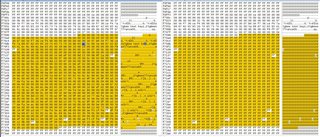
    Currently I don’t exactly know what and how the stored data looks like. I compared the flash contend before I commissioned a node with the flash contend of after commissioning two nodes. I see that at 0xf7000 there is network data contend. After commissioning, I can also see the IEEE addresses of my commissioned nodes. Nevertheless, I need to know the structure of the saved data, to be able to put it on a brand new coordinator.

    I hope you understand my challenge and point me in the right direction.

    Best regards,

    Lutz

Reply
  • Hi Marte.

    Thank you for your answer.

    I am developing a ZigBee coordinator based on the cli project. When using this project, “network data” such as network id, bindings, reports, etc. are saved in the ZB NVRAM.

    That was discussed in Case ID: 243345

    So far that works. After a power failure, everything works as before. I do not need to commission my Zigbee nodes again that.

    Now I would like to be able to read this "network data" and save it somewhere else. After my current working coordinator fails, I want to put this network backup data on a brand new coordinator. After that, I want everything to work as before. All nodes should be on the network without the need to commission them again.

    Currently I don’t exactly know what and how the stored data looks like. I compared the flash contend before I commissioned a node with the flash contend of after commissioning two nodes. I see that at 0xf7000 there is network data contend. After commissioning, I can also see the IEEE addresses of my commissioned nodes. Nevertheless, I need to know the structure of the saved data, to be able to put it on a brand new coordinator.

    I hope you understand my challenge and point me in the right direction.

    Best regards,

    Lutz

Children
  • Hi Lutz,

    I can understand the need to create a backup of the network data in a case such as yours. Unfortunately, there are no easy solutions to do this, and no Zigbee specific functions in our SDK you can use. Creating a backup of the flash, or network data, is a security risk, as someone with access to this backup might be able to use this to make devices join the network without any additional activities, so it is not recommended. However, the easiest solution would be to copy the entire flash of the device and make a duplicate device with this. For this you can use nrfjprog commands, such as --readcode. 

    The device configuration and network data of a Zigbee device is stored in the common dataset, and this dataset is 144 bytes. However, I cannot help you any more with where the network data itself is stored in flash, and how to get only this.

    As for the network key, you can use zb_secur_setup_nwk_key to predefine the network key. Then you can set it to what you want it to be, and will therefore know what it is. However, this should only be used for debugging or analysis of traffic sniffing results, and not for production.

    Best regards,

    Marte

  • Hi Marte.

    Thank you for your help. I will see what I can make out of it. And I guess I need to reconsider some security aspects.

    Best regards,

    Lutz

Related