This post is older than 2 years and might not be relevant anymore
More Info: Consider searching for newer posts

add uart peripheral into client example returns "app_error_weak.c, 105, Mesh assert at 0x0002C8B0 (:0)"

I am using sdk for mesh v.5 (s140.7.2.0) and nrf52840 DK and want to add uart peripheral into the client in the light switch mesh example and then trigger button 1 once a sting data is received.

I added drivers and libraries c.files of the art peripheral, paths, headers, and finally added these functions in the main.c file.

void uart_error_handle(app_uart_evt_t * p_event)
void uart_event_handle(app_uart_evt_t * p_event)
void uart_init(void)

And with an "if" I checked a string received from uart and then I trigger buttun1 by call the "button_event_handler(button_number)" function.

and I added the "uart_init()" function in the main () function .


When I press the button 1 it works fine, although when I write the "string" on the uart, it returns:


<t: 0>, main.c, 573, ----- BLE Mesh Light Switch Client Demo -----
<t: 12650>, main.c, 412, Initializing and adding models
<t: 12702>, main.c, 209, Node Address: 0x0004
<t: 12704>, mesh_app_utils.c, 66, Device UUID (raw): 137FF47B11294702B381A62F60654E45
<t: 12708>, mesh_app_utils.c, 67, Device UUID : 137FF47B-1129-4702-B381-A62F60654E45
<t: 12731>, main.c, 625,
------------------------------------------------------------------------------------
Button/RTT 1) Send a message to the odd group (address: 0xC003) to turn on LED 1.
Button/RTT 2) Send a message to the odd group (address: 0xC003) to turn off LED 1.
Button/RTT 3) Send a message to the even group (address: 0xC002) to turn on LED 1.
Button/RTT 4) Send a message to the even group (address: 0xC002) to turn off LED 1.
------------------------------------------------------------------------------------
<t: 483794>, main.c, 489, Data is Successfully Received
<t: 483797>, main.c, 312, Button 1 pressed
<t: 483799>, main.c, 335, Sending msg: ONOFF SET 1
<t: 483809>, app_error_weak.c, 105, Mesh assert at 0x0002C8B0 (:0)

I searched my problem and found this case.

So I tried to add app_scheduler in my codes based on this tutorial.

#include "app_scheduler.h"

static void button_event_handler_app_sched(void * p_event_data, uint16_t event_size)
{
uint8_t * button_number = (uint8_t *) p_event_data;
NRF_MESH_ASSERT(event_size == 1);
button_event_handler(*button_number);
}
static void button_event_handler_irq(uint32_t button_number)
{
static uint8_t bt_num;
bt_num = button_number;
app_sched_event_put((void *)&bt_num, sizeof(bt_num), button_event_handler_app_sched);
}

static void initialize(void)

{

.

.

#if BUTTON_BOARD
ERROR_CHECK(hal_buttons_init(button_event_handler_irq));
#endif

.

.

.

}

int main(void)
{

///////////////////////add by Sama
/*scheduler*/
APP_SCHED_INIT(SCHED_MAX_EVENT_DATA_SIZE, SCHED_QUEUE_SIZE);
app_sched_execute();

/*UART_Interface*/
uart_init();

///////////////////////end by Sama
initialize();
start();

for (;;)
{
/*scheduler*/
//(void)sd_app_evt_wait();
bool done = nrf_mesh_process();
if (done)
{
sd_app_evt_wait();
}

}
}

However, it does not work. Here is the log file:
t: 0>, main.c, 594, ----- BLE Mesh Light Switch Client Demo -----
<t: 12031>, app_error_weak.c, 115, Mesh error 8 at 0x0002846B (D:\Behine Niroo\Nordic\NRF Mesh\nrf5_SDK_for_Mesh_v5.0.0_src\examples\common\src\simple_hal.c:244)

Could you please advise me?

Thank you in advance.

Br,

Sama

Parents
  • Hi Sama, 
    I have made an example here. It could be useful for you. 

  • Hi Hung,

    Thank you very much for your reply.


    I can read from and write on the UART by enabling the peripheral resource sharing for UART and UARTE. This was done by setting #define NRFX_PRS_ENABLED 1' and '#define NRFX_PRS_BOX_2_ENABLED 1' in your sdk_config.h file.

    My trouble is that I want to call "button_event_handler(button_number)" function from the "uart_event_handle(app_uart_evt_t * p_event)" function, exactly same as this case .

     initialized the Mesh stack with NRF_MESH_IRQ_PRIORITY_LOWEST but that did not work and returned "Mesh assert at 0x0002C8B0 (:0)". 

    I thought this needs to have a scheduler to order the interrupts.
    Isn't it?

    Br,
    Sama

  • Update:

    Hi Hung,

    I managed to solve the problem by changing "APP_IRQ_PRIORITY_LOWEST" to "APP_IRQ_PRIORITY_LOW" in the "APP_UART_FIFO_INIT" function.

    Could you please let me know will make a problem for other parts? Is there anything I should consider with this change?

    What about if I initialise mesh with the "LOW" priority?

    Br,

    Sama

  • Hi Sama, 

    Please use the add2line to find where the assert is. 

    https://devzone.nordicsemi.com/f/nordic-q-a/25886/70-mesh-assert-at-0x00023680

    I assume you are calling a mesh API inside the button_event_handler()  ?

    Using APP_IRQ_PRIORITY_LOWEST for APP_UART_INFO should work as you can find that in my example. 

  • Hi Hung,

    Thank you for your reply.

    Yes, I call "send_message" function in the button_event_handler().

    
    void send_message (void) 
    {
        uint32_t status=0;
        uint8_t buffer[5]={0x44,0x61,0x74,0x61};
        uint8_t length;
        uint16_t address;
        access_message_tx_t msg;
        length= sizeof(buffer);
                   if (length)
                    { 
                      msg.opcode.opcode = simple_message_OPCODE_SEND ;
                      msg.opcode.company_id = 0x0059; // Nordic's company ID
          
                      msg.p_buffer = (const uint8_t *) &buffer[0];
                      msg.length =length;


                      //SEGGER_RTT_printf(0,"Sending to group address 0x%04x\n", address);
                      status= access_model_publish(m_clients[0].model_handle, &msg);        //CHANGED TO 0 FROM 3 
                      __LOG(LOG_SRC_APP, LOG_LEVEL_INFO, "Status : %u \n", status);
    
                      if (status == NRF_ERROR_INVALID_STATE ||
                      status == NRF_ERROR_BUSY||status == NRF_ERROR_NO_MEM)
                       {
                         __LOG(LOG_SRC_APP, LOG_LEVEL_INFO, "Cannot send. Device is busy.\n");
                          hal_led_blink_ms(LEDS_MASK, 50, 4);
                       }
                       else
                       {
                             ERROR_CHECK(status);
                       }
                    }
    }

    The log is:

    *************************************************************

    <t: 0>, main.c, 581, ----- BLE Mesh Light Switch Client Demo -----
    <t: 11932>, main.c, 405, Initializing and adding models
    <t: 11982>, main.c, 206, Node Address: 0x0002
    <t: 11985>, mesh_app_utils.c, 66, Device UUID (raw): 137FF47B11294702B381A62F60654E45
    <t: 11988>, mesh_app_utils.c, 67, Device UUID : 137FF47B-1129-4702-B381-A62F60654E45
    <t: 12012>, main.c, 628,
    ------------------------------------------------------------------------------------
    Button/RTT 1) Send a message to the odd group (address: 0xC003) to turn on LED 1.
    Button/RTT 2) Send a message to the odd group (address: 0xC003) to turn off LED 1.
    Button/RTT 3) Send a message to the even group (address: 0xC002) to turn on LED 1.
    Button/RTT 4) Send a message to the even group (address: 0xC002) to turn off LED 1.
    ------------------------------------------------------------------------------------
    <t: 753856>, main.c, 482, Data is Successfully Received
    <t: 753859>, main.c, 309, Button 1 pressed
    <t: 753861>, main.c, 332, Sending msg: ONOFF SET 1
    <t: 753872>, app_error_weak.c, 105, Mesh assert at 0x0002C7E8 (:0)

    *************************************************************

    I used the add2line tool:

    arm-none-eabi-addr2line -e light_switch_client_nrf52840_xxAA_s140_7.2.0.elf 0x2C7E8

    and here is the result:

    ..\Nordic\NRF Mesh\nrf5_SDK_for_Mesh_v5.0.0_src\mesh\core\src/timer_scheduler.c:218 (discriminator 1)


    I lookforward to hearing from you.

    Br,

    Sama

Reply
  • Hi Hung,

    Thank you for your reply.

    Yes, I call "send_message" function in the button_event_handler().

    
    void send_message (void) 
    {
        uint32_t status=0;
        uint8_t buffer[5]={0x44,0x61,0x74,0x61};
        uint8_t length;
        uint16_t address;
        access_message_tx_t msg;
        length= sizeof(buffer);
                   if (length)
                    { 
                      msg.opcode.opcode = simple_message_OPCODE_SEND ;
                      msg.opcode.company_id = 0x0059; // Nordic's company ID
          
                      msg.p_buffer = (const uint8_t *) &buffer[0];
                      msg.length =length;


                      //SEGGER_RTT_printf(0,"Sending to group address 0x%04x\n", address);
                      status= access_model_publish(m_clients[0].model_handle, &msg);        //CHANGED TO 0 FROM 3 
                      __LOG(LOG_SRC_APP, LOG_LEVEL_INFO, "Status : %u \n", status);
    
                      if (status == NRF_ERROR_INVALID_STATE ||
                      status == NRF_ERROR_BUSY||status == NRF_ERROR_NO_MEM)
                       {
                         __LOG(LOG_SRC_APP, LOG_LEVEL_INFO, "Cannot send. Device is busy.\n");
                          hal_led_blink_ms(LEDS_MASK, 50, 4);
                       }
                       else
                       {
                             ERROR_CHECK(status);
                       }
                    }
    }

    The log is:

    *************************************************************

    <t: 0>, main.c, 581, ----- BLE Mesh Light Switch Client Demo -----
    <t: 11932>, main.c, 405, Initializing and adding models
    <t: 11982>, main.c, 206, Node Address: 0x0002
    <t: 11985>, mesh_app_utils.c, 66, Device UUID (raw): 137FF47B11294702B381A62F60654E45
    <t: 11988>, mesh_app_utils.c, 67, Device UUID : 137FF47B-1129-4702-B381-A62F60654E45
    <t: 12012>, main.c, 628,
    ------------------------------------------------------------------------------------
    Button/RTT 1) Send a message to the odd group (address: 0xC003) to turn on LED 1.
    Button/RTT 2) Send a message to the odd group (address: 0xC003) to turn off LED 1.
    Button/RTT 3) Send a message to the even group (address: 0xC002) to turn on LED 1.
    Button/RTT 4) Send a message to the even group (address: 0xC002) to turn off LED 1.
    ------------------------------------------------------------------------------------
    <t: 753856>, main.c, 482, Data is Successfully Received
    <t: 753859>, main.c, 309, Button 1 pressed
    <t: 753861>, main.c, 332, Sending msg: ONOFF SET 1
    <t: 753872>, app_error_weak.c, 105, Mesh assert at 0x0002C7E8 (:0)

    *************************************************************

    I used the add2line tool:

    arm-none-eabi-addr2line -e light_switch_client_nrf52840_xxAA_s140_7.2.0.elf 0x2C7E8

    and here is the result:

    ..\Nordic\NRF Mesh\nrf5_SDK_for_Mesh_v5.0.0_src\mesh\core\src/timer_scheduler.c:218 (discriminator 1)


    I lookforward to hearing from you.

    Br,

    Sama

Children
  • Hi Sama, 

    Do you have a particular reason why you need to use app_scheduler in your application ? 

    If you are using app_scheduler and if you initialize your mesh stack with NRF_MESH_IRQ_PRIORITY_THREAD you should call any mesh API from thread context (main loop, app_scheduler). 
    So if you use app_scheduler, you need to pass your mesh API call to the app_scheduler instead of calling it directly. 

    If you don't use app_scheduler, you can just call the mesh API in the interrupt handler (such as the button event handler) as long as the priority is APP_IRQ_PRIORITY_LOWEST 

  • Hi Hung,

    I did not use the "app scheduler".

    The "timer scheduler" was added in the client example by default in the Core folder.

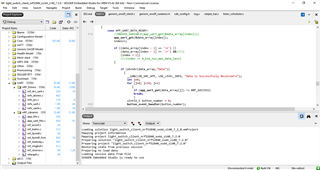
    I have just added the drivers and libraries of UART into the client example as you can see in the image.

    As I said when I change the priority of the UART it works fine.

    I have another question that may be not related to this topic.

    Is it possible to use the UART peripheral beside the DFU mesh example?

    Actually, I want to have a serial connection to send and receive string data, and also do DFU mesh through the serial port. 

    Please let me know if I should create a new case for my question.

    Br,

    Sama

  • No I'm talking about the app_scheduler you used: 

    ///////////////////////add by Sama
    /*scheduler*/
    APP_SCHED_INIT(SCHED_MAX_EVENT_DATA_SIZE, SCHED_QUEUE_SIZE);
    app_sched_execute();

    I'm not sure which priority you used when init mesh inside mesh_init() but please follow the correct interrupt priority. 

    Regarding your question, if you want to add your own command to the serial example you would need to have a look inside the serial.h, there you can find the list of command. For example DFU command is from 0xD0 to 0xDF. 
    You can define your own command from 0x30 to 0x3F for example. 
    You then can handle your own command by adding your handler inside m_cmd_handlers[] inside serial.c 

  • Hi Hung,

    I am sorry if my explanations were confusing.


    Using "app_scheduler" was my first test that did not work.
    After that, I create a new file in which I added UART into the client example. Then I changed "APP_IRQ_PRIORITY_LOWEST" to "APP_IRQ_PRIORITY_LOW" in the "APP_UART_FIFO_INIT" function, solving the problem. Please have a look at this case.

    I will send you my codes to have a look.
    I appreciate it if you can help me to add a serial communication to send data and also to do DFU.

    Br,

    Sama

  • Hi Sama, 

    Have you followed what I suggest ? There should be very minor change in the serial.h file and then you describe your own uart handler that handles the UART opcode 0x30 to 0x3F that you define yourself. 

Related