This post is older than 2 years and might not be relevant anymore
More Info: Consider searching for newer posts

Thermostat cluster enable issue

Hi All,

I am developing product using nRF52840 and SDK nRF5_SDK_for_Thread_and_Zigbee_v3.0.0_d310e71.

This product is basically, using the Thermostat cluster and Zigbee protocol to communicate with the Zigbee gateway.

So, I referred light_bulb example and followed steps to enable "Thermostat cluster and attributes".

I have included the respective files also but I am unable to execute the below callback function case statement,

static zb_void_t zcl_device_cb(zb_uint8_t param)
{
    zb_uint8_t                       cluster_id;
    zb_uint8_t                       attr_id;
    zb_buf_t                       * p_buffer = ZB_BUF_FROM_REF(param);
    zb_zcl_device_callback_param_t * p_device_cb_param =
                     ZB_GET_BUF_PARAM(p_buffer, zb_zcl_device_callback_param_t);

    NRF_LOG_INFO("zcl_device_cb id %hd", p_device_cb_param->device_cb_id);

    /* Set default response value. */
    p_device_cb_param->status = RET_OK;

    switch (p_device_cb_param->device_cb_id)
    {
        case ZB_ZCL_SET_ATTR_VALUE_CB_ID:
            cluster_id = p_device_cb_param->cb_param.set_attr_value_param.cluster_id;
            attr_id    = p_device_cb_param->cb_param.set_attr_value_param.attr_id;

            if (cluster_id == ZB_ZCL_CLUSTER_ID_THERMOSTAT)
            {
                uint16_t value = p_device_cb_param->cb_param.set_attr_value_param.values.data16;

                NRF_LOG_INFO("thermostat local temperature: %d", value);
                if (attr_id == ZB_ZCL_ATTR_THERMOSTAT_LOCAL_TEMPERATURE_ID)
                {
                    local_temperature_value(value);
                }
            }
            else
            {
                /* Other clusters can be processed here */
                NRF_LOG_INFO("Unhandled cluster attribute id: %d", cluster_id);
            }
        break;

        default:
            p_device_cb_param->status = RET_ERROR;
            break;
    }

    NRF_LOG_INFO("zcl_device_cb status: %hd", p_device_cb_param->status);
}

Also, I am attaching code for reference please let me know what else I forgot to enable the functions. It is urgent for me to solve this issue.

Radiator_nRF_v0.9.0.zip

And, with these attributes, for some of the commands, I need to implement custom attributes so if you share how to add custom attributes to this cluster.

Thanks in advance.

Regards,

Rohit R

  • Hi Marte,

    Thank you so much for the constant help. As you know in my another ticket enabling extended attribute was successful.

    Also, as per your suggestion we have up graded the SDK to lasted one 4.1. 

    Now, I can see my extended attributes in GUI. 

    My next task, for some attribute perform read_write action and for some only read action. 

    read_write attributes are listed below, 

    1. Occupied heating set point

    2. Unoccupied heating set point

    3. Min heat set point limit 

    4. Max heat set point limit

    5. Remote sensing

    6. Control sequence operation

    7. System mode

    Extended attribute

    8. TRV mode

    9. Valve position

    10. Current setpoint

    11. Host flags

    Read attributes are listed below, 

    1. Local temperature

    2. PI heating demand

    Extended attribute 

    3. Error

    So, as per my knowledge to perform write operation for current setpoint attribute, I added below lines in code. 

    1. in zcl_device_cb()  checked the attri_id 

    2. If attri_id = current_setpoint_attr 

    3. Then I called my functions Current_setpoint_change() 

    void current_setpoint_change_value(zb_uint16_t ui16CurrentSetpoint)
    {
       zb_zcl_status_t zcl_status;
    
       zcl_status = zb_zcl_set_attr_val(THERMOSTAT_SENSOR_ENDPOINT, 
                                         ZB_ZCL_CLUSTER_ID_THERMOSTAT, 
                                         ZB_ZCL_CLUSTER_SERVER_ROLE, 
                                         ZB_ZCL_ATTR_THERMOSTAT_CURRENT_SETPOINT_CHANGE_ID, 
                                         (zb_uint8_t *)&ui16CurrentSetpoint , 
                                         ZB_FALSE);
       if(zcl_status != ZB_ZCL_STATUS_SUCCESS)
       {
          NRF_LOG_INFO("Set local temperature value fail. zcl_status: %d", zcl_status);
       }
    }

    But if I run the code it didn't get enabled. I am doing some thing wrong. I need to perform this for all read_write attributes. Because depending on write value I need to send this to Radiator device. 

    Example - In current setpoint if I write 23 then I should send this value to Radiator to display. 

    Let me know if i am following any wrong steps to perform write operation. 

    attached is my thermostat.h file. In this I gave ZB_ZCL_ATTR_ACCESS_READ_WRITE to attribute description. 

    zb_zcl_thermostat.h

    Is there anything which I missed here to add? I tried min_heating_set_limit attribute also. There also same problem. Function not enabling means unable to keep breakpoint. 

    I check with light_bulb code but in that attributes are read_only but still there Zb_callback() works when give command.

    Let me know as early as possible. What I have missed to add in thermostat.h file so that read_write permission not working in call_back. 

    Thanks and Regards

    Rohit R 

  • Hi Rohit,

    Yes, I was very happy to see that you were able to add custom attributes, and that it finally worked with deCONZ! 

    Your implementation of the function current_setpoint_change_value is correct. Are you unable to set the attribute at all, or is the problem that the radiator does not display the attribute?

    How did you add it in zcl_device_cb? You mention checking the attribute ID, but did you remember to use the case ZB_ZCL_SET_ATTR_VALUE_CB_ID? I tested by adding you current_setpoint_change_value function to the last version of the Radiator project I got, and added functionality to zcl_device_cb so it looks like this:

    static zb_void_t zcl_device_cb(zb_bufid_t bufid)
    {
        zb_uint8_t                       cluster_id;
        zb_uint8_t                       attr_id;
        zb_zcl_device_callback_param_t * p_device_cb_param = ZB_BUF_GET_PARAM(bufid, zb_zcl_device_callback_param_t);
    
        NRF_LOG_INFO("zcl_device_cb id %hd", p_device_cb_param->device_cb_id);
    
        /* Set default response value. */
        p_device_cb_param->status = RET_OK;
    
        switch (p_device_cb_param->device_cb_id)
        {
            case ZB_ZCL_SET_ATTR_VALUE_CB_ID:
                cluster_id = p_device_cb_param->cb_param.set_attr_value_param.cluster_id;
                attr_id    = p_device_cb_param->cb_param.set_attr_value_param.attr_id;
                if (cluster_id==ZB_ZCL_CLUSTER_ID_THERMOSTAT)
                {
                    zb_int16_t value = p_device_cb_param->cb_param.set_attr_value_param.values.data16;
                    NRF_LOG_INFO("current setpoint attribute setting to %hd", value);
                    if (attr_id ==ZB_ZCL_ATTR_THERMOSTAT_CURRENT_SETPOINT_CHANGE_ID)
                    {
                        current_setpoint_change_value(value);
                    }
                }
            break;
            default:
                p_device_cb_param->status = RET_ERROR;
                break;
        }
    
        NRF_LOG_INFO("zcl_device_cb status: %hd", p_device_cb_param->status);
    }

    With this I was able to write to the attribute, and when I read it afterwards I got the updated value. Is this similar to how zcl_device_cb looks in your project?

    If you want the radiator to print the attribute when you write a new value to it, you must add this yourself. When you give an attribute read_write access, it only means that you have both read access and write access for the attribute, so you are able to read it using a read command and write it using a write command. 

    Best regards,

    Marte

  • Hello Marte, 

    Yes, it is exactly same. 

    My declaration and your declaration in matching. 

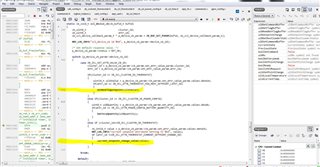
    I have attached the image, where you can see the highlighted part when I run the code. lines are not enabling. 

    Can you verify is it correct? 

    Even I changes the function to below snippet also but it is same no difference if i am not wrong. It doesn't make difference. 

    Below is the current_setpoint_change() function snippet. 

    static void current_setpoint_change_value(zb_uint16_t ui16CurrentSetpoint)
    {
    
       ZB_ZCL_SET_ATTRIBUTE(THERMOSTAT_SENSOR_ENDPOINT,
                        ZB_ZCL_CLUSTER_ID_THERMOSTAT,
                        ZB_ZCL_CLUSTER_SERVER_ROLE,
                        ZB_ZCL_ATTR_THERMOSTAT_CURRENT_SETPOINT_CHANGE_ID,
                        (zb_uint8_t *)&ui16CurrentSetpoint,
                        ZB_FALSE);
    }

    If you want the radiator to print the attribute when you write a new value to it, you must add this yourself.

    - Yes, once callback work perfectly. And I am able to write value then I will next part. 

    Only thing is code is not enabling in callback. 

    Because, my all write attribute is depended on checking attribute id and perform next. 

    Thanks and Regards

    Rohit R

  • Hi Rohit,

    One thing I see is that you have

    if (cluster_id == ZB_ZCL_CLUSTER_ID_THERMOSTAT)

    ...

    else if (cluster_id == ZB_ZCL_CLUSTER_ID_THERMOSTAT)

    Here, your code will always go into the first if when the cluster is the Thermostat cluster, and will never enter the else if on line 421, since when you use if, else if, and else conditions, it will only enter the first condition that is true, and will ignore all the rest. You should instead do something like this, where both MIN_HEAT_SETPOINT_LIMIT and CURRENT_SETPOINT_CHANGE are under the if ZB_ZCL_CLUSTER_ID_THERMOSTAT:

    case ZB_ZCL_SET_ATTR_VALUE_CB_ID:
        cluster_id = p_device_cb_param->cb_param.set_attr_value_param.cluster_id;
        attr_id    = p_device_cb_param->cb_param.set_attr_value_param.attr_id;
        
        if (cluster_id == ZB_ZCL_CLUSTER_ID_THERMOSTAT)
        {
            if (attr_id == ZB_ZCL_ATTR_THERMOSTAT_MIN_HEAT_SETPOINT_LIMIT_ID)
            {
                zb_int16_t value = p_device_cb_param->cb_param.set_attr_value_param.values.data16;
                minheatingsetpoint(value);
            }
            else if (attr_id ==ZB_ZCL_ATTR_THERMOSTAT_CURRENT_SETPOINT_CHANGE_ID)
            {
                zb_int16_t value = p_device_cb_param->cb_param.set_attr_value_param.values.data16;
                current_setpoint_change_value(value);
            }
        }
        else if (cluster_id == ZB_ZCL_CLUSTER_ID_POWER_CONFIG)
        {
        ...

    The current_setpoint_change() function snippet is correct.

    Best regards,

    Marte

  • Hi Marte, 

    Sorry for this inconvenience. I am not getting reply option to your latest feedback. I don't know what is wrong. 

    And to last post reply - 

    1. Yes, I have tried only current_setpoint_attribute() function also then also same problem. code line are not executing as marked in previous image. 

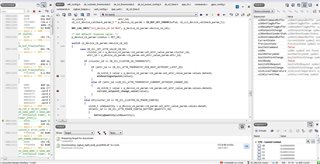
    2. I tried your suggestion also but still the same problem. You find the attached image where i am not able to put break point. 

    Should I share the code. but is same to last only thing is I have enabled more extended attributes. 

    Regards,

    Rohit R

Related