I am unable to connect the device to nRF Connect programmer. Following is the error. how to resolve it? what actually is the problem?
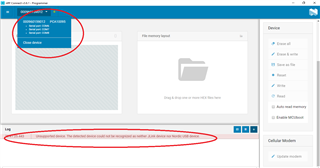
I am unable to connect the device to nRF Connect programmer. Following is the error. how to resolve it? what actually is the problem?

Hello Timothy,
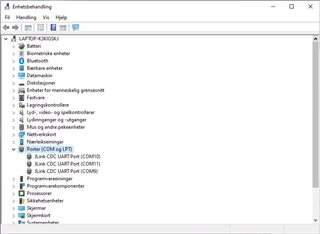
Thanks for the pictures! The 3 COM-ports are supposed to be registered as “JLink CDC UART Port”.

Are you sure that you are using an USB data cable and not one for powering only?
Regards,
Markus
Hi Markus,
Thanks, but yes I am using USB data cable. I have used the same cable with other Dev. Kit such as QuickFeather board also. I am not sure what is missing can you please let me know the steps for installing the required software so that I can re-check. Please mentioned the right version of each s/w also possibly with download links. That would be helpful and if there is video instruction! Is there any specific cable required?
Thanks
If you have used the cable with other DKs before, then it should be fine.
As a reference, you can have a look at the Get started section of the nRF5340 DK, which will guide you to the Getting started with nRF Connect SDK guideline.
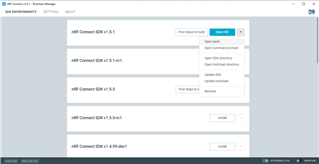
Do you have the Toolchain Manager and a nRF Connect SDK installed? You could open a bash as shown in the picture below

and use the following command:
nrfjprog --version
Do you get a result similar to that?
$ nrfjprog --version nrfjprog version: 10.12.1 JLinkARM.dll version: 6.88a
By the way: are you operating on Windows 10?
Regards,
Markus
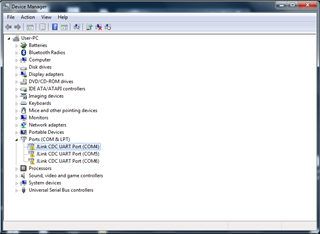
I can see the same info for nrfjprog. I again reinstalled JLink SEGGER and now I can see 'JLink CDC UART Port' but with yellow flag. I am using windows 7 in this case.

Thanks for the feedback, Timothy!
Unfortunately, we do not have support for Windows 7. Please upgrade to Windows 10.
Regards,
Markus