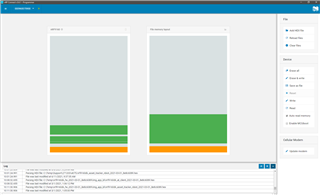
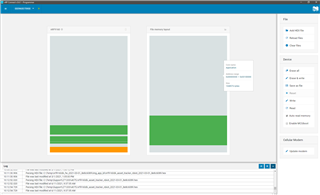
While following the steps required to provision the nRF9160 Connect for Cloud certificate, I entered the 'AT+CFUN=4' in the AT command text field and I clicked 'Send' but then the following error message comes up in the log file: Error:'AT+CFUN=4' timed out.
As instructed, I completed the following steps in order to provision the nRF Connect for Cloud certificate:
1. I downloaded the relevant " *.cert.json" file to my PC.
2. I opened the nRF Connect for Desktop on my PC and I launched the nRF Connect LTE Link Monitor.
3. In the setting pane, I deselected the checkbox for 'Automatic requests'.
4. I did not insert any SIM card into my nRF9160 DK.
5. I connected the nRF9160 DK to my PC and I turned it on. (In the navigation bar "No devices available" changed to "Select Device").
6. I selected my device (nRF9160 DK).
7. I clicked 'Terminal' in the navigation bar to switch to the terminal view.
8. I entered 'AT+CFUN=4' in the AT command text field and I clicked "Send".
9. As soon as I clicked "Send" , the following error message appeared in the log file: "Error: 'AT+CFUN=4' timed out". I also did not see any OK or other confirmation that my message was received.
10. I then tried to enter "AT+CFUN?" in the AT command text field and I clicked "Send" but again, I did not see any OK or other confirmation that my message was received and again the Error message "Error: 'AT+CFUNC?' timed out" appeared in the log file.
N.B.
1. The version of my nRF9160 DK is v 0.8.2.
2. I am using Windows 10 Pro operating system, version: 20H2, OS build: 19042.631
3. I am using nRF Connectt v.3.6.1