I am developing a beacon for nRF52832 and can see the beacon in nRF Connect for iOS when using the following setting:
adv_params.properties.type = BLE_GAP_ADV_TYPE_NONCONNECTABLE_NONSCANNABLE_UNDIRECTED;
I am developing a beacon for nRF52832 and can see the beacon in nRF Connect for iOS when using the following setting:
adv_params.properties.type = BLE_GAP_ADV_TYPE_NONCONNECTABLE_NONSCANNABLE_UNDIRECTED;
Hi Johan,
Not sure the issue is on the phone or your application.
Can your phone scan the ble_app_rscs which uses advertising extensions? If so, you can modify the ble_app_beacon to use BLE_GAP_ADV_TYPE_EXTENDED_NONCONNECTABLE_NONSCANNABLE_UNDIRECTED.
Are you able to see the beacon? If so, you can refer to our ble_app_beacon example to debug.
-Amanda H.
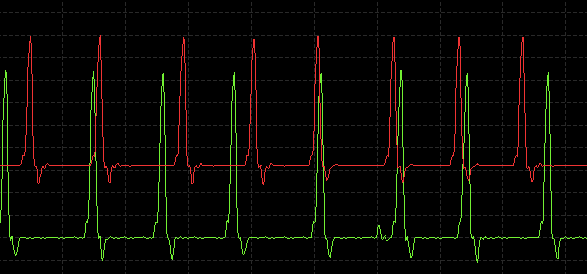
An update: I believe it is a scanning issue as the power consumption suggests the device is indeed transmitting. The green curve is ble_adv_extended_enabled set to 'false' and the red is 'true'. Spacing is ~28ms which is consistent with what nRF Connect reads. Not sure about the static offset though but that is a later concern.
Hi,
I cannot see adv extensions on iPhone 11 either.
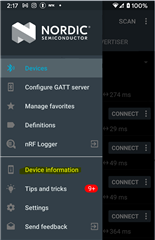
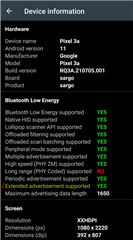
On nRF Connect android app, you can check the device info to see the device supports adv extensions or not.
I can see the device with the (ble_app_rscs) extended advertisement on the Android Pixel.
-Amanda H.
Hi,
I cannot see adv extensions on iPhone 11 either.
On nRF Connect android app, you can check the device info to see the device supports adv extensions or not.
I can see the device with the (ble_app_rscs) extended advertisement on the Android Pixel.
-Amanda H.