Hi Nordic
After fellow your youtube tutorials, blinky sample can be built successfully. Flashing code to PCA10090 DK,
the LED started blinky well.
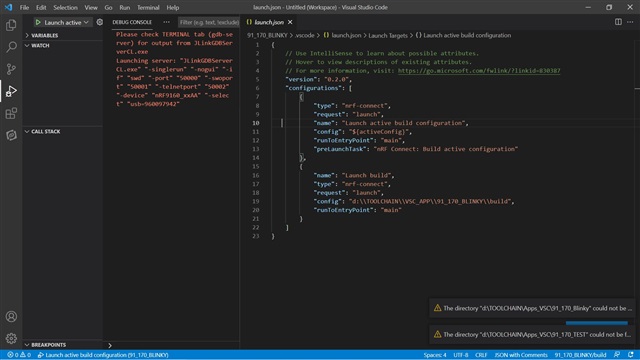
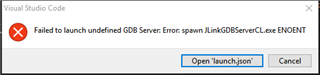
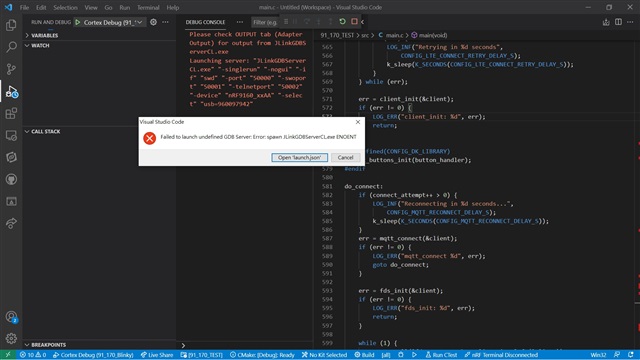
However, it failed to enter debug mode. Please see attached picture. Something wrong?
Hi Nordic
After fellow your youtube tutorials, blinky sample can be built successfully. Flashing code to PCA10090 DK,
the LED started blinky well.
However, it failed to enter debug mode. Please see attached picture. Something wrong?

Hi,
Could you verify your path for the 'launch.json'? It might be because the VS Code is unable to find the executables required to launch the debugger. The executables should be in the same folder as the toolchain path.
Regards,
Priyanka
Hi Priyanka
I am new user for vsc and have no idea how to verify the path for the "launch.json".
I followed every steps at the youtube tutorials. At youtube demo, I saw it was very easy to enter debug mode.
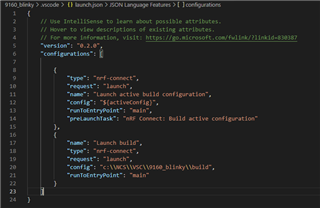
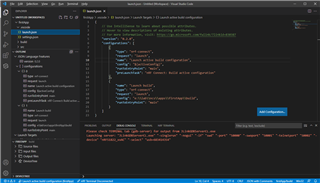
After error window popped up, I click "open launch.json" button. It showed below.
Hi Priyanka
I am new user for vsc and have no idea how to verify the path for the "launch.json".
I followed every steps at the youtube tutorials. At youtube demo, I saw it was very easy to enter debug mode.
After error window popped up, I click "open launch.json" button. It showed below.
Hi,
I will share my launch.json here.
As you can see, in the second configuration, I have
Hi, PK,
I still have this issue even follow your steps. My steps are follows:
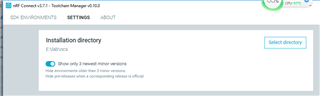
1. check my default directory of nRF Connect Toolchain, which is E:\lab\ncs

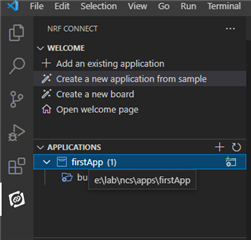
2. create my app under this folder

3. After I build my firsetApp, I clicked debug. Then a window as below popped up:

4. Then I clicked the "Open 'launch.json' button. It said the file is not found, and let me choose which folder to add this file to. I selected firstApp folder. Then it asked me which environment I should use. And I chose nRF Connect. After this, the launch.json is created under this folder:

5. After this, I clicked the debug again. the above error window still popped up.
Any idea?
Hi,
This appears to be a recent issue which was solved. Kindly refer to this thread for a solution.
Hope this helps! If the problem still persists, kindly open a new ticket.
Regards,
PK
Hello PK,
Thanks for replying. I cannot open the link you provided: https://devzone.nordicsemi.com/support-private/support/277941. It says access denied. Is it possible to turn it to public? Thanks
Hi,
I am really sorry for the inconvenience! I didn't realize it was private. I can tell you the solution provided in there, over here.
This problem might be because of the 64 bit version of the nRF Command Line tools. Currently the extension tries to resolve JLink and friends in C:\Program Files (x86)\SEGGER\JLink, but not C:\Program Files\SEGGER\JLink.
So, to resolve this, you could either install the 32 bit version or you could try to create a symlink between the two directories:
mklink /d "C:\Program Files (x86)\SEGGER\JLink" "C:\Program Files\SEGGER\JLink"
Kindly try this and if any further problem exists, please open a new ticket.
Regards,
PK