This discussion has been locked.
You can no longer post new replies to this discussion. If you have a question you can start a new discussion

how to add a ncs/nrf library to my project

For example, I'd like to add library at_cmd_parser to my project. (It's under /ncs/nrf/lib/at_cmd_parser.)

My project is out-of-tree in its own directory. I tried in CMakeLists to use: add_subdirectory(), include(), or add_library(). None of these works.

What is the right way to do it? Other than directly copy those C files into my project?

Thanks!

Parents
  • Hello,

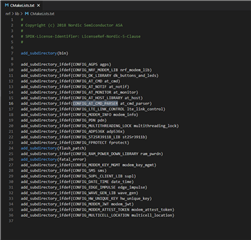
    You can include the library simply by adding CONFIG_AT_CMD_PARSER=y to the prj.conf file in your project directory. This will make the CmakeList file in \nrf\lib include the at_cmd_parser folder:

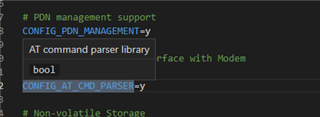
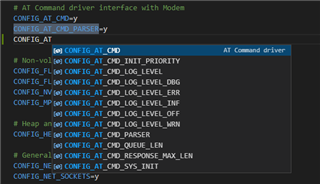
    Tip: we recently launched our VS code extension for the nRF connect SDK which supports auto-completion and jump to definition for kconfig symbols. It's very convenient when you try to navigate through the various configuration settings.

    Best regards,

    Vidar

Reply
  • Hello,

    You can include the library simply by adding CONFIG_AT_CMD_PARSER=y to the prj.conf file in your project directory. This will make the CmakeList file in \nrf\lib include the at_cmd_parser folder:

    Tip: we recently launched our VS code extension for the nRF connect SDK which supports auto-completion and jump to definition for kconfig symbols. It's very convenient when you try to navigate through the various configuration settings.

    Best regards,

    Vidar

Children
  • This doesn't seem to work for me.

    I got error message: "undefined reference to `at_params_list_init' "

    #include <modem/at_cmd_parser.h>
    #include <modem/at_params.h>
    ...
    struct at_param_list params_list;
    at_params_list_init(&params_list10);
    ...
  • Please check if CONFIG_AT_CMD_PARSER is set to 'y' in your <build directory>\zephyr\.config file. You can also use the configuration for the test sample in nrf\tests\lib\at_cmd_parser\at_cmd_parser as a reference.

  • I don't see CONFIG_AT_CMD_PARSER  in the .config file.

    The test project builds fine. I compare the CMakeLists file with mine. It has this line at the top of the file:

    find_package(Zephyr REQUIRED HINTS $ENV{ZEPHYR_BASE})

    while mine has this line:

    include($ENV{ZEPHYR_BASE}/cmake/app/boilerplate.cmake NO_POLICY_SCOPE)

    So I try to add the find_package() to my CMakeLists. But that generated more errors.

    I think the build system can't find where ncs/nrf is located.

  • I'm not sure why Cmake finds the Zephyr package when you build the test sample, but seemingly not when you build your sample out-of-three. Maybe you should try to delete the build folder and try again.

    What version of nRF connect SDK are you using, and how did you install it (i.e., via nRF connect toolchain manager or a manual installation)? Also, with your original CmakeList.txt, did you check if there were any warnings in the build log regarding the AT_CMD_PARSER setting?

  • Now you mentioned it, I did find such warning about AT_CMD_PARSER. I didn't pay attention to it before. So I added CONFIG_NEWLIB_LIBC=y to prj.conf. That seems to solve the problem. Is this the right solution for it?

    I'm using NCS1.6 and installed manually.

    Also I can't find any doc about CONFIG_AT_CMD_PARSER on Zephyr's web. A search always result in nothing found.

    -------------------------------

    warning: AT_CMD_PARSER (defined at C:/work/ncs/nrf\lib\at_cmd_parser/Kconfig:7) was assigned the
    value 'y' but got the value 'n'. Check these unsatisfied dependencies: (NEWLIB_LIBC ||
    EXTERNAL_LIBC) (=n). See
    docs.zephyrproject.org/.../CONFIG_AT_CMD_PARSER.html and/or look up
    AT_CMD_PARSER in the menuconfig/guiconfig interface. The Application Development Primer, Setting
    Configuration Values, and Kconfig - Tips and Best Practices sections of the manual might be helpful
    too.

Related