

Hi,
Thanks for the great work in making VS Code a solid option for the nRF Connect SDK. It was a huge and pleasant surprise when I came across this effort. VS Code will be my (and I am sure the same goes for many) IDE of choice going forward.
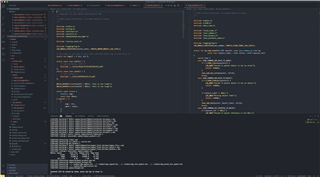
I was able to import several projects and trial the debugging features without any problem. However, I was not so fortunate with a project based on Asset Tracker version 2. I am able to build it from the IDE, but the IDE seems to have trouble resolving dependencies and symbols/macros in the editor tabs - for most files at least. I have attached a screenshot to show what I mean.
Could you kindly advise whether I may be doing something wrong, or is this simply down to that the nRF connect plugin is still a work in progress?
Many thanks.

