This discussion has been locked.
You can no longer post new replies to this discussion. If you have a question you can start a new discussion

[nRF52811] two way UART connection

Hello,

I am currently using the logger backend to send information via UART from the nRF52811 to a PC. This works well, but only for one way communication. I would like to send some instructions from the PC to the nRF52811, which means having a two way communication via UART. Is this even possible?

Thanks in advance.
David

Parents
  • Hi David,

    Are you using the logger module in the nRF5 SDK? If using a recent nRF5 SDK versions and the logger module, you can consider the CLI interface. Older nRF5 SDK versions also had a method for reading back simple characters without using the CLI (using NRF_LOG_GETCHAR()), but that was removed in SDK 15.0.0.

    Einar

  • From what I can understand, CLI Interface allows to control logger parameters, but what if I want to control radio features, e.g stop transmission, or change gpio pins?

  • Hi,

    slid_daaviet said:
    I have tried adapting this example to the nRF52811, without success so far.

    There was a problem with the link to the example you are using. Can you post it again?

    slid_daaviet said:
    I think the problem is in the APP_UART_FIFO_INIT function

    I see. What did you do to debug? The APP_UART_FIFO_INIT() essentially created two static buffers, and then calls app_uart_init(). If there is an issue, that should return an error code.

    slid_daaviet said:
    because there is a call to the app_error_handler funcion and NRF_BREAKPOINT_COND is activated.

    This is to aid debugging. It breaks on error, and then you can inspect with a debugger. What error code was returned from where? As you point to APP_UART_FIFO_INIT I assume you see it is from app_uart_init()? You may be interested in An introduction to error handling in nRF5 projects.

  • There was a problem with the link to the example you are using. Can you post it again?

    It's this UART example.

    I see. What did you do to debug? The APP_UART_FIFO_INIT() essentially created two static buffers, and then calls app_uart_init(). If there is an issue, that should return an error code.

    If I am correct, it appears to occur when app_uart_get() is called. Then uart_event_handler is called, which in turn calls app_error_handler_bare. Depending on the breakpoints I use, app_error_handler_bare receives an error code of either 0x00000004 or 0x0000000c, which according to nrf_error.h correspond to "No Memory for operation" and "Data size exceeds limit" respectively.

    This is to aid debugging. It breaks on error, and then you can inspect with a debugger. What error code was returned from where? As you point to APP_UART_FIFO_INIT I assume you see it is from app_uart_init()? You may be interested in An introduction to error handling in nRF5 projects.

    Ah I see. I'll read up on that, thanks.

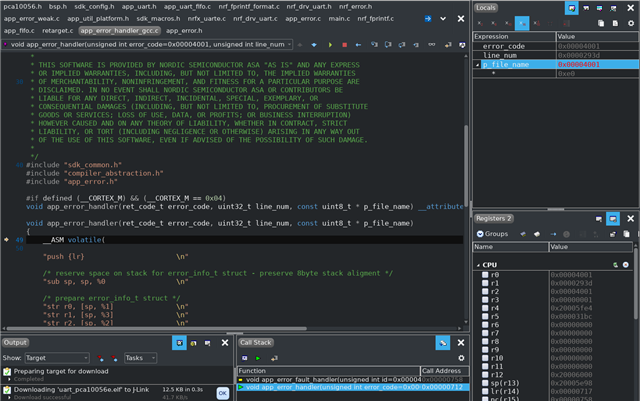
  • If I enable the DEBUG flag, app_error_handler function is called. It has an error code, a p_file_name and line_num, how can I interpret the hexadecimal value of p_file_name to locate the error?

  • Hi,

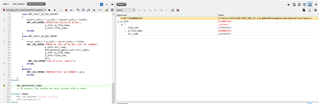
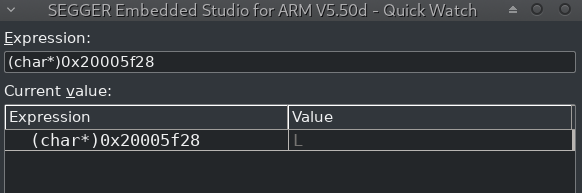
    p_file_name is a pointer to a string that shows the file name where the error was detected by an APP_ERROR_CHECK. If you enable logging it is printed directly. If not, you can inspect it with a debugger. Remember to first make a debug build as that makes this much easier (the C code you see then matches the machine code). Then inspect for instance like this if using SES:

    1. Add p_info to watch
    2. Read the value of p_file_name wihin p_info
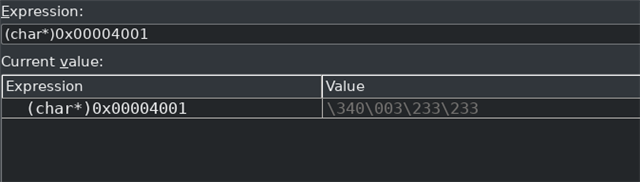
    3. Type inn (char*)<value of p_file_name> as an expression

    then you can read the value of the string like this:

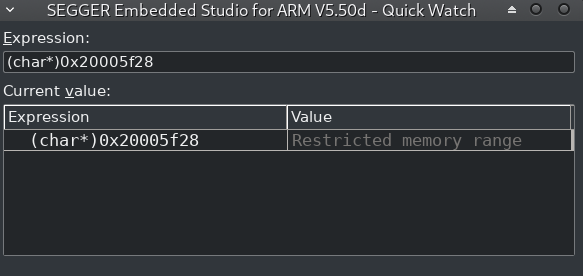
  • Instead of pointing to a file, it says "Restricted memory range". Have you any idea what it means?

Reply Children
Related