DFU bootloader get stuck in SoftDevice at 0x0000C100 - 0x0000C0FC then jumps to 0x00016348 - 0x0001635E and loops forever in these code segments

We are using nRF52833 with DFU secure bootloader and implemented DFU master/host on ESP32 BLE. We observe that DFU bootloader get stuck in above locations in softdevice more frequently during OTA.

SDK used: nRF5_SDK_17.0.0_9d13099
SoftDevice used with version: s140_nrf52_7.0.1_softdevice

Following are some more details

1. nRF52833 is in central mode in our application code, and DFU works in peripheral(obviously) mode
2. DFU host is implemented on ESP32 which is on same board where nRF52833 is, so no issues on BLE range
3. nRF52833 always get stuck somewhere in the last steps, where it erases/writes something in flash like bootloader settings
4. As said, it gets stuck at the end, after power cycle we observed that OTA was successful, so the new application code is loaded and even bootloader settings are also altered to make new application active but then it got stuck somewhere
5. On notification from ESP32 over serial port, nRF52833 application code jumps to bootloader by writing GPREGRET register, we have used sd_ wrapper for it as we are using softdevice
6. OTA host activities from ESP32 works perfect every time and it does not get stuck anywhere in any state, so ESP32 completes OTA file transfer and restarts itself but nRF52833 get stuck sometimes
7. According to study of DFU protocol, after new application file transfer nRF52833 do not do any handshake after flash write activities at the end are completed (this is what we observed to RTT debug messages in DFU bootloader as well)
8. After whatever debugging we did so far, we suspect that, it is something related to flash APIs, because every time it gets stuck, we have seen some peer managers log where it said it has updated something in peer manager data. We have tried to find if we can disable peer manager, but there is no way, so we tried with sd_NVICSystemReset which is supposed to reset softdevice as well before going into DFU bootloader mode, but no luck

If you can help me to find/tell which APIs of Softdevice are located at above locations, then we can try to write something in application code before jumping to bootloader to avoid stuck situation.
Also, if you can provide .o of softdevice, which we can disassemble using objdump, that would be extremely helpful, so that we can see which APIs and instructions where it is getting stuck

Below is the jlink step log, when it get stuck

J-Link>h
PC = 0000C0F8, CycleCnt = 04C5F1A4
R0 = 00000000, R1 = 00000000, R2 = 80000000, R3 = 4001F014
R4 = 20000040, R5 = 40000000, R6 = 00000000, R7 = 20006FC9
R8 = 00000000, R9 = 0007C318, R10= 20010000, R11= 00000000
R12= 00070E35
SP(R13)= 2001FE38, MSP= 2001FE38, PSP= 00000000, R14(LR) = 0000C101
XPSR = 2100000B: APSR = nzCvq, EPSR = 01000000, IPSR = 00B (DebugMonitor)
CFBP = 00000001, CONTROL = 00, FAULTMASK = 00, BASEPRI = 00, PRIMASK = 01

FPS0 = 00F93AFB, FPS1 = DFDE7575, FPS2 = 46847A75, FPS3 = C2B9E2FE
FPS4 = FA78CE71, FPS5 = 3CBA2E2E, FPS6 = 40A70424, FPS7 = AB566C9C
FPS8 = C9DCB219, FPS9 = 490E4A11, FPS10= 4B6332CF, FPS11= 2FBBB72C
FPS12= 963BEA63, FPS13= 22B5A828, FPS14= 2D7FC343, FPS15= 2001FD80
FPS16= 00000000, FPS17= 00000000, FPS18= 00000000, FPS19= 00000000
FPS20= 00000000, FPS21= 00000000, FPS22= 00000000, FPS23= 00000000
FPS24= 00000000, FPS25= 00000000, FPS26= 00000000, FPS27= 00000000
FPS28= 00000000, FPS29= 00000000, FPS30= 00000000, FPS31= 00000000
FPSCR= 00000000
J-Link>s
0000C0F8: 20 B9 CBNZ R0, #+0x08
J-Link>s
0000C0FA: 00 20 MOVS R0, #0
J-Link>s
0000C0FC: 0A F0 24 F9 BL #+0xA248
J-Link>s
00016348: 07 49 LDR R1, [PC, #+0x1C]
J-Link>s
0001634A: 10 31 ADDS R1, #16
J-Link>s
0001634C: 0A 68 LDR R2, [R1]
J-Link>s
0001634E: D2 03 LSLS R2, R2, #15
J-Link>s
00016350: 06 D5 BPL #+0x0C
J-Link>s
00016352: 09 68 LDR R1, [R1]
J-Link>s
00016354: 01 F0 03 01 AND R1, R1, #0x03
J-Link>s
00016358: 81 42 CMP R1, R0
J-Link>s
0001635A: 01 D1 BNE #+0x02
J-Link>s
0001635C: 01 20 MOVS R0, #1
J-Link>s
0001635E: 70 47 BX LR
J-Link>s
0000C100: 00 28 CMP R0, #0
J-Link>s
0000C102: F7 D1 BNE #-0x12
J-Link>s
0000C0F4: D5 F8 0C 01 LDR R0, [R5, #+0x10C]
J-Link>s
0000C0F8: 20 B9 CBNZ R0, #+0x08
J-Link>s
0000C0FA: 00 20 MOVS R0, #0
J-Link>s
0000C0FC: 0A F0 24 F9 BL #+0xA248
J-Link>s
00016348: 07 49 LDR R1, [PC, #+0x1C]
J-Link>s
0001634A: 10 31 ADDS R1, #16
J-Link>s
0001634C: 0A 68 LDR R2, [R1]
J-Link>s
0001634E: D2 03 LSLS R2, R2, #15
J-Link>s
00016350: 06 D5 BPL #+0x0C
J-Link>s
00016352: 09 68 LDR R1, [R1]
J-Link>s
00016354: 01 F0 03 01 AND R1, R1, #0x03
J-Link>s
00016358: 81 42 CMP R1, R0
J-Link>s
0001635A: 01 D1 BNE #+0x02
J-Link>s
0001635C: 01 20 MOVS R0, #1
J-Link>s
0001635E: 70 47 BX LR
J-Link>s
0000C100: 00 28 CMP R0, #0

Parents
  • Thanks for your reply, Vidar. I will wait for inputs from SoftDevice team

    Alankar

  • Hi,

    Is it possible to test DFU with nRF connect on Android or iOS as well? It would be interesting to know if it leads to the same problem.

    Thanks,

    Vidar

  • Hi Alankar,

    No problem. The reason I was asking is that we have still not been able to replicate the issue, which makes it difficult to troubleshoot further on our end. The outcome of this test will hopefully help us narrow down the problem more.

    Thanks,

    Vidar

  • Hi Vidar,

    We have finished testing with WDT, and everything seems to be working okay with it. Not a single event of hang or any abnormal behaviour, which was expected with WDT.

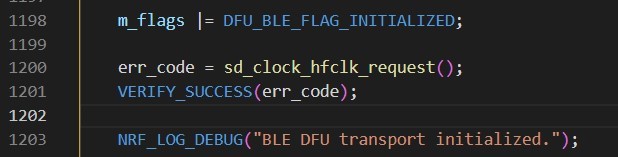
    Now, we have updated the code to keep HFXO on as you suggested, below is the screenshot of modifications

    And updated all the devices (5 with my local dev setup) and started to test.

    It worked well every time (more than 30 times) yesterday and then I kept the setup running for normal operation overnight.

    Then when I started testing with OTA again in the morning today, one of the devices got hung during the first trial only. So above change seems not helping on this issue.

    Here, I want to note one more thing, which I forgot to mention during my first post is, the occurrence of issue is seen more obviously when you do the OTA after keeping the devices running for more time. So, if you start doing OTA just after power on, it works well, even if you do it multiple times or with a gap of say 1-2 hours it works well. But if you keep devices running for longer time like overnight (10-12 hours) and do OTA after that, it shows the issue (at least few devices). As said on my dev setup with 5 devices, it showed up on one device. But same thing I observed in our test lab too, where after running overnight, 5 to 6 devices out of 23, showed the issue.

    Please see if above observation is pointing towards any direction...

    Regards,

    Alankar

  • Hi Vidar, did you get a chance to look at this?

  • Hi Alankar,

    Sorry for the delayed response. We still haven't managed to replicate the issue on our end, which does make challenging to find a root cause. But It is helpful to know that the issue still occurs with the HFXO kept on, that's one more thing we can cross off the list.

    A few more follow up questions:

    1. Are the devices under test battery powered, or do they have a stable supply?

    2. Are they attached to a debugger during the test, and in that case, is the chip in debug interface mode?

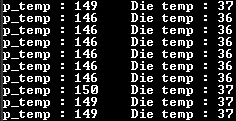
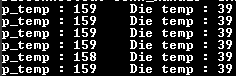
    3. Are the devices tested over a wide temperature range, or is it just at room temperature?

    4. Does your test setup allow you to get log messages from devices under test?

    5. Roughly, how many OTA updates do you perform during the course of this test?

    Thanks,

    Vidar

  • Hi Vidar,

    Here are answers to your questions

    1. Are the devices under test battery powered, or do they have a stable supply?

    These devices are not battery powered and have the stable power supply coming from AC-DC module on the board.

    2. Are they attached to a debugger during the test, and in that case, is the chip in debug interface mode?

    No, they are not attached to a debugger, they are like a finished product in an enclosure.

    3. Are the devices tested over a wide temperature range, or is it just at room temperature?

    No, all current on-going tests are at room temperature

    4. Does your test setup allow you to get log messages from devices under test?

    On my local dev setup, I tried to setup RTT debug log, but it does not work properly every time. And it is challenging because out of multiple devices, we are never sure, on which device issue can show up! as we cannot have debugger connected on each device.

    5. Roughly, how many OTA updates do you perform during the course of this test?

    For this test, we do OTA after every half hour in daytime and then again after overnight ops. As said earlier, issue occurrence is more after overnight running, so testing after overnight is more meaningful for us... So maybe 20-25 OTA updates in a day.

    Obviously, this is for testing only, and we do not expect frequent OTA updates in the field, but want to make sure, whenever we do OTA in field, it should work every single time. and this issue is more concerned because occurrence of issue is more obvious after keeping devices operational for long time, which is the exact field scenario...

    Thanks,

    Alankar

Reply
  • Hi Vidar,

    Here are answers to your questions

    1. Are the devices under test battery powered, or do they have a stable supply?

    These devices are not battery powered and have the stable power supply coming from AC-DC module on the board.

    2. Are they attached to a debugger during the test, and in that case, is the chip in debug interface mode?

    No, they are not attached to a debugger, they are like a finished product in an enclosure.

    3. Are the devices tested over a wide temperature range, or is it just at room temperature?

    No, all current on-going tests are at room temperature

    4. Does your test setup allow you to get log messages from devices under test?

    On my local dev setup, I tried to setup RTT debug log, but it does not work properly every time. And it is challenging because out of multiple devices, we are never sure, on which device issue can show up! as we cannot have debugger connected on each device.

    5. Roughly, how many OTA updates do you perform during the course of this test?

    For this test, we do OTA after every half hour in daytime and then again after overnight ops. As said earlier, issue occurrence is more after overnight running, so testing after overnight is more meaningful for us... So maybe 20-25 OTA updates in a day.

    Obviously, this is for testing only, and we do not expect frequent OTA updates in the field, but want to make sure, whenever we do OTA in field, it should work every single time. and this issue is more concerned because occurrence of issue is more obvious after keeping devices operational for long time, which is the exact field scenario...

    Thanks,

    Alankar

Children
Related