Master Branch with Toolchain Manager

Hi 

I would need to work on Master Branch. I have Toolchain Manager 0.10.1 and I have downloaded nRF Connect SDK 1.7.1. 

I know that Toolchain Manger has not Master branch function available yet. 

So how can I change my SDK 1.7.1 which is in my PC to Master branch? Can you provide the right commands to use from "Open bash" in the toolchain manager?

Thanks

Lorenzo

  • Hi Lorenzo, 

    Yes, this is possible with opening bash from toolchain manager. Once open, issue the following commands in the Toolchain Manager NCS path:

    Note that Git master is now main:

    cd nrf
    git checkout main
    git pull
    west update
    

    Afterwards you should be able to build, at least with west in bash. I tested this successfully with Asset Tracker v2.

    Kind regards,
    Øyvind

  • Hello again, 

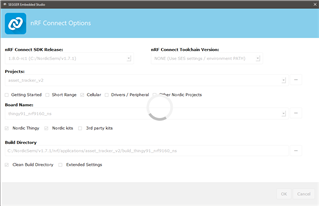
    I've also successfully tested using Segger Embedded Studio from the Toolchain Manager after updating nRF Connect SDK to main branch. When opening a nRF Connect project in SES, it will automatically show the main release, and choose "None" as toolchain version. "None" just means none specific.

    This means it chooses what is configured in the path, in this case the path where we checked out main. This will be the path to whatever version you opened Git bash from, in the Toolchain Manager.

    If you opened Git Bash from e.g. v1.6.1, the path would reflect that as well.

    Kind regards,
    Øyvind

Related