nRF9160 Multi cell location evaluation giving error -77

Hi,

I am using nRF9160 multi cell location code on nRF9160-DK  PCA10090 version 0.15.0.

Modem FW has been updated to the latest 1.3.1 binary.

I am using LTE-M with AT&T SIM roaming on Rogers LTE-M network Band 12.

I am getting error -77 which I can't explain and neither can local AE.

I have Service Evaluation token enabled on nrfcloud which expires 12/31/2021.

The code has been modified with the following changes to prj.conf

CONFIG_MULTICELL_LOCATION_SERVICE_NRF_CLOUD=y
CONFIG_MULTICELL_LOCATION_SAMPLE_DEV_ID_IMEI=y
CONFIG_NRF_CLOUD=y
CONFIG_NRF_CLOUD_REST=y
CONFIG_MODEM_JWT=y
# Jason added
CONFIG_MULTICELL_LOCATION_LOG_LEVEL_DBG=y
CONFIG_NRF_CLOUD_REST_LOG_LEVEL_DBG=y

Here are the relevant lines of code which show the error.

2021-12-01T21:27:08.018Z DEBUG modem << [00:00:05.491,149] [0m<dbg> nrf_cloud_rest.do_connect: getaddrinfo() 18.204.124.14[0m
2021-12-01T21:27:08.021Z DEBUG modem << [00:00:05.500,122] [0m<dbg> nrf_cloud_rest.do_connect: Connecting to api.nrfcloud.com[0m
2021-12-01T21:27:11.528Z DEBUG modem << [00:00:09.011,901] [0m<dbg> nrf_cloud_rest.http_response_cb: HTTP: All data received, status: 403 Forbidden[0m
2021-12-01T21:27:11.555Z DEBUG modem << [00:00:09.022,705] [0m<dbg> nrf_cloud_rest.http_response_cb: Content/Total: 47/288[0m
2021-12-01T21:27:11.557Z DEBUG modem << [00:00:09.032,775] [1;31m<err> multicell_location_sample: Failed to acquire location, error: -77[0m

This appears to be a similar issue to other user at this case: https://devzone.nordicsemi.com/f/nordic-q-a/82229/case-about-example-multicell_location-multicell_location_sample-failed-to-acquire-location-error--77

I will attach full logs to this case.

Parents
  • Hello, 

    And thank you for reporting this. Yes, a full log output and modem trace would be very good. I have forwarded this internally, and will get back to you when I have more answers. 

    Edit: Can you please verify that you authentication / certificates are correct? "403 Forbidden" is often an indication that there is an issue with these. Please see the nRF Cloud documentation on Location Services

    Kind regards,
    Øyvind

  • Have you been able to get any more answers internally?

    I have done the certificates and authentication as below:

    To generate an evaluation token in the portal:

    1. Log in to the nrf Cloud portal.
    2. Click the drop-down menu in the top right corner.
    3. Click Account.
    4. Under REST API Authentication Management, find Service Evaluation Token.
    5. Click Generate Token. A window opens asking for confirmation.
    6. Click OK to generate the token.
    7. The token appears in the text field to the left of the Generate Token button. You can copy and paste it using your mouse or keyboard, or copy it by clicking the clipboard button next to the text field. The token no longer appears once it has expired.

    My token is still active on nrfcloud, so not sure what else could be causing the issue.

    Thanks,
    Jason Jantzi

  • Hi Jason, 

    My apologies for the late reply. 

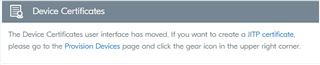
    From the Account menu, did you also update your certificates?

    This process is still being improved, however, you will need to update the certificates and then delete the device from nRF Cloud interface. Afterwards you can ensure that certificates are updated and re-register your device to nRF Cloud. 

    Let me know how this works for you

    Kind regards,
    Øyvind

  • Hi,

    I updated the certificate on the device successfully, then I erase the device from the nRFcloud.  However, upon provisioning new LTE device I get Troubleshoot nRF Code 40412.

  • Hi, and sorry for missing one important detail. You will need to program the Asset Tracker application in order for the device to provision

Reply Children
No Data
Related