Utilizing BT_SHELL for connecting and disconnecting devices

Hi,

I am currently using an audio board utilizing the nRF5340 MCU. I would like to enable the BT_SHELL to use the Bluetooth command Shell, may I know how I can achieve that?

Using the shell, I would like to test adding a device MAC address to the Whitelist as well and dynamically connect and disconnect a Gateway device to a headset device. May you advise me on how I can achieve that as well? and what commands to use?

Thank you!

Parents Reply Children
  • Thank you Sigurd for your answer.

    I have already set that in the proj.conf file under this path: C://nrf/minim5340/projects/nrf5340_audio_app/proj.conf, built and flashed the boards, but still unable to get the uart> command line as you had in the screenshot above when using the shell. Any suggestions for that?

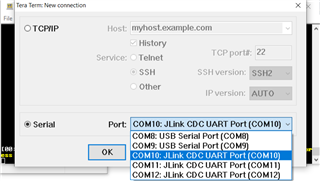
    Here is the UART ports that appear whenever I connect the nRF5340 board to my computer (COM 10, COM11 & COM 12). I also tried them all one by one, but none of them enables the shell. COM10 is the one that displays the debugging messages though:

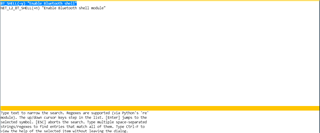
    Using the MenuConfig, I can determine that the BT_SHELL is enabled as well:

  • Hi,

    I checked with the developers, and BT_SHELL is not compatible with our system now, since we have our own callbacks to handle disconnects and connects. This is because that directly affects the codecs and i2s/usb.

    Note: The shell is working with RTT in the default setting. Please check the prj_debug.conf, there's a setting
    CONFIG_SHELL_BACKEND_RTT
  • Hi ,

    Thank you for you answer.

    I have added what you have suggested and also enabled the command:

    CONFIG_SHELL_BACKEND_SERIAL=y
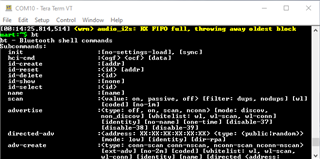
    and now I am able to view the UART shell!
Related