Hi
I want to increase the number of leds in DTS file of peripheral-uart sample by using overlay file.
Is it possible to manipulate the aliases in DTS file by editing the overlay file?
Hi
I want to increase the number of leds in DTS file of peripheral-uart sample by using overlay file.
Is it possible to manipulate the aliases in DTS file by editing the overlay file?
Hello!
How to use devicetree overlays is detailed here:
https://docs.zephyrproject.org/latest/guides/dts/howtos.html#set-devicetree-overlays
Best regards,
Einar
Hello!
How to use devicetree overlays is detailed here:
https://docs.zephyrproject.org/latest/guides/dts/howtos.html#set-devicetree-overlays
Best regards,
Einar
Hi
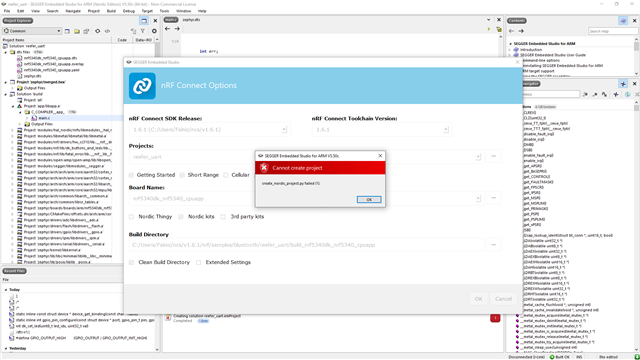
I tried by adding the following code to overlay file:
&aliases {
led4 = &led4;
};
By doing this the NRF connect software couldn't load NRF connect sdk project and a python error was issued.
Is there a &led4 node in your devicetree?
I believe the default leds on the nRF5340 DK would be labeled led0-3
-Einar
Hi
Actually this is my problem. I want to &led4 node to my device tree via overlay file.
Ok I understand.
You can not add an alias for a node that doesn't exist in the devicetree, so in order to make your led4 alias you will first have to define the &led4 node in your overlay file.
You can see what a led node should look like if you look up the already defined led nodes in the build/zephyr/zephyr.dts devicetree file in your project folder.
Basically you will have to define what gpio it uses and give it a reference label.
Please read the introduction to Zephyr devicetrees for more information about how the devicetree works.
Best regards,
Einar