[Please] RSSI of PCA10112 was weaker than RSSI of PC10056

Dears

Th case ID of my old question is 218372.

I were waiting for two weeks. However, nobody responded to me.

I wanted to make a BLE mesh product used NRF52840 and NRF21540. NRF21540 can extend the range to prevent

relay nodes efforts in mesh.

At your SDK connect samples. no bluetooth sample was about nrf21540_nrf52840.

At previous case, Nordic FAE told me to refer to DTM sample. But, DTM only for single direction test for radio RX nor TX, either.

So, it was easy to enable 21540 TX as testing radio TX, AND EANBLE 21540 RX as testing radio RX.

For most bluetooth application, the radio was bi-direction and controlled by your BLE controller library.

I had no idea to use API to set PA/LNA pins to BLE controller.

Best,

Jeffery

Parents Reply Children
  • Hi

    1. Tried latest ncs  \nrf\samples\bluetooth\peripheral_uart sample at 21540 DK. The result was unexpected.

        During advertising, I used nrf connect for mobile app at my phone to scan DK. The distance between phone

        and DK was 1 meter. If 52840DK, RSSI was -65 dBm. If 21540DK, RSSI was -86 dBm.

    2. 21540 DK version is 0.9.1.Would it be a problem?

    3. Would you mind giving me your workable hex file of 21540 DK? Let me flash it at my DK.

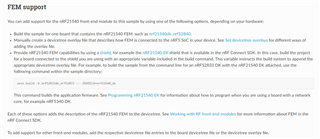
    4. Then, at documentation page for bluetooth sample, There was a topic "FEM Support". It seems developer shall

        set up the project to work 21540. Was it? I didn't do it since I have no idea how to follow the steps. Didn't you

        said 21540 DK board can work  fine only if we chose nrf21540_nrf52840 as board?

    Thanks

    Jeffery


  • Hi,

    One of my colleague tested with a nRF21540-DK v0.9.0 and it worked fine so don't think the version is the problem here. 

    Here is the hex that was used to test on our side:

    peripheral_UART_nrf21540DK.hex

    Jeffery said:

    Then, at documentation page for bluetooth sample, There was a topic "FEM Support". It seems developer shall

        set up the project to work 21540. Was it? I didn't do it since I have no idea how to follow the steps. Didn't you

        said 21540 DK board can work  fine only if we chose nrf21540_nrf52840 as board?

    Yes, if you build the project for nrf21540_nrf52840 then FEM support should be enable by default. Not sure why you are getting weaker signal on the nRF21540DK.

    An addidtional note, do you have access to a nRF21540EK that you can test on?

  • Check the build code on the nRF21540 on the DK. The nRF21540 kits with version number below 1.0 will usually have build code Fxx devices that are affected by errata 4 which means output power may be low. Note the MAY so it may work sometimes or it may fail, not given what will happen.

  • Hi PaKa

    I tried the hex file that Mttrinh verified OK  at previous message.

    At DK v0.9.1, the RSSI was same as what I tested. Very weak.

    So, I will find DK v1.0.0 to test again. Then, tell you the result.

    What was erreta4? Which document ? The attachment was 21540 latest erreta. I only found two erreta.

    nRF21540_Revision_2_Errata_v1.0.pdf

  • You should always get the documentation for the devices from the Infocenter. https://infocenter.nordicsemi.com/topic/errata_nRF21540_Rev1/ERR/nRF21540/Rev1/latest/anomaly_540_4.html This is the errata for the TX gain issue on the earlier silicon versions. This is not part of the revision 2 errata as the issue was fixed for this silicon revision (key reason to update the silicon).

    Did you verify the silicon version on the DK 0.9.1 you have? The DKs shipping now should be either 1.1 or 1.2, both are using the latest nRF21540 build code (the one covered by the errata you attached).

Related