This discussion has been locked.
You can no longer post new replies to this discussion. If you have a question you can start a new discussion

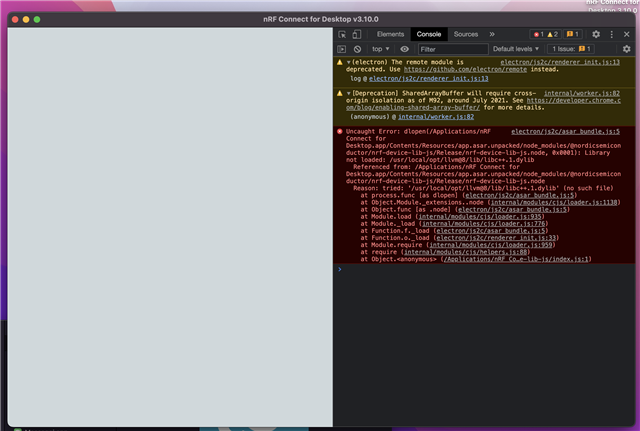
NRF Connect impossible installed on macOS Monterey

Impossible instal NRF connect desktop 3.10 for MacOS , my computer is MacBook Pro  16 , 2,3 GHz Intel Core i9 8 core , macOS Monterey v 12.3. 
Parents Reply Children
  • Hello
    I tried all day yesterday with the old imac, both with Segger embedded studio and with VS Code, it no longer recognizes external hardware even via j-link lite, bluetooth just doesn't exist.


    today i tried again with macbook 16 ", nothing nrf connect does not work, even with all dependencies installed.

    But come on I don't understand how long it takes just to install a software, which needs many other third parties

    Why is there no full IDE?

    I have more than 20 nRf 52840 hardware cards what am I doing ???

    Nrf Connect is a simple WebApp, I think there are other ways to develop a serious software that works well ...

    sorry sorry sorry

  • FrankX2138 said:
    For the moment I have decided to use the old Mac

    FrankX2138 said:
    I tried all day yesterday with the old imac
    my computer is MacBook Pro  16 , 2,3 GHz Intel Core i9 8 core , macOS Monterey v 12.3.

    I'm not following, is the Macbook Pro 16 the old computer?


    FrankX2138 said:
    today i tried again with macbook 16 ", nothing nrf connect does not work, even with all dependencies installed.

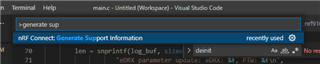
    Are you running Intel Macbooks all the way? If so, this is the first I've heard anyone have major issues with installing our SW. In order for me to reproduce the issue. First of all, let's start with support information that the VS Code extension can provide. In VS Code go to command palette and type in Generate Support Information.

    This will provide important information about your system to me. Please provide full log output in a txt file to me.

    FrankX2138 said:
    Nrf Connect is a simple WebApp, I think there are other ways to develop a serious software that works well ...

    Feel free to provide feedback on improvements.

Related