This discussion has been locked.
You can no longer post new replies to this discussion. If you have a question you can start a new discussion

Setting up the nrf BLE Sniffer (nRF52840 DK) (can't get to firmware update mode)

Hello all,

I am currently trying to get the nrf sniffer into the hardware of my nRF52840 DK board.
Unfortunately when I call the programmer via the nRF Connect Desktop APP I can only see the program memory.
If I hold down the IF BOOT/RESET button while connecting the DK, the LED5 flashes, but then I can no longer select the board in the programmer, as it is no longer displayed there.
Does anyone know how to get the sniffer_nrf52840dk_nrf52840_4.1.0.hex file onto my board?
(infocenter.nordicsemi.com/index.jsp
with this instruction I already tried it, but I still can't get into the firmware memory)

Greetings


Parents
  • Hello,

    Unfortunately when I call the programmer via the nRF Connect Desktop APP I can only see the program memory.

    You need to click the "Add file" button and select your hex file, then click the "Erase & write" button to program it. Did you try this already?

    If I hold down the IF BOOT/RESET button while connecting the DK, the LED5 flashes, but then I can no longer select the board in the programmer, as it is no longer displayed there.

    This will make the Segger chip enter bootloader mode. You need to power-cycle the board again to get out of this mode and enable the Jlink programming interface again.

    Best regards,

    Vidar

  • Hi Vidar,

    yes I tried this already.

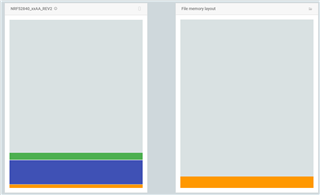
    before the Erase and write

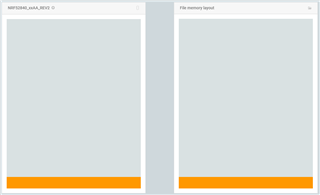
    after Erase and write

    But the hex File for the sniffer should be in the firmware update mode and I think I was stil in the normal mode.

    Otherwise my memory should look like this:

    But I don't know how I can switch my DK board into firmware update mode.

    Best regards

Reply
  • Hi Vidar,

    yes I tried this already.

    before the Erase and write

    after Erase and write

    But the hex File for the sniffer should be in the firmware update mode and I think I was stil in the normal mode.

    Otherwise my memory should look like this:

    But I don't know how I can switch my DK board into firmware update mode.

    Best regards

Children
Related