This discussion has been locked.
You can no longer post new replies to this discussion. If you have a question you can start a new discussion

Setting up the nrf BLE Sniffer (nRF52840 DK) (can't get to firmware update mode)

Hello all,

I am currently trying to get the nrf sniffer into the hardware of my nRF52840 DK board.
Unfortunately when I call the programmer via the nRF Connect Desktop APP I can only see the program memory.
If I hold down the IF BOOT/RESET button while connecting the DK, the LED5 flashes, but then I can no longer select the board in the programmer, as it is no longer displayed there.
Does anyone know how to get the sniffer_nrf52840dk_nrf52840_4.1.0.hex file onto my board?
(infocenter.nordicsemi.com/index.jsp
with this instruction I already tried it, but I still can't get into the firmware memory)

Greetings


Parents
  • Hello,

    Unfortunately when I call the programmer via the nRF Connect Desktop APP I can only see the program memory.

    You need to click the "Add file" button and select your hex file, then click the "Erase & write" button to program it. Did you try this already?

    If I hold down the IF BOOT/RESET button while connecting the DK, the LED5 flashes, but then I can no longer select the board in the programmer, as it is no longer displayed there.

    This will make the Segger chip enter bootloader mode. You need to power-cycle the board again to get out of this mode and enable the Jlink programming interface again.

    Best regards,

    Vidar

  • Hi Vidar,

    yes I tried this already.

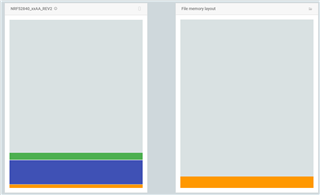
    before the Erase and write

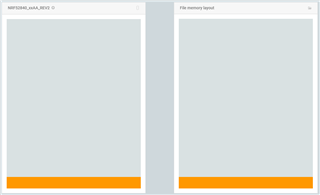
    after Erase and write

    But the hex File for the sniffer should be in the firmware update mode and I think I was stil in the normal mode.

    Otherwise my memory should look like this:

    But I don't know how I can switch my DK board into firmware update mode.

    Best regards

  • It looks as expected in the 2nd screenshot.There is no need to put the device in DFU mode if that's what you meant. You are programming the device through the debug interface with the on-board jlink debugger.

  • Exactly, but when I write the sniffer to the memory my programm changes it's function.

    1. I programmed a simple BLE which connects to my phone and toggles all 0.5 seconds a led (with Segger Studio)

    2. I tested the programm and it worked

    3. I wrote the sniffer to the memory using the nrf Connect Programmer

    4. The timing of the LED changed and I can't connect my phone to the board

    Maybe I'm confusing things, but the program shouldn't change just because I'm using a sniffer, right?

    Greetings

  • You need a second board/dongle for the sniffer. The FW requires full access to the RADIO to be able to capture the BLE traffic between you other board and phone.

Reply Children
Related