Hi all,
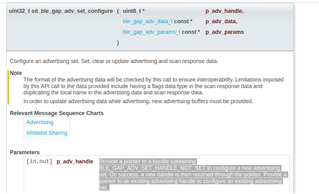
I am trying to realize a function that changing from connectable advertising mode to beacon advertising mode upon request with my nrf52840-DK. while I am able to stop advertising from connectable advertising mode with sd_ble_gap_adv_stop(), I could not change the config parameter using sd_ble_gap_adv_set_configure(). It ends up showing:
00> <info> app_timer: RTC: initialized.
00>
00> <info> app: Debug logging for UART over RTT started.
00>
00> <info> app: Beacon advdata_encode ok?
00>
00>
00>
00> <info> app: Beacon adv config ok?
00>
00>
00>
00> <error> app: ERROR 4 [NRF_ERROR_NO_MEM] at D:\Downloads\Will\Bracelet_Reference\nrf_study\examples\ble_peripheral\ble_app_uart\main.c:812
00>
00> PC at: 0x0002B4FF
00>
00> <error> app: End of error report
After browsing here for quite a while, I found the following two threads that should be related to my problem:
Basically I am following the step mentioned in the first thread suggested by Håkon:
"You need to stop advertisements by calling sd_ble_gap_adv_stop, change the advertisement data with sd_ble_gap_adv_data_set, and finnaly restart advertisements with sd_ble_gap_adv_start. "
And about the error log shown, I am going to try the method mentioned in the second thread.
My instant problem is that how should I enable/ allow the log warning.
And It would also be wonderful if someone could suggest something so that I can solve the whole problem.
My code for the BLE mode changing function are as follows:
static void advertising_init(void)
{
    uint32_t               err_code;
    ble_advertising_init_t init;

    memset(&init, 0, sizeof(init));

    init.advdata.name_type          = BLE_ADVDATA_FULL_NAME;
    init.advdata.include_appearance = false;
    init.advdata.flags              = BLE_GAP_ADV_FLAGS_LE_ONLY_LIMITED_DISC_MODE;

    init.srdata.uuids_complete.uuid_cnt = sizeof(m_adv_uuids) / sizeof(m_adv_uuids[0]);
    init.srdata.uuids_complete.p_uuids  = m_adv_uuids;

    init.config.ble_adv_fast_enabled  = true;
    init.config.ble_adv_fast_interval = APP_ADV_INTERVAL;
    init.config.ble_adv_fast_timeout  = APP_ADV_DURATION;
    init.evt_handler = on_adv_evt;

    err_code = ble_advertising_init(&m_advertising, &init);
    APP_ERROR_CHECK(err_code);

    ble_advertising_conn_cfg_tag_set(&m_advertising, APP_BLE_CONN_CFG_TAG);
}

static void advertising_start(void)
{
    uint32_t err_code = ble_advertising_start(&m_advertising, BLE_ADV_MODE_FAST);
    APP_ERROR_CHECK(err_code);
}

static void b_advertising_init(void)
{
    uint32_t      err_code;
    ble_advdata_t advdata;
    uint8_t       flags = BLE_GAP_ADV_FLAG_BR_EDR_NOT_SUPPORTED;

    ble_advdata_manuf_data_t manuf_specific_data;

    manuf_specific_data.company_identifier = APP_COMPANY_IDENTIFIER;

#if defined(USE_UICR_FOR_MAJ_MIN_VALUES)
    // If USE_UICR_FOR_MAJ_MIN_VALUES is defined, the major and minor values will be read from the
    // UICR instead of using the default values. The major and minor values obtained from the UICR
    // are encoded into advertising data in big endian order (MSB First).
    // To set the UICR used by this example to a desired value, write to the address 0x10001080
    // using the nrfjprog tool. The command to be used is as follows.
    // nrfjprog --snr <Segger-chip-Serial-Number> --memwr 0x10001080 --val <your major/minor value>
    // For example, for a major value and minor value of 0xabcd and 0x0102 respectively, the
    // the following command should be used.
    // nrfjprog --snr <Segger-chip-Serial-Number> --memwr 0x10001080 --val 0xabcd0102
    uint16_t major_value = ((*(uint32_t *)UICR_ADDRESS) & 0xFFFF0000) >> 16;
    uint16_t minor_value = ((*(uint32_t *)UICR_ADDRESS) & 0x0000FFFF);

    uint8_t index = MAJ_VAL_OFFSET_IN_BEACON_INFO;

    m_beacon_info[index++] = MSB_16(major_value);
    m_beacon_info[index++] = LSB_16(major_value);

    m_beacon_info[index++] = MSB_16(minor_value);
    m_beacon_info[index++] = LSB_16(minor_value);
#endif

    manuf_specific_data.data.p_data = (uint8_t *) m_beacon_info;
    manuf_specific_data.data.size   = APP_BEACON_INFO_LENGTH;

    // Build and set advertising data.
    memset(&advdata, 0, sizeof(advdata));

    advdata.name_type             = BLE_ADVDATA_NO_NAME;
    advdata.flags                 = flags;
    advdata.p_manuf_specific_data = &manuf_specific_data;

    // Initialize advertising parameters (used when starting advertising).
    memset(&m_adv_params, 0, sizeof(m_adv_params));

    m_adv_params.properties.type = BLE_GAP_ADV_TYPE_NONCONNECTABLE_NONSCANNABLE_UNDIRECTED;
    m_adv_params.p_peer_addr     = NULL;    // Undirected advertisement.
    m_adv_params.filter_policy   = BLE_GAP_ADV_FP_ANY;
    m_adv_params.interval        = NON_CONNECTABLE_ADV_INTERVAL;
    m_adv_params.duration        = 0;       // Never time out.
    NRF_LOG_INFO("Beacon advdata_encode ok? \r\n");
    err_code = ble_advdata_encode(&advdata, m_adv_data.adv_data.p_data, &m_adv_data.adv_data.len);
    APP_ERROR_CHECK(err_code);
    NRF_LOG_INFO("Beacon adv config ok? \r\n");
    err_code = sd_ble_gap_adv_set_configure(&m_adv_handle, &m_adv_data, &m_adv_params);
    APP_ERROR_CHECK(err_code);
        NRF_LOG_INFO("Beacon advdata_encode done \r\n");
}


/**@brief Function for starting advertising.
 */
static void b_advertising_start(void)
{
    ret_code_t err_code;

    err_code = sd_ble_gap_adv_start(m_adv_handle, APP_BLE_CONN_CFG_TAG);
    APP_ERROR_CHECK(err_code);

    err_code = bsp_indication_set(BSP_INDICATE_ADVERTISING);
    APP_ERROR_CHECK(err_code);
}

/**@brief Application main function.
 */
int main(void)
{
    bool erase_bonds;
    int i  = 0;
    // Initialize.
    uart_init();
    log_init();
    timers_init();
    buttons_leds_init(&erase_bonds);
    power_management_init();
    ble_stack_init();
    gap_params_init();
    gatt_init();
    services_init();
    advertising_init();
    conn_params_init();

    // Start execution.
    printf("\r\nUART started.\r\n");
    NRF_LOG_INFO("Debug logging for UART over RTT started.");

    advertising_start();

    nrf_delay_ms(10000);

    advertising_stop();

    b_advertising_init();

    b_advertising_start();

    nrf_delay_ms(10000);

    sd_ble_gap_adv_stop(m_adv_handle);

    // Enter main loop.
    for (;;)
    {
        idle_state_handle();
    }
}
P.S. I am using SDK 16.0 and s140.