Hello,
NCS1.9.1, nRF5340DK+nRF21540EK, Windows10 X64, VS Code,
not find [nRF21540EK_nRF5340],
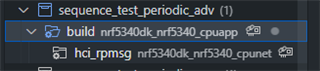
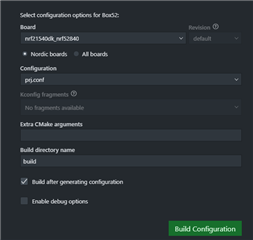
about software: how to create project build?
are there any samples?
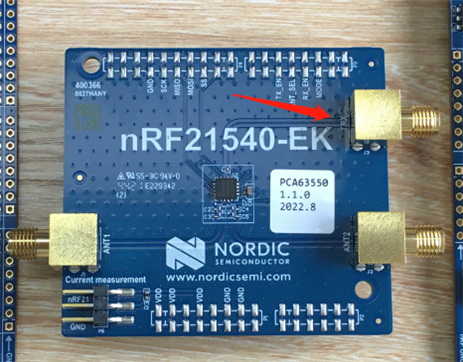
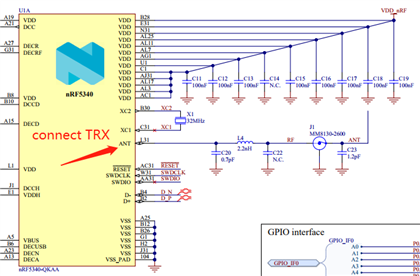
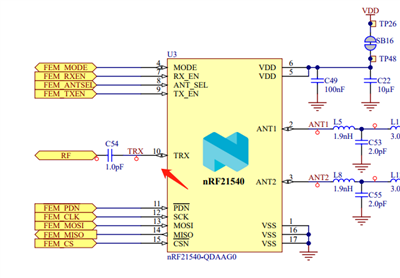
about hardware: where is TXR connected? what is its function?
thanks
Best Regards
Hi,
about software: how to create project build?
See http://developer.nordicsemi.com/nRF_Connect_SDK/doc/latest/nrf/ug_radio_fem.html#programming
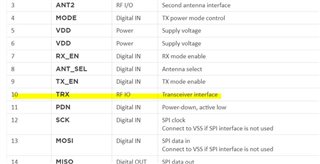
where is TXR connected? what is its function?
It's for radio input. Since the nrf21540 is more or less just a power amplifier with the option to select between two antennas and adjust the power output. So the TRX pin is the radio in, so if we are to use the nrf52840 as an example it will be ANT pin on 52840 -> TRX on 21540
See https://infocenter.nordicsemi.com/topic/ps_nrf21540/chapters/hw_layout/pin/doc/frontpage.html?cp=7_0_0_8_0
Regards,
Amanda
Hi,
about software: how to create project build?
See http://developer.nordicsemi.com/nRF_Connect_SDK/doc/latest/nrf/ug_radio_fem.html#programming
where is TXR connected? what is its function?
It's for radio input. Since the nrf21540 is more or less just a power amplifier with the option to select between two antennas and adjust the power output. So the TRX pin is the radio in, so if we are to use the nrf52840 as an example it will be ANT pin on 52840 -> TRX on 21540
See https://infocenter.nordicsemi.com/topic/ps_nrf21540/chapters/hw_layout/pin/doc/frontpage.html?cp=7_0_0_8_0
Regards,
Amanda
Hello,
thank you very much,
I follow the link.

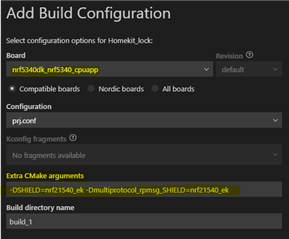
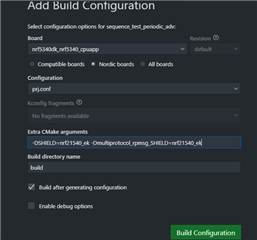
Extra CMake arguments:
-DSHIELD=nrf21540_ek -Dmultiprotocol_rpmsg_SHIELD=nrf21540_ek

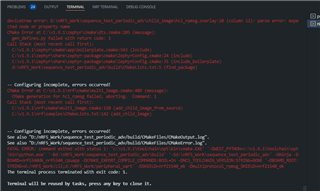
but i'm failed, and the link not say how to change tx_power/selet ant/enable tx_en by sources code.
can you fix the project?
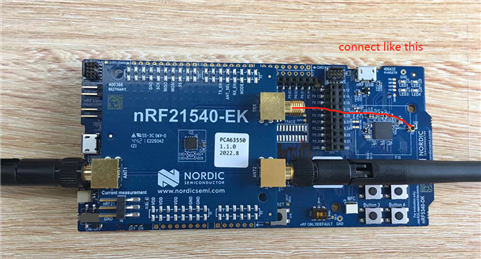
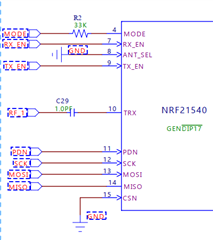
TRX connect like this?

Best Regards
Hi,
yoyou said:can you fix the project?
Please install NCS under C:\ and try again.
yoyou said:the link not say how to change tx_power/selet ant/enable tx_en by sources code.
You can refer to https://github.com/nrfconnect/sdk-zephyr/tree/main/samples/bluetooth/hci_pwr_ctrl
yoyou said:TRX connect like this?
Yes.
-Amanda
Hi,
thanks for reply,
i've install NCS1.9.1 under C:\
but still got error.
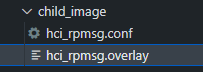
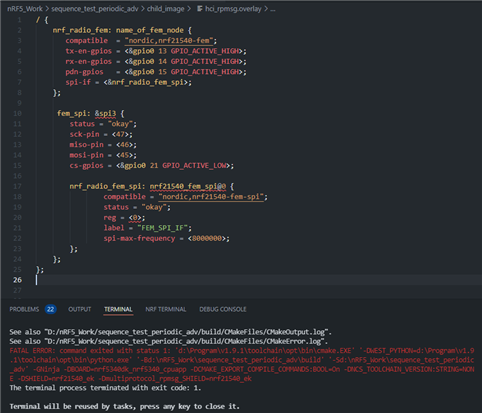
the file hci_rpmsg.overlay write error.


the code rar
other question:
1.
set_tx_power(BT_HCI_VS_LL_HANDLE_TYPE_ADV, 0, TRANSMIT_POWER_dBm);
TRANSMIT_POWER_dBm undefine, is it value 0-31? max power is 31.
2.
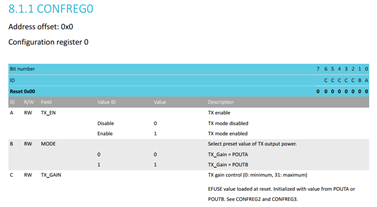
how to select ant? unable to understand file of nrF21540_PS_v1.2.pdf.

is it set pin ANT_SEL logic level high will select ant2?
3.
RX_EN and TX_EN,
set pin logic level high will be enable?
Best Regards
Hi,Amanda
see:

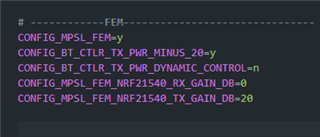
child_image\hci_rpmsg.conf

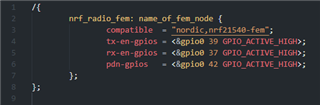
child_image\hci_rpmsg.overlay

From the above description,
does that mean the following?
Hardware:
Software:
thanks
Best Regards
Hi,
yoyou said:child_image\hci_rpmsg.overlay
That means the nRF21540 GPIO mode implementation of FEM is compatible with this device and implements the 3-pin PA/LNA interface. See GPIO mode. To use the SPI interface, see SPI/GPIO mode.
yoyou said:Only use ANT1;
There is an optional property to select antenna:
ant-sel-gpios - GPIO characteristic of the device that controls the ANT_SEL signal of devices that support antenna diversity
yoyou said:TX power set to maximum 20dBm (Fixed value);
CONFIG_BT_CTLR_TX_PWR_MINUS_20=y is set to -20 dBm.
Currently, we don't support run-time switching of TX gain by the application. It needs to be configured in Kconfig, passed to the child image just the way you did it with child_image/hci_rpmsg.conf and it is set by the network core on initialization. The relevant piece of code: https://github.com/nrfconnect/sdk-nrf/blob/v1.9.1/subsys/mpsl/fem/mpsl_fem.c#L284-L295
The code I provided is for nrf21540dk_nrf52840, and it cannot apply to nRF5340DK+nRF21540EK. So I would remove them.
-Amanda