Beware that this post is related to an SDK in maintenance mode
More Info: Consider nRF Connect SDK for new designs
This discussion has been locked.
You can no longer post new replies to this discussion. If you have a question you can start a new discussion

Build and Run with SEGGER Embedded Studio (SES) v6.20a on nRF5 SDK 17.1.0 and S140 7.2.0 on nRF52840

Hi DevZone,

I have recently updated:

  • nRF5 SDK to 17.1.0 from 15.3.0
  • S140 to 7.2.0 from 6.1.1
  • SES to v6.20a from 4.16

The SoftDevice now fails to initialize when using the "Build and Run" option with SES.

The code initializes without issue if I:

  • Use Programmer v2.3.3 from nRF Connect for Desktop v3.10.0
  • If I Power Cycle the hardware after each flash of the .hex files
  • If I "Build and Debug" with SES

Is this a known issue, and could it potentially be a timing issue?

Code that fails:

void ble_stack_init(void)
{
    ret_code_t err_code;

    err_code = nrf_sdh_enable_request();
    APP_ERROR_CHECK(err_code);

    // Configure the BLE stack using the default settings.
    // Fetch the start address of the application RAM.
    uint32_t ram_start = 0;
    err_code = nrf_sdh_ble_default_cfg_set(BLE_CONN_CFG_TAG, &ram_start);
    APP_ERROR_CHECK(err_code);

    // Enable BLE stack.
    err_code = nrf_sdh_ble_enable(&ram_start);
    APP_ERROR_CHECK(err_code);

//    // NO OBSERVERS AT THIS POINT 
//    // Register a handler for BLE events.
//    NRF_SDH_BLE_OBSERVER(m_ble_observer, APP_BLE_OBSERVER_PRIO, ble_evt_handler, NULL);
}

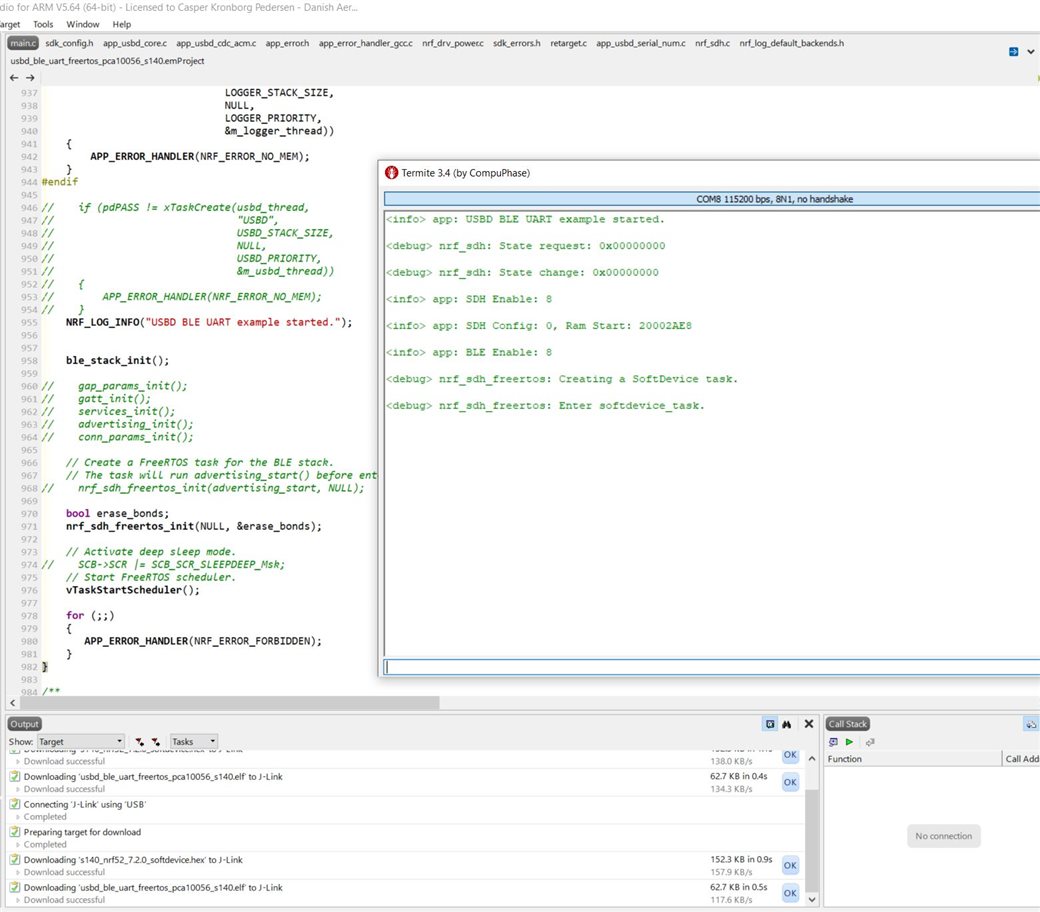
Specifically the call to nrf_sdh_enable_request() returns with error code NRF_ERROR_INVALID_STATE (0x00000008).

This should mean that the SoftDevice is already initialized when reading the documentation. However, preceding the nrf_sdh_enable_request() call with a nrf_sdh_is_enabled()

tells me that it is not.

Comparing with example projects:

I have compared to the example projects given in SDK 17.1.0, and the initialization code for the BLE stack seems unchanged between versions 17.1.0 and 15.3.0. 

Also, I have tried building and running the peripheral example from SDK 17.1.0 "usbd_ble_uart_freertos" both on our hardware and an nRF52840-DK, which fails with the same error code.

So, even with code directly from the SDK and on multiple hardware the issue is the same.

Thanks in advance.

Br. Casper

  • Yes, I did download and unzip a clean SDK 17.1.0, and unzipped the file I sent you to the very same location.
    Then I got the output I wrote before in green.

    Did you try and flash the S140 7.2.0 .hex file and the .hex file that is built with the files I sent you and then:

    • Flash both SDK and example project hex files with nRF Connect for Desktop Programmer
    • Then open the .emProject file with SES 5.64 and selecting the "Build and Run" option while checking the log output?

    Br. Casper

  • Hi Edvin,

    Were you able to reproduce the scenario after trying what I wrote earlier?

    Casper Kronborg Pedersen said:

    Did you try and flash the S140 7.2.0 .hex file and the .hex file that is built with the files I sent you and then:

    • Flash both SDK and example project hex files with nRF Connect for Desktop Programmer
    • Then open the .emProject file with SES 5.64 and selecting the "Build and Run" option while checking the log output?

    Br. Casper

  • FYI, Segger will flash the softdevice for you, as long as it is specified in project settings -> Loader -> Additional_load_file[0].

    I get this when I added one line of printing before entering the task scheduler:

    Other than that, I didn't modify the file that you sent at all, except clicking "rebuild solution". 

    Is the issue still that sd_ble_cfg_set() returns NRF_ERROR_INVALID_STATE? Are you sure you don't call ble_stack_init() twice in your project? Or that you call nrf_sdh_ble_default_cfg_set() from several places? Check from your log by adding some logging inside that call to see whether it is called one or two times. And check that sd_ble_default_cfg_set() is not called after sd_ble_enable() is called. And also check that the correct softdevice is located in the folder that the loader is fetching the softdevice from. It doesn't matter what softdevice you manually program before you press "build and debug" because Segger Embedded Studio will still program the file found in "Additional_load_file[0]".

    BR,

    Edvin

  • Hi Edvin,

    Edvin said:
    FYI, Segger will flash the softdevice for you, as long as it is specified in project settings -> Loader -> Additional_load_file[0].

    I was aware that SES was flashing the SoftDevice since the Output log tells me so, but thank you for telling me :) I only used the nRF Connect For Desktop to avoid using SES for flashing as a test.

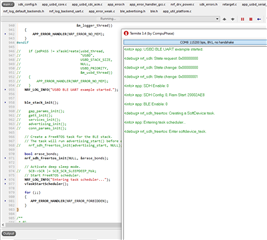
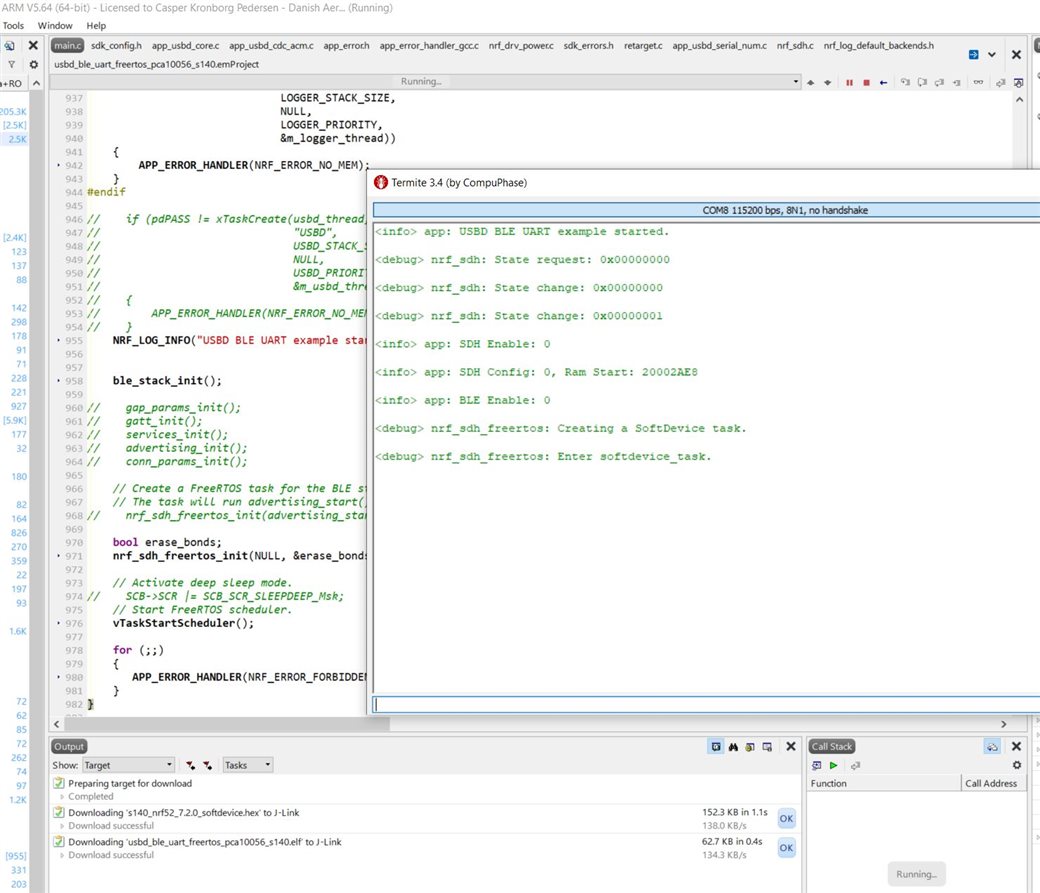
    I just want to quickly show what I am getting when using "Build and Debug":

    "Build and Run":

    I am using a fresh SDK and the file I sent you. I am just quickly posting this to clarify before I recheck the exact point of failure so you can see the behavior I am experiencing. 

    Br. Casper 

    EDIT: Additional information. I am using REV 2.0.0, 2020.2 of the nRF52840-DK.

Related