Beware that this post is related to an SDK in maintenance mode
More Info: Consider nRF Connect SDK for new designs
This discussion has been locked.
You can no longer post new replies to this discussion. If you have a question you can start a new discussion

Build and Run with SEGGER Embedded Studio (SES) v6.20a on nRF5 SDK 17.1.0 and S140 7.2.0 on nRF52840

Hi DevZone,

I have recently updated:

  • nRF5 SDK to 17.1.0 from 15.3.0
  • S140 to 7.2.0 from 6.1.1
  • SES to v6.20a from 4.16

The SoftDevice now fails to initialize when using the "Build and Run" option with SES.

The code initializes without issue if I:

  • Use Programmer v2.3.3 from nRF Connect for Desktop v3.10.0
  • If I Power Cycle the hardware after each flash of the .hex files
  • If I "Build and Debug" with SES

Is this a known issue, and could it potentially be a timing issue?

Code that fails:

void ble_stack_init(void)
{
    ret_code_t err_code;

    err_code = nrf_sdh_enable_request();
    APP_ERROR_CHECK(err_code);

    // Configure the BLE stack using the default settings.
    // Fetch the start address of the application RAM.
    uint32_t ram_start = 0;
    err_code = nrf_sdh_ble_default_cfg_set(BLE_CONN_CFG_TAG, &ram_start);
    APP_ERROR_CHECK(err_code);

    // Enable BLE stack.
    err_code = nrf_sdh_ble_enable(&ram_start);
    APP_ERROR_CHECK(err_code);

//    // NO OBSERVERS AT THIS POINT 
//    // Register a handler for BLE events.
//    NRF_SDH_BLE_OBSERVER(m_ble_observer, APP_BLE_OBSERVER_PRIO, ble_evt_handler, NULL);
}

Specifically the call to nrf_sdh_enable_request() returns with error code NRF_ERROR_INVALID_STATE (0x00000008).

This should mean that the SoftDevice is already initialized when reading the documentation. However, preceding the nrf_sdh_enable_request() call with a nrf_sdh_is_enabled()

tells me that it is not.

Comparing with example projects:

I have compared to the example projects given in SDK 17.1.0, and the initialization code for the BLE stack seems unchanged between versions 17.1.0 and 15.3.0. 

Also, I have tried building and running the peripheral example from SDK 17.1.0 "usbd_ble_uart_freertos" both on our hardware and an nRF52840-DK, which fails with the same error code.

So, even with code directly from the SDK and on multiple hardware the issue is the same.

Thanks in advance.

Br. Casper

  • Edvin said:
    Is the issue still that sd_ble_cfg_set() returns NRF_ERROR_INVALID_STATE?

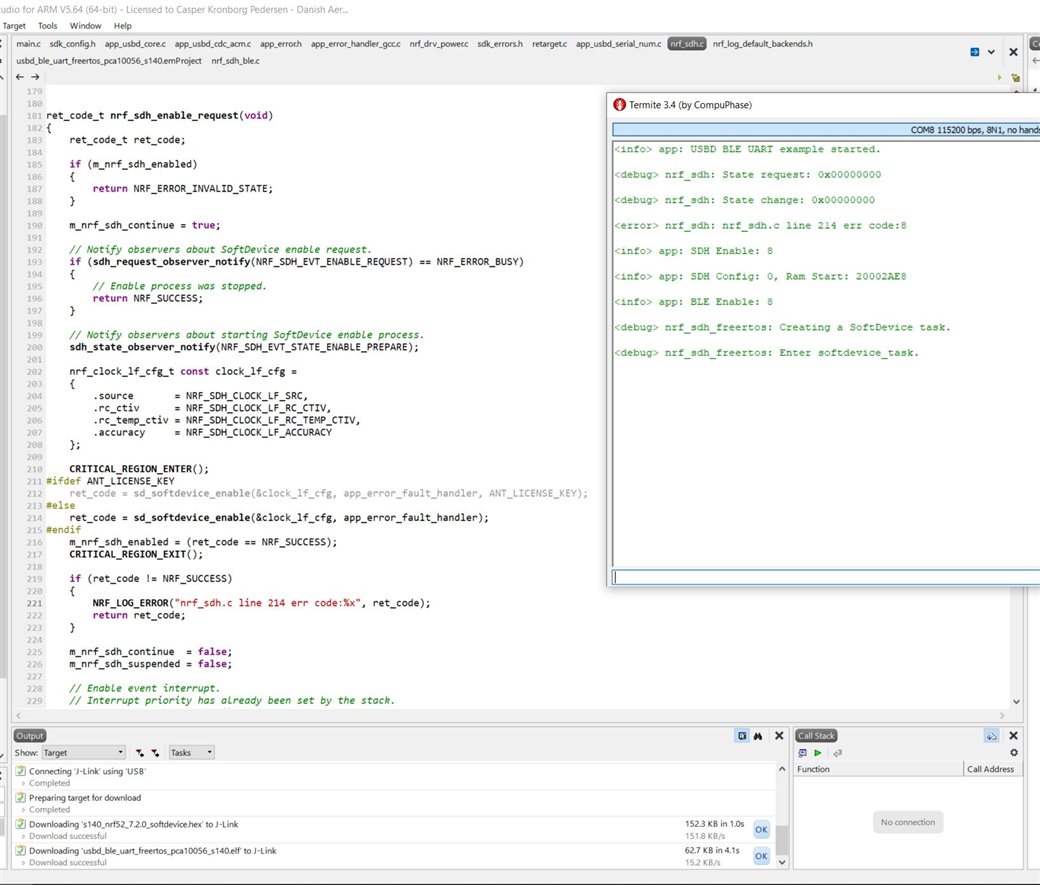
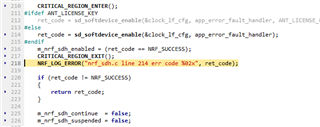
    No, it is nrf_sdh_enable_request(), specifically in the nrf_sdh.c file in line 214. Here is a screenshot of an additional log line I just added:

    Edvin said:
    Are you sure you don't call ble_stack_init() twice in your project? Or that you call nrf_sdh_ble_default_cfg_set() from several places?

    Edvin said:
    Check from your log by adding some logging inside that call to see whether it is called one or two times.

    I just checked the project to see the amount of times each function is found. 
    I will add in the log output reply below where I have added the extra log messages inside those function calls.

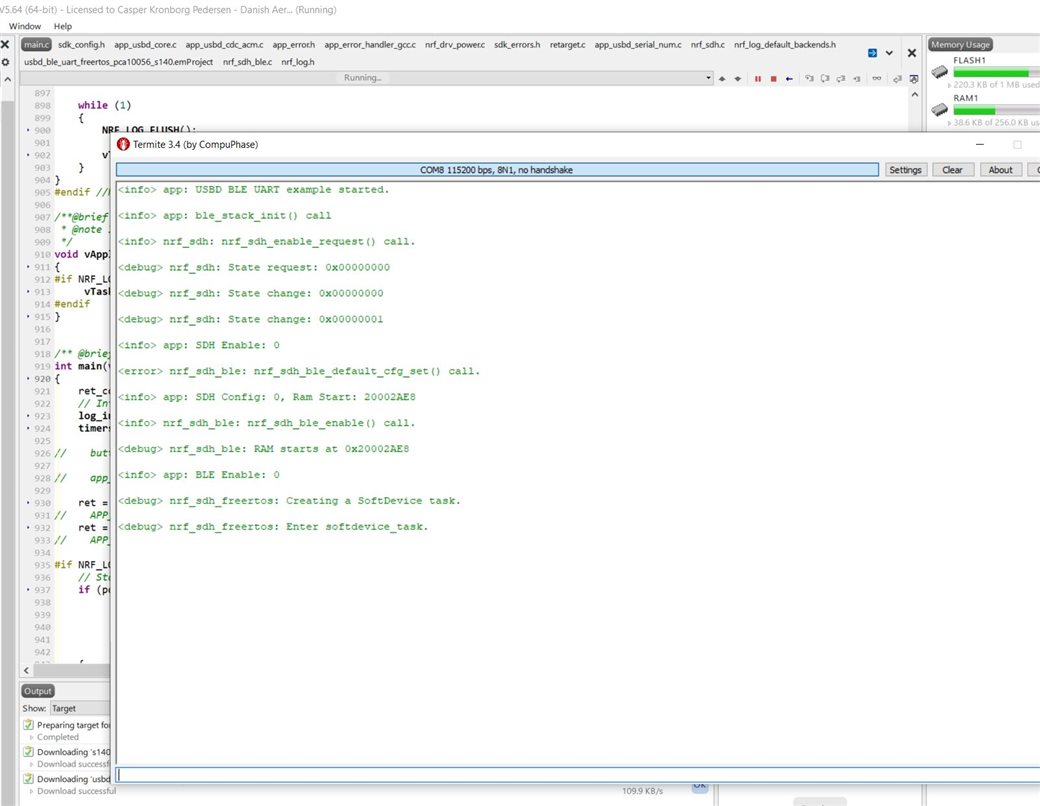
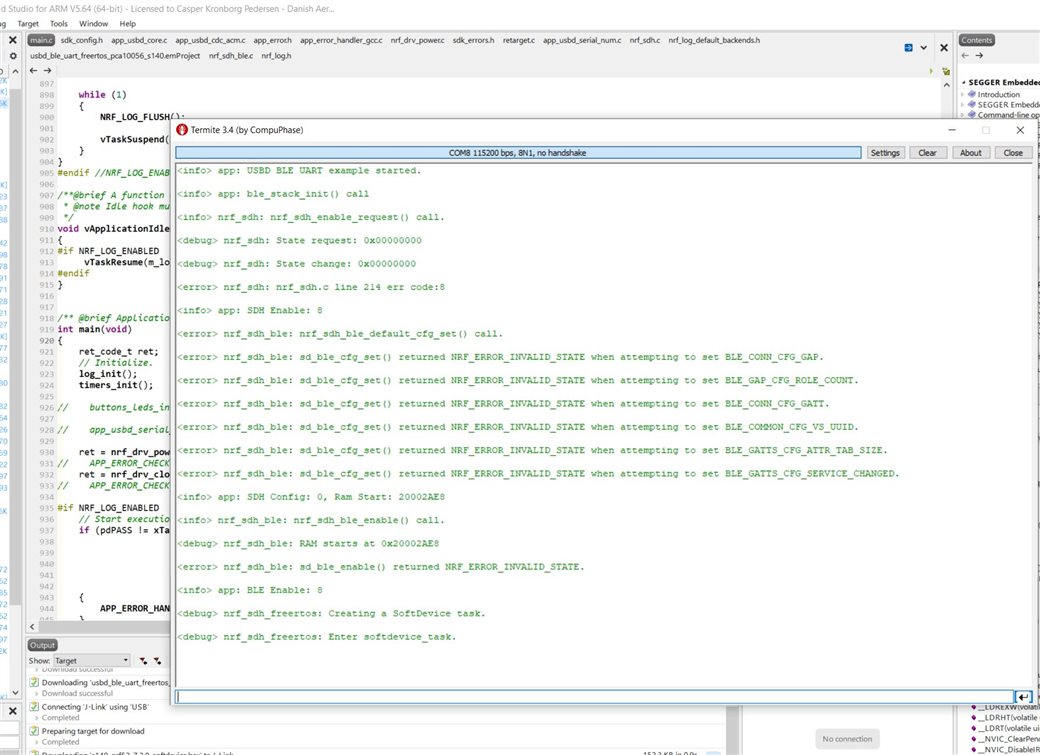
  • To get the nrf_sdh_ble_default_cfg_set() function to output any NRF Logs from within I had to enable NRF_SDH_BLE_LOG_ENABLED in sdk_config.h. I also set the Log Level to 4 to get all outputs. As you will see, this provided additional information.

    "Build and Debug" - With Extra  NRF LOGS:

    "Build and Run" - With Extra NRF LOGS:

    Sorry for the many large images and me continuously posting, but I hope this helps clearing things up.

    Br. Casper

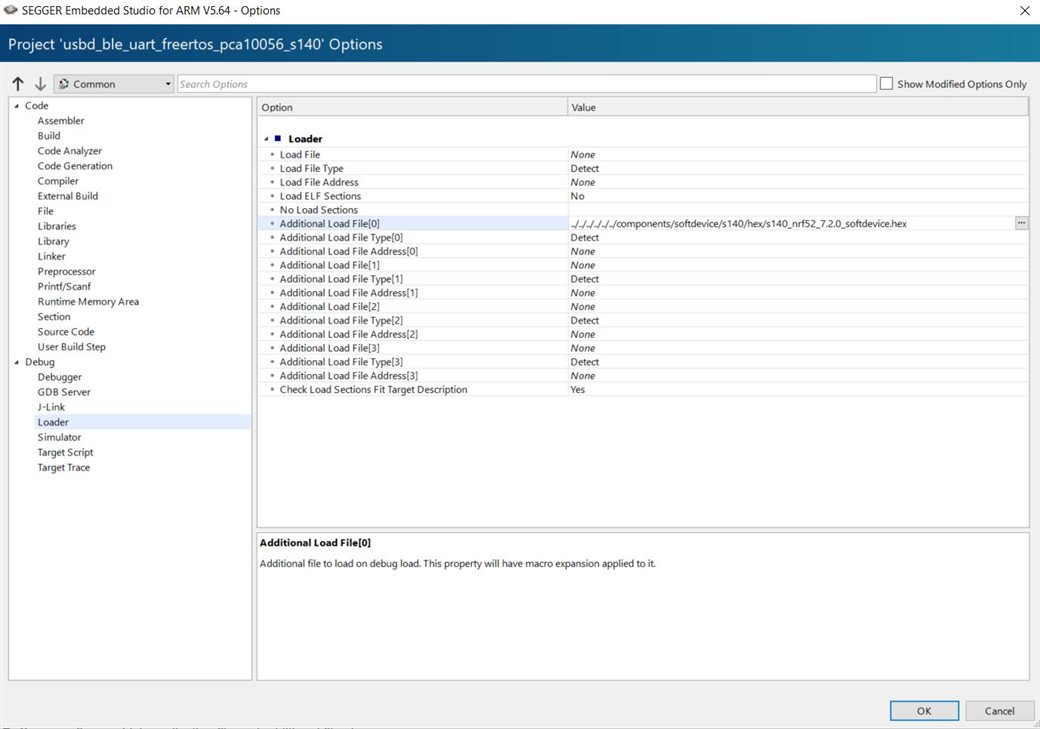
  • About the additional load file, I did check that as well:

    Br. Casper

  • Hello,

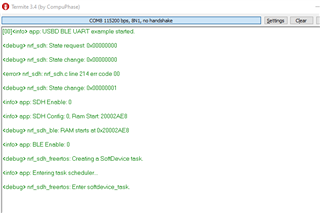
    I added the line "nrf_sdh.c line 214, err code %02x", err code" outside the if, since it didn't trigger otherwise:

    from your log it seems that it returns 08 from the initial run, unless the line "app: USBD BLE UART example started is not the first thing that is printed when you run your application (If there are more logs above that).

    Let us take two steps back. What Hardware are you using? nRF52840 DK? did you actually try to download the file that you uploaded here?  (don't copy it from your already existing project folder, but download it and unzip it) and copy it into an unmodified SDK v17.1.0. Do you still see the same? If so, I find it very strange that we see different behavior if we are running the same FW on the same HW and get two different outcomes. Have you tried to run it on another DK (another nRF52840 DK), and/or another computer? 

    Seeing as you are trying to port a project/application, please make sure that you do not copy any files outside the folder that you sent me from the old SDK. 

    If you try to unzip the file that you uploaded here into another unmodified SDK, and it still works. Please try to think if there are any details that you didn't mention that you did, other than compiling and running the sample in SES. Even if you think it is not of importance, it may make a difference, such as copying some old files from the old SDK because you thought they were needed.

    You can also try to delete and reinstall SES (there are some files that are not part of the SDK as well, that you may have changed). 

    If that doesn't lead anywhere, perhaps you can try to zip your entire SDK and upload it here. You may need to delete the rest of the examples if the file is too big to upload on DevZone. 

    BR,
    Edvin

  • Hi Edvin,

    Edvin said:
    from your log it seems that it returns 08 from the initial run, unless the line "app: USBD BLE UART example started is not the first thing that is printed when you run your application (If there are more logs above that).

    I made sure to show you all of the LOG output.

    Edvin said:
    What Hardware are you using? nRF52840 DK?

    Yes, I have used two separate nRF52840-DK's to ensure that it is not a faulty board.

    Edvin said:
    did you actually try to download the file that you uploaded here?

    Yes, fresh download and extract of both SDK and the files I sent you.

    Edvin said:
    Have you tried to run it on another DK (another nRF52840 DK), and/or another computer? 

    I have had two colleagues run it on their PC's with the same results using both the files I sent you and our own two projects that uses the SDK and s140. They downloaded fresh SDK 17.1.0 and the files I sent you were shared locally but as zipped.

    Edvin said:
    Seeing as you are trying to port a project/application, please make sure that you do not copy any files outside the folder that you sent me from the old SDK. 

    That is taken into account. We have two separate projects that are being ported and we are two who checked the .emProject files to make sure that the inclusion of files is strictly 17.1.0 and that we are using fresh unzips.

    Edvin said:
    You can also try to delete and reinstall SES (there are some files that are not part of the SDK as well, that you may have changed). 

    Something that might be causing the problem: We then tried rolling back SES all the way to 4.16. This makes the files I sent you work, as well as our two projects that are being ported. Hoorah!

    As soon as we upgrade SES back to 5.64 or 6.20a, the error reappears... Even after fresh unzips of files and SES installs. This has been reproduced on two separate computers. 

    However, sticking with a very old version of SES could be painful and does not seem like the solution..

    From the images you send me it seems like you are always in debug view using the "Build and Debug" option with SES. Here the error will not appear.

    Have you tried actually using "Build and Run" and doing so multiple times in a row? 

    A detail I did not mention was that the initial "Build and Run" always runs without issue.

    Br. Casper

    Btw: I will upload my entire SDK with the examples removed if they are too big to upload.

    EDIT: Additional info, just using the RESET button on the DK also makes the code run without issue.

Related