This discussion has been locked.
You can no longer post new replies to this discussion. If you have a question you can start a new discussion

How to merge libuarte with app_ble_uart example for use two uart

Hello,

In my project i want two use two UART as off now i am using app_ble_uart example since by default 6,8 is tx and rx pins respectively. so overall application of my project is i need to receive the commands from the mobile application to device and from another external sensor board i need to receive the data  continuously to device from RS232 pin number of 3,4 TX ,RX respectively so now i can able to use one UART with 6,8 pins for sending commands from the mobile application to device but if i change the pin number to 3,4 in same uart_init it will disconnected from the mobile app so i have got information from the devzone like using libuarte example and i don't know to merge with the app_ble_uart example so please help me to resolve this problem or if any reference on this please share me.

thank you.

Parents
  • Hello,

    While you can use the libuarte library, it is quite complex and resource demanding. I suggest that you at least consider using the nrf_drv_uart driver (which app_uart in the ble_app_uart example uses).

    If you look in the ble_app_uart example, and you go follow the implementation on how the uart is already set up in this example, you will find:

    main.c uart_init() -> APP_UART_FIFO_INIT() -> app_uart_init() -> nrf_drv_uart_init()

    nrf_drv_uart_init() is the function call that takes an uart instance. By default, the app_uart_fifo.c uses APP_UART_DRIVER_INSTANCE (which is set to 0 in sdk_config.h), so if you want to set up another UART, you can use the UART instance 1, and call nrf_drv_uart_init() using that.

    Whether you add a new function that looks like app_uart_init() inside app_uart_fifo.c or if you use nrf_drv_uart_init() from your main.c file is up to you. 

    Best regards,

    Edvin

  • Hello Edvin,

    thanks for reply, i gone through the uart_init() present in the app_ble_uart  example and in app_uart_fifo.c  i have duplicate the app_uart_init() and how can i pass the APP_UART_DRIVER_INSTANCE 1 to this i am get confused that  how it will take the UARTE to the app_uart_init() . i hope you get my problem that i have explained from the top. in uart_init() i changed the TX,RX pins to P1.3,P1.4 so if i send the data(commands) from my customized APP to the device and its receiving properly and at the same time if i am trying to send the data from the MAX232 which is connected to the  same P1.3, P1.4 (TX,RX) of MCU so that's why its going to break condition in the uart_handler so for this can we use two UART's.

    if yes, please guide me that in app_uart_fifo.c how can add another app_uart_init() .??

    thank you.

  • Hello Edvin,

    thanks for your reply,

    i didn't get what you said sorry for that,

    i will explain actually what is the application of my project and exactly what i need 

    when device power up the device connected with customized APP and it should send the command(data) over BLE at the same time the MCU is receiving the sensor data from the sensor board via RS232 or MAX232 so when MCU is receives the data from the sensor board the device is disconnected from the APP or if data not received from  the sensor board ble connected fine and based on the commands(data) it takes an action fine . so why its disconnected from the device when data received from the MAX232.?? 

    that's why i thought that i need two two UART's is it correct or i can manage with single UART

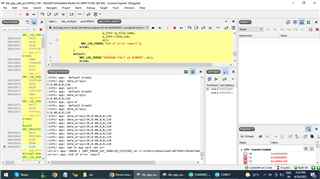
    while debugging i got this after few second 

    info> app: defualt break2
    <info> app: data_array2:
    K,0.00,0,0,110
    <info> app: opt1:0
    <info> app: defualt break2
    <info> app: data_array2:
    K,0.00,0,0,110
    <info> app: opt1:0
    <info> app: defualt break2
    <info> app: data_array2:
    K,0.00,0,0,110
    <info> app: data_array2:OK,0.00,0,0,110
    <info> app: data_array2:OK,0.00,0,0,110
    <info> app: data_array2:OK,0.00,0,0,110
    <info> app: data_array2:OK,0.00,0,0,110
    <info> app: data_array2:OK,0.00,0,0,110
    <info> app: data_array2:OK,0.00,0,0,110
    <info> app: data_array2:OK,0.00,0,0,110
    <info> app: data_array2:OK,0.00,0,0,110
    <info> app: data_array2:OK,0.00,0,0,110
    <info> app: iam in app uart cmn err
    <error> app: ERROR 1 [NRF_ERROR_SVC_HANDLER_MISSING] at C:\A\DeviceDownload\nRF5SDK1702d674dde\nRF5_SDK_17.0.2_d674dde\examples\
    <error> app: End of error report

    for more information i copy the error also .

    here data_array2 is the data from the sensor board and which is connected to the UART P1.3(TX), UART P1.4(RX) pins of the MCU and at this time BLE is connected to my MCU device but when i am trying to send the data from the customized APP its working for few second and its stopped by displaying the above error and BLE gets disconnected after this.

    this is uart_init() for handing the sensor data over MAX232 
    
    
    void uart_event_handle(app_uart_evt_t * p_event)
    {
      
        static uint8_t index = 0;
        uint32_t       err_code;
       
        switch (p_event->evt_type)
        {
            case APP_UART_DATA_READY:
                UNUSED_VARIABLE(app_uart_get(&data_array[index]));
                index++;
    
                if ((data_array[index - 1] == '\n') ||
                    (data_array[index - 1] == '\r') ||
                    (index >= m_ble_nus_max_data_len))
                {
                    if (index > 1)
                    {
                        NRF_LOG_DEBUG("Ready to send data over BLE NUS");
                        NRF_LOG_HEXDUMP_DEBUG(data_array, index);
    
                        do
                        {
                            uint16_t length = (uint16_t)index;
                            err_code = ble_nus_data_send(&m_nus, data_array, &length, m_conn_handle);
                            if ((err_code != NRF_ERROR_INVALID_STATE) &&
                                (err_code != NRF_ERROR_RESOURCES) &&
                                (err_code != NRF_ERROR_NOT_FOUND))
                            {
                                APP_ERROR_CHECK(err_code);
                            }
                        } while (err_code == NRF_ERROR_RESOURCES);
                    }
    
                    index = 0;
                }
                break;
    
            case APP_UART_COMMUNICATION_ERROR:
                NRF_LOG_INFO("iam in app uart cmn err");
                APP_ERROR_HANDLER(p_event->data.error_communication);
                break;
    
            case APP_UART_FIFO_ERROR:
                NRF_LOG_INFO("iam in app uart fifo err");
                APP_ERROR_HANDLER(p_event->data.error_code);
                break;
    
            default:
                NRF_LOG_INFO(" defualt break2");
                break;
        }
       
       NRF_LOG_INFO("data_array2:%s",data_array);
       data_init(data_array);
      
     //   memset(data_array,0,20);
     }
    
    static void uart_init(void)
    {
       
          uint32_t                     err_code;     
          app_uart_comm_params_t const comm_params =
        {
            .rx_pin_no    = RX_PIN,//(P1.4)
            .tx_pin_no    = TX_PIN,//(P1.3)
            .rts_pin_no   = RTS_PIN_NUMBER,
            .cts_pin_no   = CTS_PIN_NUMBER,
            .flow_control = APP_UART_FLOW_CONTROL_ENABLED,
            .use_parity   = false,
      #if defined (UART_PRESENT)
            .baud_rate    = NRF_UART_BAUDRATE_115200
    
    #else
            .baud_rate    = NRF_UARTE_BAUDRATE_115200
    #endif
        };
    
          APP_UART_FIFO_INIT(&comm_params,
                         UART_RX_BUF_SIZE,
                         UART_TX_BUF_SIZE,
                         uart_event_handle,
                         APP_IRQ_PRIORITY_LOWEST,
                         err_code);
    
      
        APP_ERROR_CHECK(err_code);
        NRF_LOG_INFO("err:%d",err_code);
    
    }

    this is for handling the ble_uart data 
    
    static void nus_data_handler(ble_nus_evt_t * p_evt)
    {
         uint8_t result[120]={};
        if (p_evt->type == BLE_NUS_EVT_RX_DATA)
        {
            uint32_t err_code;
           
            uint8_t *PRCS;
    
            NRF_LOG_DEBUG("Received data from BLE NUS. Writing data on UART.");
            NRF_LOG_HEXDUMP_DEBUG(p_evt->params.rx_data.p_data, p_evt->params.rx_data.length);
    
            for (uint32_t i = 0; i < p_evt->params.rx_data.length; i++)
            {
             result[i]=p_evt->params.rx_data.p_data[i];
          
            NRF_LOG_INFO("result:%s",result);
            NRF_LOG_FLUSH();
            }
    
    
            for (uint32_t i = 0; i < p_evt->params.rx_data.length; i++)
            {
               FINAL[i]=p_evt->params.rx_data.p_data[i];
            
            NRF_LOG_INFO("FINAL:%s",FINAL);
            NRF_LOG_FLUSH();
            
            }
            
           
            if((result[0]=='P') && (result[1]=='R') && (result[2]=='O'))
            {
                internal_process(result);
               
            }
    
             command_init(result);


        }
    
    }

    please help me to resolve this .

    thank you

  • Hello,

    So you get an APP_UART_COMMUNICATION_ERROR event, and the data.error_communication = 1 (I can tell from "ERROR 1 [NRF_ERROR_SVC_HANDLER_MISSING] at C:\A\DeviceDownload\..."), which means that you have an OVERRUN error. 

    What chip are you using by the way? In your tags, it says nRF52810, but your screenshot says pca10056, which suggests you are using the nRF52840. The nRF52810 doesn't have two UARTs, so you can't really use that.

    Are you sure you have set up the UART using the correct baudrate? And that the RX pin on your UARTs are not floating?

    Does the issue only occur if you initialize both UARTs, or does it also happen if you connect only one (either UART0 or UART1. Test both one at the time).

    BR,

    Edvin

  • Hello Edvin,

    thanks  for your reply, and 

    What chip are you using by the way? In your tags, it says nRF52810, but your screenshot says pca10056, which suggests you are using the nRF52840. The nRF52810 doesn't have two UARTs, so you can't really use that.

    Yes, i am using NRF52840 only so that's why i have select the pac10056 for app_ble_uart example. however nrf52840 is having two UART's right.


    Are you sure you have set up the UART using the correct baudrate? And that the RX pin on your UARTs are not floating?

    I have select the baud rate as 115200 you can observe in the uart_init code snippet above . RX pins are should not floating means i need to pull up that right.??

    Does the issue only occur if you initialize both UARTs, or does it also happen if you connect only one (either UART0 or UART1. Test both one at the time).

    No, i think i am not initialize two UART's and i don't know how to configure it that's why i have raised a query for that. actually it happens only  when i am using single UART. TX=P1.3 and  RX=P1.4 

    1. Is it possible to implement with single UART or i should use 2 UART's.??

    2. If i can implement this with single UART means how to achieve this successfully.??

    thank you.

  • sagarnayakm said:
    however nrf52840 is having two UART's right.

    Yes. But the nRF52810 does not. That's why I needed to ask when I saw that tag. But that is fine. It should work with 2x UART on the nRF52840.

    sagarnayakm said:
    I have select the baud rate as 115200 you can observe in the uart_init code snippet above . RX pins are should not floating means i need to pull up that right.??

    Well, I believe the common method is that the other UART peripheral's TX pin (which is connected to your RX pin) has the pull. Let me rephrase the question. Is pin P1.04 physically connected to a UART device when the error occurs? I see that you are using baud rate 115200, but is that also the baud rate that the other device is using?

    sagarnayakm said:
    No, i think i am not initialize two UART's and i don't know how to configure it that's why i have raised a query for that. actually it happens only  when i am using single UART. TX=P1.3 and  RX=P1.4 

    Ok. Just trying to find the cause for the communication error event.

    sagarnayakm said:
    1. Is it possible to implement with single UART or i should use 2 UART's.??

    If you intend to communicate with UART to two different devices, you should use 2 UARTs. If not, then the two devices may decide to send data at the same time, and you will receive corrupted data. So unless you only intend to receive from one and transmit to the other, and they use the same baudrate, you should use 2x UART instances.

    sagarnayakm said:
    2. If i can implement this with single UART means how to achieve this successfully.??

    ----

    Best regards,

    Edvin

  • Is pin P1.04 physically connected to a UART device when the error occurs? I see that you are using baud rate 115200, but is that also the baud rate that the other device is using?

    Yes, its connected physically, because the custom board has been developed and from the sensor board as well as MCU has the same baud rate .

    If you intend to communicate with UART to two different devices, you should use 2 UARTs. If not, then the two devices may decide to send data at the same time, and you will receive corrupted data. So unless you only intend to receive from one and transmit to the other, and they use the same baudrate, you should use 2x UART instances.

    Sorry i get confused that should use 2 UART or not . because in my case i am using MCU with only one  HW_UART which is connected to sensor board physically, so BLE data send happens with Virtual UART  no need to configure UART for that, and sending a data over BLE as well as data from the HW_UART of sensor board to MCU at a time is possible right.?? 

    i am totally new to this nordic so can you please share code that how to use two UART in app_ble_uart example.

    Ok. Just trying to find the cause for the communication error event.

    Ok. i will try to find cause for communication error event and will let you know status.

    thank you.

Reply
  • Is pin P1.04 physically connected to a UART device when the error occurs? I see that you are using baud rate 115200, but is that also the baud rate that the other device is using?

    Yes, its connected physically, because the custom board has been developed and from the sensor board as well as MCU has the same baud rate .

    If you intend to communicate with UART to two different devices, you should use 2 UARTs. If not, then the two devices may decide to send data at the same time, and you will receive corrupted data. So unless you only intend to receive from one and transmit to the other, and they use the same baudrate, you should use 2x UART instances.

    Sorry i get confused that should use 2 UART or not . because in my case i am using MCU with only one  HW_UART which is connected to sensor board physically, so BLE data send happens with Virtual UART  no need to configure UART for that, and sending a data over BLE as well as data from the HW_UART of sensor board to MCU at a time is possible right.?? 

    i am totally new to this nordic so can you please share code that how to use two UART in app_ble_uart example.

    Ok. Just trying to find the cause for the communication error event.

    Ok. i will try to find cause for communication error event and will let you know status.

    thank you.

Children
  • sagarnayakm said:
    sending a data over BLE as well as data from the HW_UART of sensor board to MCU at a time is possible right.?? 

    Ah, yes. That is possible. And you don't need two UARTs for that. I only thought you wanted to pass the data from BLE out on a physical UART as well, since the headline for this ticket says "two uarts". 

    Well, if you intend to use only one UART, that is easier. You can more or less use the ble_app_uart example directly then. Look for the callback where:

    1: the physical uart has been written to, and disable the ble_nus_data_send() from this callback in order to not forward this data directly over BLE.

    2: The callback where the nRF receives data over the BLE service, and disable that the nRF will send this data over the physical UART. 

    And instead of that default behavior, you need to modify the application to do whatever you want it to do. 

    Best regards,

    Edvin

  • Hello Edvin,

    thanks for your reply,

    I only thought you wanted to pass the data from BLE out on a physical UART as well, since the headline for this ticket says "two uarts". 

    Yes, i want to send the command data from the MOBILE APP to MCU over BLE and i want to send the data from the sensor board to MCU over MAX232 with HW_UART but

    1: the physical uart has been written to, and disable the ble_nus_data_send() from this callback in order to not forward this data directly over BLE.

    No, want to receive the data from the sensor board to MCU over MAX 232 with HW_UART here i need to send the data to BLE as well i couldn't disable the function ble_nus_data_send() here . the device should receive the data and send to MOBILE_APP over BLE.

    The callback where the nRF receives data over the BLE service, and disable that the nRF will send this data over the physical UART.

    Ah, like when device receives the data from sensor board it will send to nrf over BLE  and then again APP will send this data to HW_UART. this is what you ment.??

    thank you.

  • Hello,

    By default, whenever the physical UART receives any data (one byte), the function uart_event_handle() in main.c is triggered. What this does is that it checks whether:

    1: The buffer is full (BLE_NUS_MAX_DATA_LEN) bytes, or:

    2: the last received byte was either '\r' or '\n' (linefeed)

    If one of the two is true, then it will send that data over BLE using ble_nus_data_send(), and reset the buffer.

    You can keep this functionality if it suits your case. If it doesn't use \r or \n, perhaps it uses some other value to indicate that the message is done. 

    Then you have the nus_data_handler(), also in main.c, which will trigger every time the device receives a message over BLE, containing the data. This will by default take whatever payload data that is received, and send it to the physical UART's TX. I assume you don't want to send this data to the sensor directly, so in that case, you may want to comment out this part:

            for (uint32_t i = 0; i < p_evt->params.rx_data.length; i++)
            {
                do
                {
                    err_code = app_uart_put(p_evt->params.rx_data.p_data[i]);
                    if ((err_code != NRF_SUCCESS) && (err_code != NRF_ERROR_BUSY))
                    {
                        NRF_LOG_ERROR("Failed receiving NUS message. Error 0x%x. ", err_code);
                        APP_ERROR_CHECK(err_code);
                    }
                } while (err_code == NRF_ERROR_BUSY);
            }

    But that depends on what you want to do. 

  • Hello Edvin,

    . I assume you don't want to send this data to the sensor directly, so in that case, you may want to comment out this part:

    Yes, i have  already done this and my  nus_data_handler()  look like this,

    static void nus_data_handler(ble_nus_evt_t * p_evt)
    {    uint8_t result[120]={};
        if (p_evt->type == BLE_NUS_EVT_RX_DATA)
        {
            uint32_t err_code;
           
            uint8_t *PRCS;
    
            NRF_LOG_DEBUG("Received data from BLE NUS. Writing data on UART.");
            NRF_LOG_HEXDUMP_DEBUG(p_evt->params.rx_data.p_data, p_evt->params.rx_data.length);
    
            for (uint32_t i = 0; i < p_evt->params.rx_data.length; i++)
            {
             result[i]=p_evt->params.rx_data.p_data[i];
          
            //NRF_LOG_INFO("result:%s",result);
            //NRF_LOG_FLUSH();
            }
    
    
            for (uint32_t i = 0; i < p_evt->params.rx_data.length; i++)
            {
               FINAL[i]=p_evt->params.rx_data.p_data[i];
            
            //NRF_LOG_INFO("FINAL:%s",FINAL);
            //NRF_LOG_FLUSH();
            
            }
            
           
            if((result[0]=='P') && (result[1]=='R') && (result[2]=='O'))
            {
                internal_process(result);
               
            }
    
             command_init(result);


        }
    
    }

    somehow it's ok but while receiving the data from the MAX232 i couldn't reduce the noise of motor like its stuck while receiving and it back to work within a nano sec.

    i don't know how to reduce it .

    thank you.

  • Remember that I don't know anything about any motor. Is the MAX232 the motor?

    sagarnayakm said:

    couldn't reduce the noise of motor like its stuck while receiving and it back to work within a nano sec.

    What does this mean? Is the motor sending data?

Related