nRF Connect for Desktop v0.10.3 install SDK just only download toolchain

Hi 

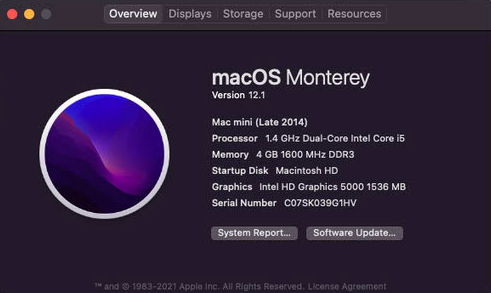
I used Toolchain Manager v0.10.3 to install nRF SDK v1.8.0 at Mac mini(Monterey - 12.1) two times get same issue.

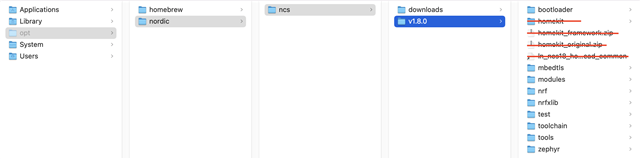
The issue is Toolchain Manager just download toolchain only. 

  • Mac mini information:

This is my another MacBook Air install folder.
  

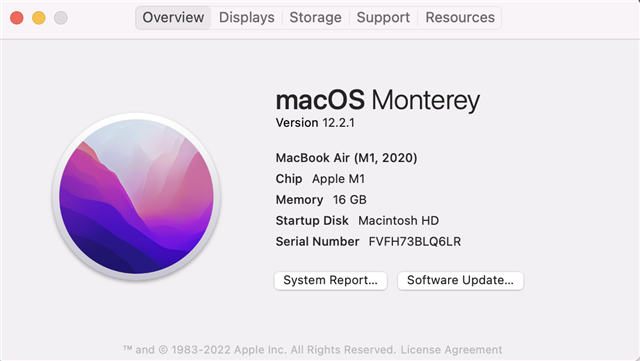
  • MacBook Air information:

I don't know why it different on 2 platform, do you have any suggestion that can auto install all SDK in my Mac mini?

Thanks,

Prince 

Parents
  • Hi,

    I was able to reproduce your problem and find a way to fix it on my side, so hopefully this will fix the issue for you as well. Open the terminal from toolchain manager and make sure you are in the folder of the ncs installation (so inside v1.8.0 in your case), then run the following:

    ./toolchain/ncsmgr/ncsmgr init-ncs

    This did not succeed at first try for me, so if it fails look for the following:

    • Any missing modules. I got an error that I did not have a module named configobj, so I had to install it with pip3 install configobj
    • West manifest version. You need to have at least version 0.12.0 of west. If you have older versions you need to upgrade it with pip3 install --upgrade west. If you do not have west installed you must install it with pip3 install west.

    Running the init command above will initialize west and create a hidden folder called .west inside the v1.8.0 folder. If you try to run the init command in a folder that has already been initialized you will get an error stating that it is already initialized. Therefore, if you get any errors running the command, such as missing modules or west version as above, you must delete the .west folder before running the init command again.

    Best regards,

    Marte

Reply
  • Hi,

    I was able to reproduce your problem and find a way to fix it on my side, so hopefully this will fix the issue for you as well. Open the terminal from toolchain manager and make sure you are in the folder of the ncs installation (so inside v1.8.0 in your case), then run the following:

    ./toolchain/ncsmgr/ncsmgr init-ncs

    This did not succeed at first try for me, so if it fails look for the following:

    • Any missing modules. I got an error that I did not have a module named configobj, so I had to install it with pip3 install configobj
    • West manifest version. You need to have at least version 0.12.0 of west. If you have older versions you need to upgrade it with pip3 install --upgrade west. If you do not have west installed you must install it with pip3 install west.

    Running the init command above will initialize west and create a hidden folder called .west inside the v1.8.0 folder. If you try to run the init command in a folder that has already been initialized you will get an error stating that it is already initialized. Therefore, if you get any errors running the command, such as missing modules or west version as above, you must delete the .west folder before running the init command again.

    Best regards,

    Marte

Children
No Data
Related