Beware that this post is related to an SDK in maintenance mode
More Info: Consider nRF Connect SDK for new designs

Install Toolchain failed for nRF5340 Audio DK

I do the install by step , https://developer.nordicsemi.com/nRF_Connect_SDK/doc/latest/nrf/gs_installing.html

the toolchain install failed when on step 5;

log as belowed:

C:\Users\admin\zephyr-sdk-0.14.1>setup.cmd
Zephyr SDK 0.14.1 Setup

** NOTE **
You only need to run this script once after extracting the Zephyr SDK
distribution bundle archive.

Install host tools [Y,N]?Y
Register Zephyr SDK CMake package [Y,N]?Y

Installing host tools ...
SKIPPED: Windows host tools are not available yet.

Registering Zephyr SDK CMake package ...
Zephyr-sdk (C:/Users/admin/zephyr-sdk-0.14.1/cmake)
has been added to the user package registry in:
HKEY_CURRENT_USER\Software\Kitware\CMake\Packages\Zephyr-sdk


All done.

Press any key to exit ...

C:\Users\admin\zephyr-sdk-0.14.1>

could you help find the reason?

Parents
  • Hello,

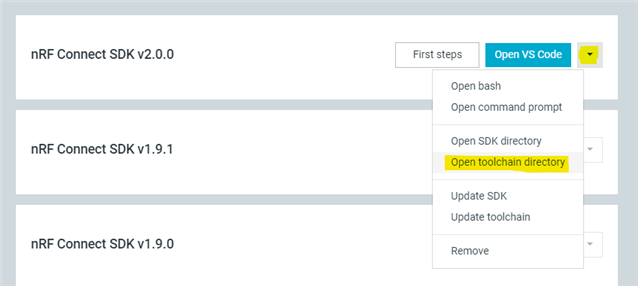
    I recommend installing nRF Connect SDK automatically with the Toolchain Manager application within nRF Connect for Desktop. The steps are described here.

    Let me know if you have any issues with the installation.

    Kind Regards,
    Maria

  • Hi  Maria,

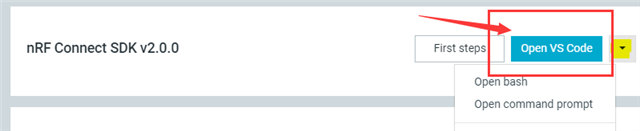
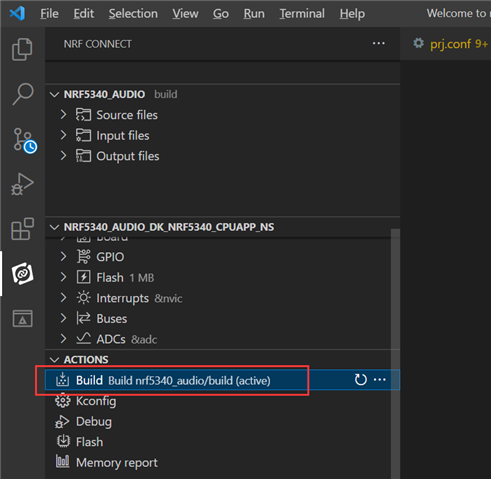
    I  used nRF Connect for Desktop as described Installing automatically, I encounter a another question when I build using VS Code, the error log as belowed.

    e:\admin\homework\nrf5340_audio\nrf5340_audio\src\bluetooth\ble_core.c:49:7: note: each undeclared identifier is reported only once for each function it appears in
    [73/279] Building C object CMakeFiles/app.dir/src/modules/audio_i2s.c.obj
    [74/279] Building C object CMakeFiles/app.dir/src/audio/audio_datapath.c.obj
    ../src/audio/audio_datapath.c: In function 'cmd_i2s_tone_play':
    e:\admin\homework\nrf5340_audio\nrf5340_audio\src\audio\audio_datapath.c:920:14: warning: implicit declaration of function 'strtof'; did you mean 'strtol'? [-Wimplicit-function-declaration]
    920 | amplitude = strtof(argv[3], NULL);
    | ^~~~~~
    | strtol
    [75/279] Building C object CMakeFiles/app.dir/src/drivers/ina231.c.obj
    [76/279] Building C object CMakeFiles/app.dir/src/drivers/max14690.c.obj

    ninja: build stopped: subcommand failed.
    FATAL ERROR: command exited with status 1: 'e:\admin\Nordic\SDK\toolchains\v2.0.0\opt\bin\cmake.EXE' --build 'e:\admin\homework\nrf5340_audio\nrf5340_audio\build'

    * The terminal process terminated with exit code: 1.
    * Terminal will be reused by tasks, press any key to close it.

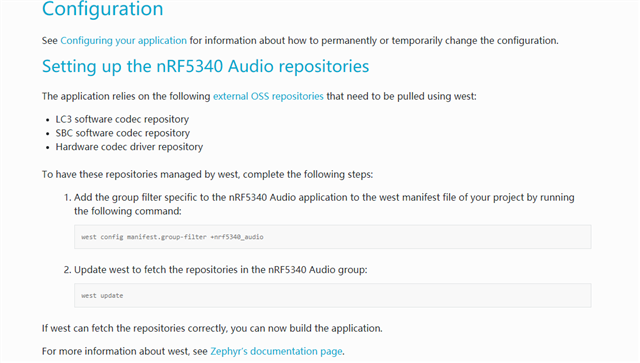
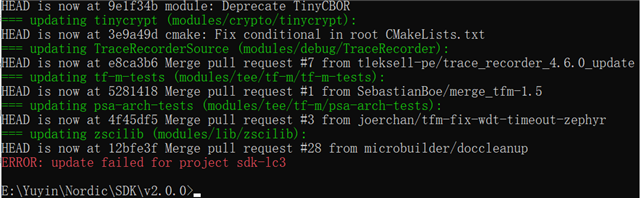
    I want to use nRF5340 Audio DK work, after I download the SDK 2.0.0 , do I need input another command as described on page nRF5340 Audio, Setting up the nRF5340 Audio repositories

Reply
  • Hi  Maria,

    I  used nRF Connect for Desktop as described Installing automatically, I encounter a another question when I build using VS Code, the error log as belowed.

    e:\admin\homework\nrf5340_audio\nrf5340_audio\src\bluetooth\ble_core.c:49:7: note: each undeclared identifier is reported only once for each function it appears in
    [73/279] Building C object CMakeFiles/app.dir/src/modules/audio_i2s.c.obj
    [74/279] Building C object CMakeFiles/app.dir/src/audio/audio_datapath.c.obj
    ../src/audio/audio_datapath.c: In function 'cmd_i2s_tone_play':
    e:\admin\homework\nrf5340_audio\nrf5340_audio\src\audio\audio_datapath.c:920:14: warning: implicit declaration of function 'strtof'; did you mean 'strtol'? [-Wimplicit-function-declaration]
    920 | amplitude = strtof(argv[3], NULL);
    | ^~~~~~
    | strtol
    [75/279] Building C object CMakeFiles/app.dir/src/drivers/ina231.c.obj
    [76/279] Building C object CMakeFiles/app.dir/src/drivers/max14690.c.obj

    ninja: build stopped: subcommand failed.
    FATAL ERROR: command exited with status 1: 'e:\admin\Nordic\SDK\toolchains\v2.0.0\opt\bin\cmake.EXE' --build 'e:\admin\homework\nrf5340_audio\nrf5340_audio\build'

    * The terminal process terminated with exit code: 1.
    * Terminal will be reused by tasks, press any key to close it.

    I want to use nRF5340 Audio DK work, after I download the SDK 2.0.0 , do I need input another command as described on page nRF5340 Audio, Setting up the nRF5340 Audio repositories

Children
Related