Beware that this post is related to an SDK in maintenance mode
More Info: Consider nRF Connect SDK for new designs

Install Toolchain failed for nRF5340 Audio DK

I do the install by step , https://developer.nordicsemi.com/nRF_Connect_SDK/doc/latest/nrf/gs_installing.html

the toolchain install failed when on step 5;

log as belowed:

C:\Users\admin\zephyr-sdk-0.14.1>setup.cmd
Zephyr SDK 0.14.1 Setup

** NOTE **
You only need to run this script once after extracting the Zephyr SDK
distribution bundle archive.

Install host tools [Y,N]?Y
Register Zephyr SDK CMake package [Y,N]?Y

Installing host tools ...
SKIPPED: Windows host tools are not available yet.

Registering Zephyr SDK CMake package ...
Zephyr-sdk (C:/Users/admin/zephyr-sdk-0.14.1/cmake)
has been added to the user package registry in:
HKEY_CURRENT_USER\Software\Kitware\CMake\Packages\Zephyr-sdk


All done.

Press any key to exit ...

C:\Users\admin\zephyr-sdk-0.14.1>

could you help find the reason?

Parents
  • Hello,

    I recommend installing nRF Connect SDK automatically with the Toolchain Manager application within nRF Connect for Desktop. The steps are described here.

    Let me know if you have any issues with the installation.

    Kind Regards,
    Maria

  • Hi  Maria,

    I  used nRF Connect for Desktop as described Installing automatically, I encounter a another question when I build using VS Code, the error log as belowed.

    e:\admin\homework\nrf5340_audio\nrf5340_audio\src\bluetooth\ble_core.c:49:7: note: each undeclared identifier is reported only once for each function it appears in
    [73/279] Building C object CMakeFiles/app.dir/src/modules/audio_i2s.c.obj
    [74/279] Building C object CMakeFiles/app.dir/src/audio/audio_datapath.c.obj
    ../src/audio/audio_datapath.c: In function 'cmd_i2s_tone_play':
    e:\admin\homework\nrf5340_audio\nrf5340_audio\src\audio\audio_datapath.c:920:14: warning: implicit declaration of function 'strtof'; did you mean 'strtol'? [-Wimplicit-function-declaration]
    920 | amplitude = strtof(argv[3], NULL);
    | ^~~~~~
    | strtol
    [75/279] Building C object CMakeFiles/app.dir/src/drivers/ina231.c.obj
    [76/279] Building C object CMakeFiles/app.dir/src/drivers/max14690.c.obj

    ninja: build stopped: subcommand failed.
    FATAL ERROR: command exited with status 1: 'e:\admin\Nordic\SDK\toolchains\v2.0.0\opt\bin\cmake.EXE' --build 'e:\admin\homework\nrf5340_audio\nrf5340_audio\build'

    * The terminal process terminated with exit code: 1.
    * Terminal will be reused by tasks, press any key to close it.

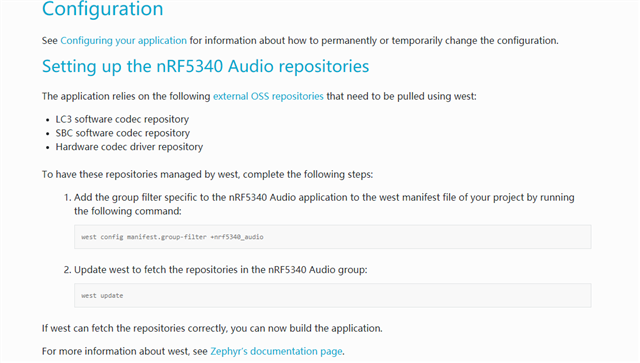
    I want to use nRF5340 Audio DK work, after I download the SDK 2.0.0 , do I need input another command as described on page nRF5340 Audio, Setting up the nRF5340 Audio repositories

  • Hello,

    yuyin said:
    warning: implicit declaration of function 'strtof'

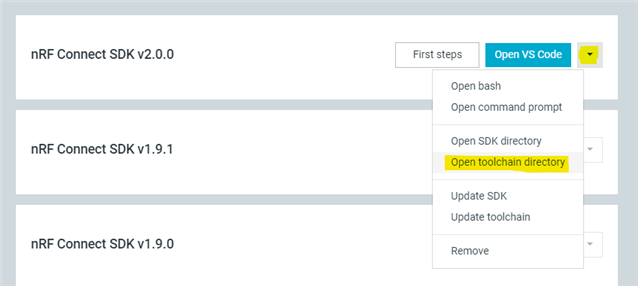
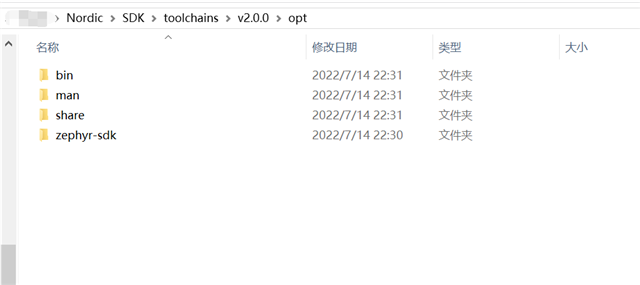
    The definition of strtof is a part of the Zephyr SDK. Can you please check if you have a folder named zephyr-sdk within "opt" in your toolchain directory?
    You can open your toolchain directory from Toolchain Manager.

    yuyin said:
    do I need input another command as described on page nRF5340 Audio, Setting up the nRF5340 Audio repositories

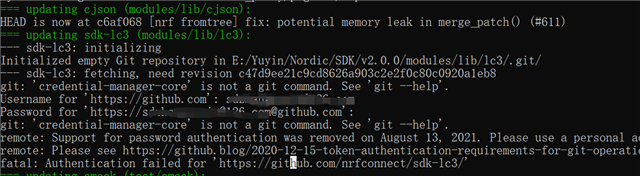
    This depends on which software codec you want to use. If you want to use the open source codec SBC, the two commands shown in steps 1 and 2 of the repository set up will be sufficient. When you are asked for credentials from GitHub, you can enter empty credentials, and the installation will skip the LC3 download.

    You will also need to change configurations which are choosing LC3 by default into choosing SBC instead. These changes are described in the section after the setup: Selecting the audio software codec.

    Best Regards,
    Maria

  • Hi  Maria,

    Can you please check if you have a folder named zephyr-sdk within "opt" in your toolchain directory?

    BRs,

    Yuyin

  • Hi Maria,

    thanks for your reply timely,

    The flow I operated as belowed, can you help me to check it:

    step1 :  download nrf connect desktop and command line tools, and install success;

    step2:  download sdk 2.0.0 from nrf connect desktop;

    step3:  Open Command prompt

    then input  command 

    > west config manifest.group-filter +nrf5340_audio
    > west update

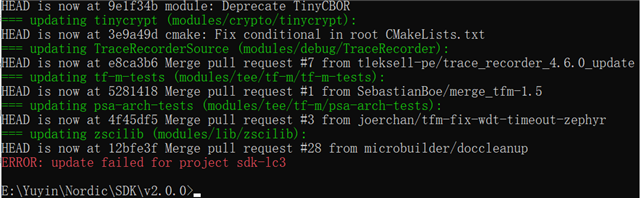
    but this step update lc3 failed, I use SBC instead

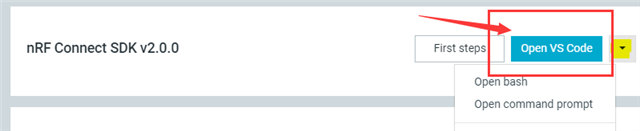
    step 4: Open VS Code

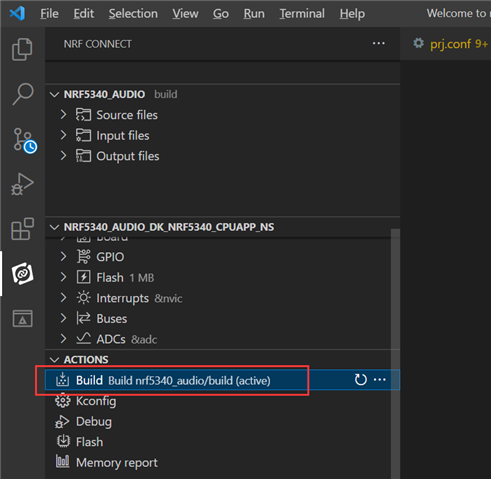
    step 5: build with vs code environment

    Is the flow corrected?

    Yuyin

    BRs,

  • Hello Yuyin,

    The only step missing is the change of configuration from LC3 to SBC. You need to add CONFIG_SW_CODEC_SBC=y to the prj.conf in the nrf5340_audio folder.

    Best regards,

    Maria

Reply Children
No Data
Related