Impossible to see Nrf9160 DK on ChromeOs - Linux Debian

Hello,

I have a debian installed on my Chrome OS. Everything seems to be ok on Programmer (launched from Nrf Connect for Desktop):

17:41:45.965
Using nrf-device-lib-js version: 0.4.13
17:41:45.966
Using nrf-device-lib version: 0.12.8
17:41:45.967
Using nrfjprog DLL version: 10.16.0
17:41:45.967
Using JLink version: JLink_V7.66a

When I try to select my device, I don't see it listed even though it's turned on.

What could be the cause ? 

Thanks !

  • Hi, 

    Have you tried the latest JLink drivers from the segger website?

    Check first your board's connection to the PC. You could check if the board appears as connected to the COM port using something like Device Manager in Windows 10. Additionally, verify that the board is listed in the output of the command "nrfjprog --com". 

    Regards,
    Amanda

  • Hello,

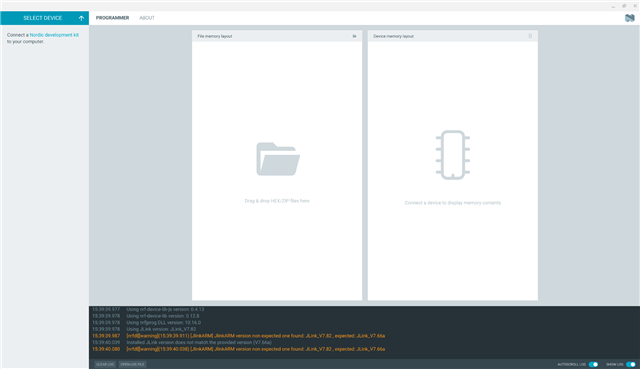
    I have installed the latest one (7.82) and now have those with "verbose logging" enabled :

    15:36:45.868
    Using nrf-device-lib-js version: 0.4.13
    15:36:45.868
    Using nrf-device-lib version: 0.12.8
    15:36:45.869
    Using nrfjprog DLL version: 10.16.0
    15:36:45.869
    Using JLink version: JLink_V7.82
    15:36:45.884
    [nrfdl][warning](15:36:45.789) [JlinkARM] JlinkARM version non expected one found: JLink_V7.82 , expected: JLink_V7.66a
    15:36:46.009
    Installed JLink version does not match the provided version (V7.66a)
    15:36:46.009
    [nrfdl][warning](15:36:46.008) [JlinkARM] JlinkARM version non expected one found: JLink_V7.82 , expected: JLink_V7.66a

    You could check if the board appears as connected to the COM port using something like Device Manager in Windows 10

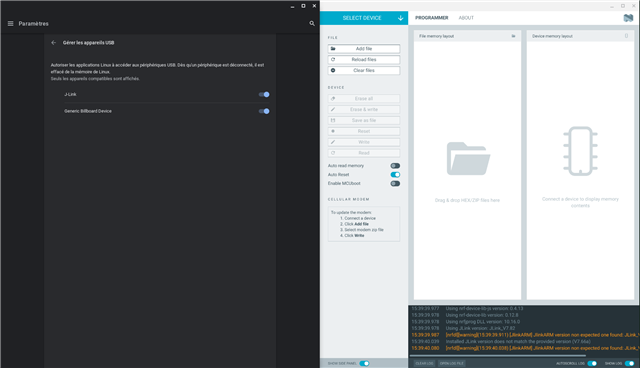
    The card is working correctly on a Windows 10 computer, it's on my Chrome OS with Linux developper mode that it is not shown. It appears in device management though. 

    Traduction of the french window on the left: 

    "Manage USB devices

    Authorize Linux applications to access to USB deveices. Once a device is disconnected, it is removed from Linux's memory. Only compatible devices are shown."

    The device is not showing on "Select device" menu : 

    Thanks !

    Gillen

  • Hi Gillen,

    Gillen said:
    [nrfdl][warning](15:36:45.789) [JlinkARM] JlinkARM version non expected one found: JLink_V7.82 , expected: JLink_V7.66a

    Seems it needs to back  JLink_V7.66a. 

    Are you able to run the command "nrfjprog --version" and "nrfjprog --com" and provide the log? You can download the nRF Command Line tool here

    -Amanda

  • Hi Amanda,

    nrfjprog --version returns

    nrfjprog version: 10.18.1 external
    JLinkARM.dll version: 7.66a

    nrfjprog --com returns nothing.

    Maybe I can check some logs somewhere ?

    Thanks !

  • Hi, 

    What version of the DK it is (printed on the white sticker)?

    And what these commands returns:

    nrfjprog --ids

    nrfjprog --deviceversion

    -Amanda

Related