VS code reports ‘No devices found’ for my nRF5340 SDK

Hello,

I am running windows 10 and started the DevAcademy lesson 1, exercise 1 and exercise 2.

Up to exercise 2 item 4 (add a build configuration) everything went fine. In VS code I build the blinky application in fund_less1_exer2 application for NRF5340 DK (board ID nrf5340_nrf5340_cpuapp_ns). The main.c program is visible, and the terminal panel fits the course material.

At point 5 I have connected the board with an USB cable and switched it on.

The problem:

I don’t see the board in the Connected Devices View in the nRF connect for VS Code extension. It says: No devices found.

The board is new (august 2022) and never used before. I checked the battery, replaced the usb cable. No reaction when pushing the buttons on the board. No LED lights either.

I have restarted my laptop, but still ‘No devices found’

In the explorer window (windows 10) I only see my own memory stick as G: drive.

In C:\Program Files (x86)\SEGGER\Jlink there is a folder USBDriver.

I am stuck, can you help me further?

Parents
  • Hello,

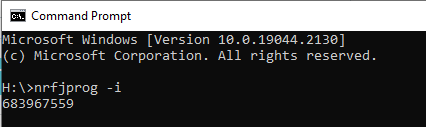
    Could you please try to run nrfjprog -i in terminal? You can check the connected device there. For example, this is the device ID of my DK. 


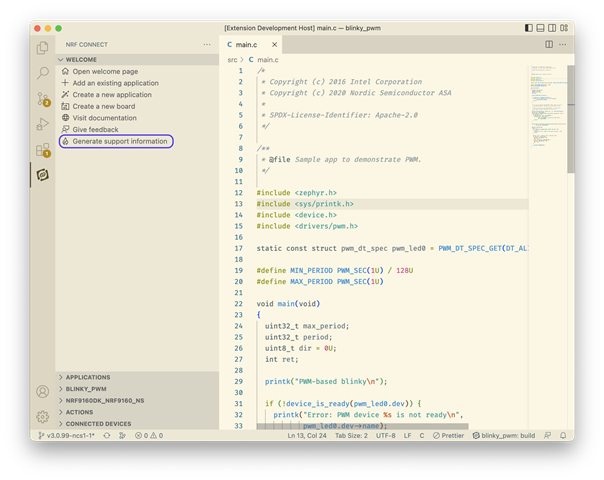
    You can run the Generate Support Information command and send us, so that we can see more about the environment.

    Thanks.

    Best Regards,

    Kazi Afroza Sultana

  • hello,

    Thanks for your reply.

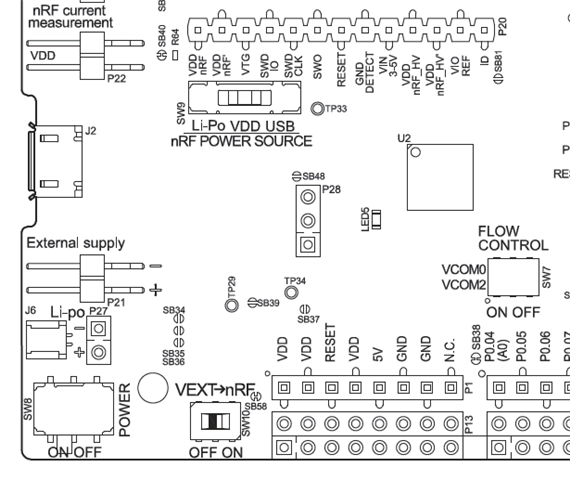
    I connected the SDK with the usb near the external supply connector, power switch on (with switch on LiPo), no Led ligths on. Led5 gave one short green flash when the power switch was moved to on. Refreshed connected devices with no result.

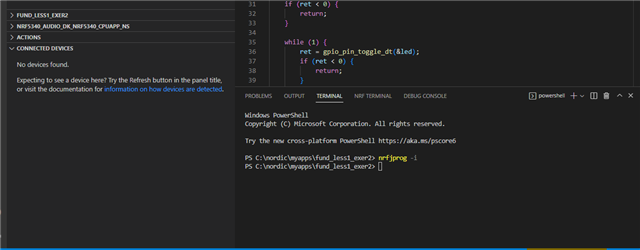
    The result from nrfjprog -i is shown in the picture below:

    So, no response.

    I installed the VS Code on another laptopp and went through the exercises 1 and 2 up to item 4. Still no connected devices found. Tried also in the terminal nrfjprog -i, without any response.

    Regards,

    ***

Reply
  • hello,

    Thanks for your reply.

    I connected the SDK with the usb near the external supply connector, power switch on (with switch on LiPo), no Led ligths on. Led5 gave one short green flash when the power switch was moved to on. Refreshed connected devices with no result.

    The result from nrfjprog -i is shown in the picture below:

    So, no response.

    I installed the VS Code on another laptopp and went through the exercises 1 and 2 up to item 4. Still no connected devices found. Tried also in the terminal nrfjprog -i, without any response.

    Regards,

    ***

Children
Related