Hi there!
I'm using nRF Connect SDK v2.1.2 and VS Code 1.73.1 with nRF Connect extensions on a Windows 11 x64 machine. I created a Freestanding application based on the nrf/applications/asset_tracker_v2 as a starting point for the Thingy:91
Coming from Segger Embedded Studio + nRF5 SDK 17.0.2, I'm completely new to this dev system and any pointers will be much appreciated. I learned (the hard way) that I had to disable debug options in the build configuration for debugging to work at all.
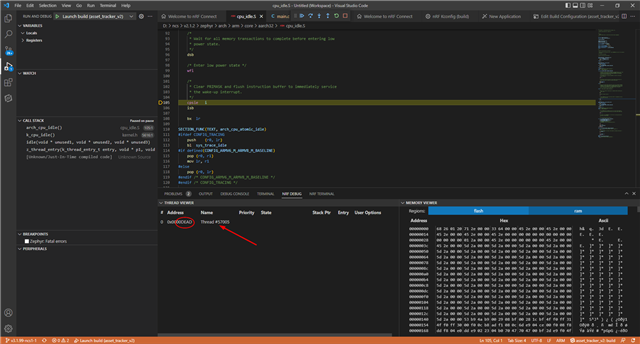
When I start debugging, it programs the nRF9160 and breaks here in cpu_idle.S, not main():
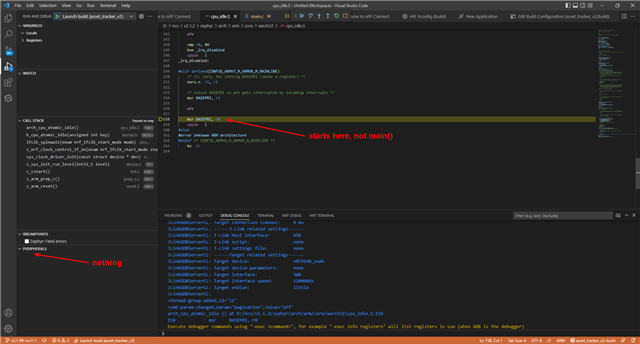
It also does not show any peripherals. I can put a breakpoint somewhere in main(), run and it will break there.
I created a launch.json file and here is the content:
{
    // Use IntelliSense to learn about possible attributes.
    // Hover to view descriptions of existing attributes.
    // For more information, visit: https://go.microsoft.com/fwlink/?linkid=830387
    "version": "0.2.0",
    "configurations": [
        {
            "type": "nrf-connect",
            "request": "launch",
            "name": "Launch active build configuration",
            "config": "${activeConfig}",
            "runToEntryPoint": "main"
        },
        {
            "name": "Launch build",
            "type": "nrf-connect",
            "request": "launch",
            "config": "d:\\Work\\PICONOMIX\\projects-contract\\DAU\\Thingy91\\firmware\\asset_tracker_v2\\build",
            "runToEntryPoint": "main",
            "svdFile": "d:\\ncs\\v2.1.2\\modules\\hal\\nordic\\nrfx\\mdk\\nrf9160.svd"
        }
    ]
}
So the "runToEntryPoint" field means that it is supposed to stop in main(), right?
I added the "svdFile" field to see if I could fix the "PERIPHERALS" view but that property name is not valid.
How do I fix this? Must I install and use the Cortex-Debug extension?
Thanks in advance,
Pieter