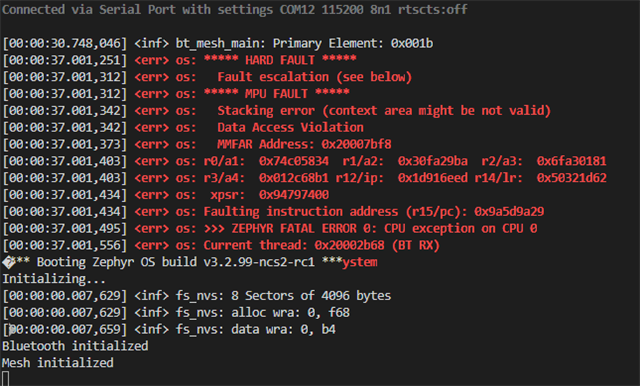
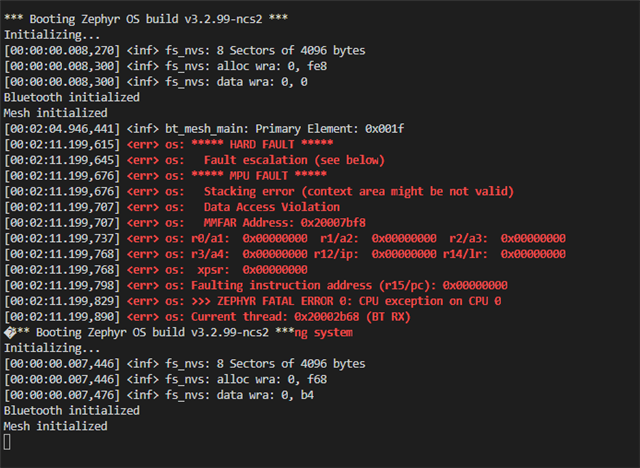
I'm learning to work with the nRF52840 chip, and ordered the development kit for testing. It arrived today; I flashed the Blinky example and it worked fine, flashed the Light application (nrf/samples/bluetooth/mesh/light) and it seemed to work; I opened the nRF Mesh app on Android (latest version) and could see the board, I tapped Identify and all the lights start flashing, hit Provision and it gave me the option for no OOB, pushing the button or inputting the number of LED flashes, but then it wouldn't get any further once I had verified OOB (or selected "No OOB").
The last line I would see in the app is "Sending Provisioning Data", then it would exit the provisioning screen and return to the Scanner for adding nodes, where I would see the same node I just attempted to provision. I tried all available OOB options, none of which made a difference (although all seemed to work correctly).
I haven't touched the application, I re-added the example from scratch to make sure. SDK v2.2.0, I'm working in Visual Studio Code.