Programming Thingy:53 with Bluetooth Mesh sensor_server example

I have successfully built the Bluetooth Mesh sensor_server example, using the thingy53_nrf5340_cpuspp_ns build configuration.

But when I come to try and program the Thingy:53, it does not appear in the Connected Devices list, when connected to an nRF5340-DK board with a standard 10-pin cable (I used one from a STLink-V3). The RGB LED on the Thingy:53 illuminates on power up and cycles through the three colours a couple of times before going out, as it does when not connected via the 10-pin cable. When the Thingy:53 is connected via the 10-pin cable to the nRF5340-DK, the LEDs on the latter are not illuminated and neither appear in the Connected Devices list.

When I unplug and replug the USB cable to the nRF5340-DK board without the Thingy:53 connected, then the nRF5340-DK is detected and does appear in the Connected Devices list.

What else do I need to do for the Thingy:53 to be detected please?

I am using nRF Connect SDK v2.3.0 on Windows 11.

  • Hi Elfving,

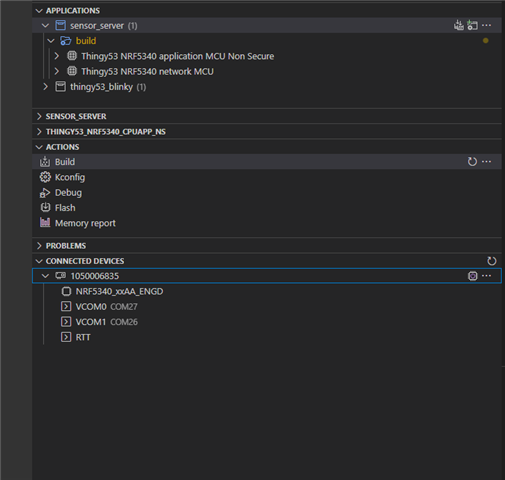
    I successfully built and flashed the basic blinky application to the Thingy:53 by selecting  NRF5340_xxAA_ENGD in Connected Devices. So this is how the thingy:53 appears.

    The red LED on the Thingy:53 now blinks on and off approximately once per second.

    So I think the issue is not that this entry wasn't appearing before, but rather that it wasn't  obviously identifying itself as the Thingy:53.

    So now that I've proven that it's possible to program the Thingy:53, and that I have both the sensor_server and sensor_client sample applications running on the Thingy:53 and nRF52DK respectively, how can I use these to build a Bluetooth Mesh (with the addition of more Thingy:53 modules) with the nRF Mesh application please?

    Kind regards,

    Al

  • alwalker said:

    The red LED on the Thingy:53 now blinks on and off approximately once per second.

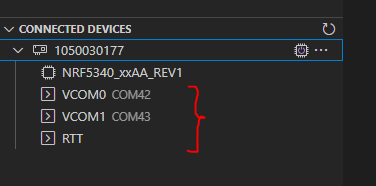
    Great! I believe I disagree with you when it comes how the Thingy appears there and what it takes to flash it, but as long as it works for you its fine. (For instance, I believe you'll also see the same thing on connected devices with the Thingy disconnected. And you'll also be able to flash the Thingy by selecting eg. RTT. Its the DK serial number your selecting). 

    alwalker said:
    how can I use these to build a Bluetooth Mesh (with the addition of more Thingy:53 modules) with the nRF Mesh application please?

    What you need to do now is provision and configure these devices. To get an understanding of how this works it might be easiest to start of with a sample that only requires one node, like the mesh light, but the sensor servers should work fine as well. The steps to test them our outlined in their documentation. Could you let me know if you have issues with a specific point in that list?

    Regards,

    Elfving

  • Hi Elfving,

    Thanks, I do not see NRF5340_xxAA_ENGD on the Connected Devices list when the Thingy:53 is switched off and/or disconnected from the nRF5340DK. Can I suggest that you might confirm with your development team  how they expect the Thingy:53 to appear in this situation, and also to check using the same hardware setup?

    I will review the Bluetooth mesh documentation and let you know if I have any issues.

    Kind regards,

    Al

  • alwalker said:
    I do not see NRF5340_xxAA_ENGD on the Connected Devices list when the Thingy:53 is switched off and/or disconnected from the nRF5340DK.

    So you do not see this exact part on the connected devices list, but I assume the rest of the section belonging to that DK is still there? Could you show me a screenshot of how this looks?

    What is the version of your Thingy:53? You should be able to see this number underneath the NFC tag, right below "PCA20053".

    alwalker said:
    and also to check using the same hardware setup?

    I haven't tried using your exact versions, but yeah I have tried it. The interface chip on the DK should read the UICR of the chip its programming and give it to you there. NRF5340_xxAA_ENGD should be referring to the SoC on the Thingy. I do not know exactly what you mean by selecting it though, would you mind expanding a bit on that?

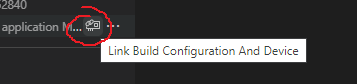
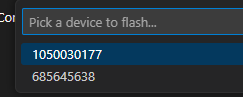
    You could in a way select something using the symbol in the image on the left, or after flashing when there are multiple options available. Though when making this selection you choose an id of the interface chips, not the name of the SoC.


    Regards,

    Elfving

  • Hi Elfving,

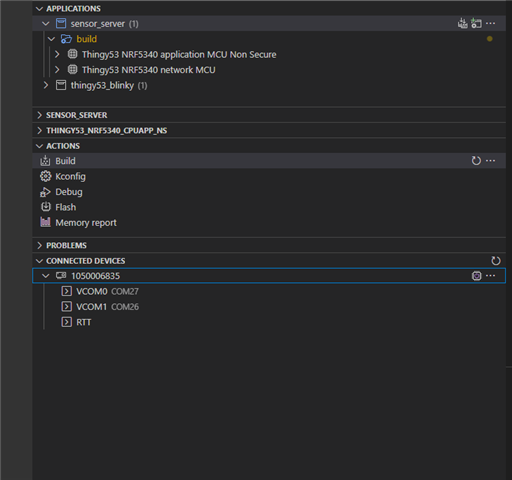
    This is what I see on the list of Connected Devices without the Thingy:53 connected/powered on:

    This is what I get with the Thingy:53 connected via the 10-pin cable and powered on:

    I select the NRF5340_xxAA_ENGD option in the normal way using the mouse pointer and right-clicking.

Related