Hi,
Have you tried on a different computer?
Best regards,
Benjamin
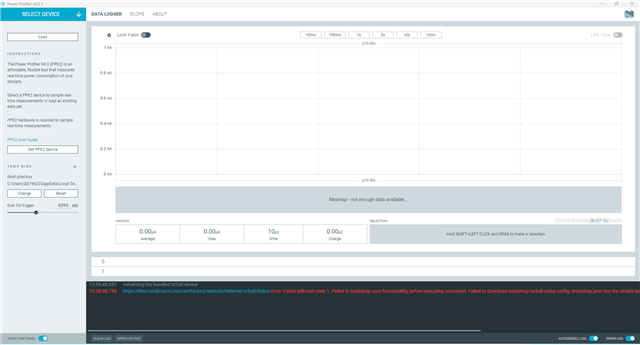
My old PC is Win10, PPK2 works well, my new PC installed Win11 version 23H2, PPK2 could not works, always shows "The system cannot find the path specified. (os error 3)"
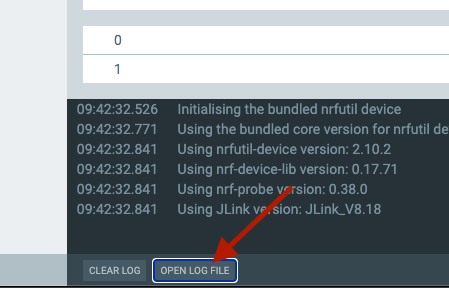
Could you share the log file?
2025-09-05T07:48:45.014Z INFO Initialising the bundled nrfutil device
2025-09-05T07:48:45.018Z DEBUG Application data folder: C:\Users\E879623\AppData\Roaming\nrfconnect\pc-nrfconnect-ppk
2025-09-05T07:48:45.697Z DEBUG App pc-nrfconnect-ppk v4.3.1 (official)
2025-09-05T07:48:45.697Z DEBUG App path: C:\Users\E879623\.nrfconnect-apps\node_modules\pc-nrfconnect-ppk
2025-09-05T07:48:45.697Z DEBUG nRFConnect 5.2.0, required by the app is (>=5.2.0)
2025-09-05T07:48:45.697Z DEBUG nRFConnect path: C:\Users\E879623\AppData\Local\Programs\nrfconnect\resources\app.asar
2025-09-05T07:48:45.697Z DEBUG HomeDir: C:\Users\EXXXXXX
2025-09-05T07:48:45.697Z DEBUG TmpDir: C:\Users\EXXXXXX\AppData\Local\Temp
2025-09-05T07:48:45.709Z DEBUG Sending event "ppk: running nrfutil device"
2025-09-05T07:48:52.482Z ERROR Error: Failed with exit code 1.
Failed to bootstrap core functionality before executing command.
Failed to extract bootstrap tarball
C:\Users\EXXXXXX\AppData\Roaming\nrfconnect\nrfutil-
sandboxes\8.0.0\device\2.10.2\bootstrap\nrfutil-core-install-Bikdru\nrfutil-
x86_64-pc-windows-msvc-8.0.0.tar.gz
downloaded from
files.nordicsemi.com/.../
nrfutil/nrfutil-x86_64-pc-windows-msvc-8.0.0.tar.gz
See the details below for further information on the error.
Caused by:
invalid gzip header
Thanks for the log. Have you installed nRF Util on your computer?
yes,100% updated.
yes,100% updated.
and I saw the PPKdevice show DFU Trigger in the device manager .