How does TF-M select UART1 pins?

Hello DevZone,

I have a confusing question about TF-M. Need  help from a TF-M expert.

In this document, it says that we must disable uart1 in non-secure application, because TF-M use it as secure peripheral.

My question is: how does TF-M select the pins used by uart1_secure?

My board selection is `nrf9160dk/nrf9160/ns`, which is a non-secure board.

I use AI to read the build progress and all the Ninja things. And it told me that TF-M just read the non-secure `zephyr.dts` and use the pin-ctrl of that.

I think this is not reasonable, because uart1 is disabled in my application. There is no reason for TF-M to use the pin-ctrl from a disabled uart.

More general question: how can I choose a peripheral as secure or non-secure in NCS? Should I configure this in Devicetree or Kconfig?

Best regards,

Jayant

Parents
  • Hello,

    My question is: how does TF-M select the pins used by uart1_secure?

    I would assume the pins used are the ones you find in nrf9160dk_nrf9160_common-pinctrl.dtsi file.

    More general question: how can I choose a peripheral as secure or non-secure in NCS? Should I configure this in Devicetree or Kconfig?

    You should use kconfig for this. Check out this document; https://docs.nordicsemi.com/bundle/ncs-latest/page/nrf/samples/tfm/tfm_secure_peripheral/README.html#enabling_secure_peripheral 

  • Hello,

    I would assume the pins used are the ones you find in nrf9160dk_nrf9160_common-pinctrl.dtsi file.

    Yes. But I want to get it more precisely.

    Since `nrf9160dk_nrf9160_common-pinctrl.dtsi` is included both in 9160 secure dts and 9160 non-secure dts, which one is the original dts file that be selected by TF-M?
    If it use the same dts as the application, does that means the TF-M only refer to the pin-ctrl part of non-secure `zephyr.dts` ? 

  • Jayant Tang said:
    If it use the same dts as the application, does that means the TF-M only refer to the pin-ctrl part of non-secure `zephyr.dts` ? 

    I'm not sure if I understand this question correctly. The nrf9160dk_nrf9160_common-pinctrl.dtsi file is included in non-secure and secure dts file as you mentioned. So that part is common. Other than that, the files use different dts settings entirely. That's why there are two files to begin with.

  • Hi,

    Let me describe a scenario: I am creating a custom board in Zephyr with two separate device tree files (.dts) — one for secure world ("board_s.dts") and one for non-secure world ("board_ns.dts"). Instead of using a common pin-control configuration, I define different pin-control settings in each of these files.

    In this case, when building a non-secure firmware with TF-M, which device tree file will TF-M use?

    I assume it should use "board_ns.dts", as that aligns with the build process for non-secure firmware. However, considering the address mapping of peripherals on the AHB/APB bus, all peripherals described in the non-secure device tree are located in the non-secure domain.

    This leads to a conceptual distinction. For example:

    - Including `<nordic/nrf9160ns_sica.dtsi>` (non-secure)
    - vs. including `<nordic/nrf9160_sica.dtsi>` (secure)

    If TF-M, as a secure firmware, relies on pin configurations from a non-secure device tree, that seems inconsistent. Isn’t that correct?

  • Jayant Tang said:
    In this case, when building a non-secure firmware with TF-M, which device tree file will TF-M use?

    TFM itself will be built with the secure version of the dts file. For the application, the non-secure dts file will be used.

    Jayant Tang said:
    If TF-M, as a secure firmware, relies on pin configurations from a non-secure device tree, that seems inconsistent. Isn’t that correct?

    Yeah, but it does not. TFM does not use a non-secure device tree file at all.

  • Wow, that is more clear for me.

    You mean when I select `nrf9160dk/nrf9160/ns` for my application, the TF-M will use `nrf9160dk/nrf9160` automatically. Because they are in the same board folder.


    But when I choose the ns for my application, it seems that there is no way to set a `.overlay` devicetree file in sysbuild subfolder to modify the pins of TF-M. Is that correct?

    I remember when in NCS v2.2.0, I can set overlay of SPM in "child_image" subfolder.

Reply
  • Wow, that is more clear for me.

    You mean when I select `nrf9160dk/nrf9160/ns` for my application, the TF-M will use `nrf9160dk/nrf9160` automatically. Because they are in the same board folder.


    But when I choose the ns for my application, it seems that there is no way to set a `.overlay` devicetree file in sysbuild subfolder to modify the pins of TF-M. Is that correct?

    I remember when in NCS v2.2.0, I can set overlay of SPM in "child_image" subfolder.

Children
  • I understand that sysbuild is used for multi-image building.

    But TF-M seems to be special. There is no way in sysbuild to configure the TF-M overlay.

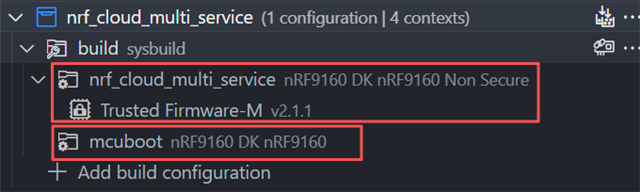
    More preciously, TF-M is more like a part of application, rather than an independent image:


    After many times searching, I finally found that TF-M never use Zephyr serial driver.

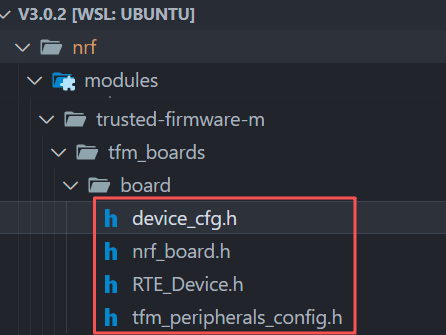
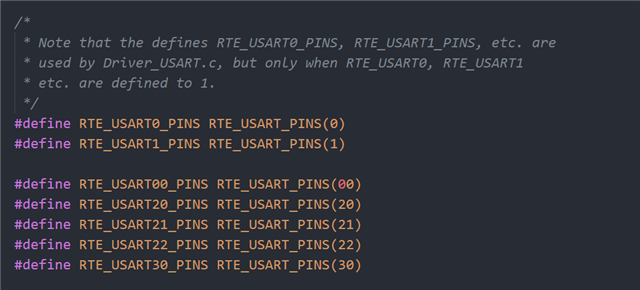
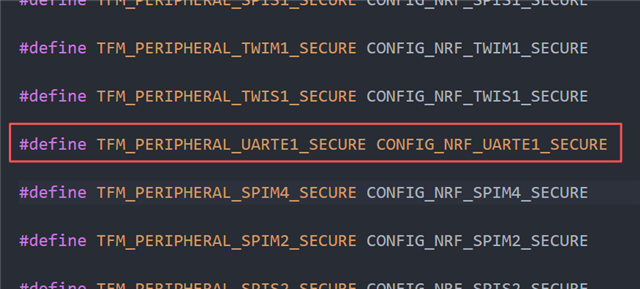
    All the answers are in these header files:

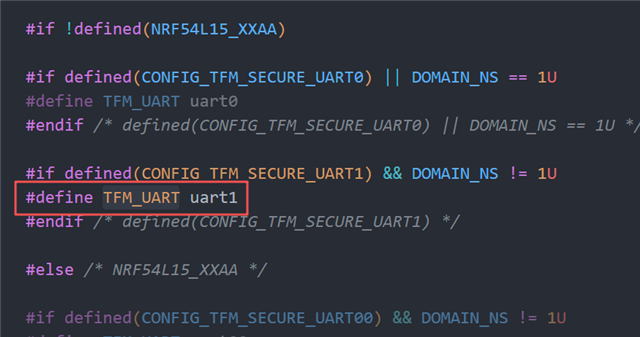
    In `device_cfg.h` we have:

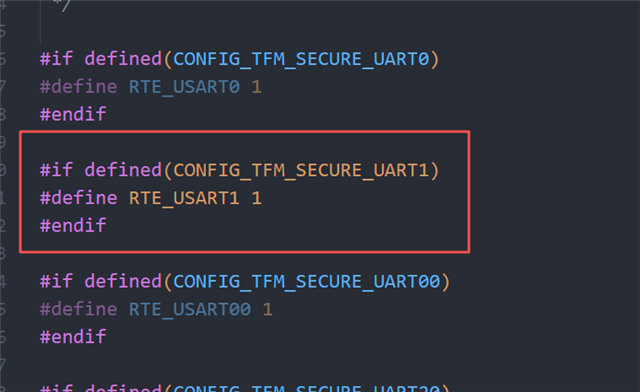
    In `RTE_device.h` we have:

    In `tfm_peripherals_config.h`, we have:

    So, that means TF-M can directly read the non-secure Application's final `zephyr.dts`, and read the pin-ctrl of uart1, even if uart1 is disabled.

    And this question:

    how can I choose a peripheral as secure or non-secure in NCS? Should I configure this in Devicetree or Kconfig?

    The answer is to set CONFIG_NRF_XXXX_SECURE.

    So everything seems to be clear now. And this 

    You mean when I select `nrf9160dk/nrf9160/ns` for my application, the TF-M will use `nrf9160dk/nrf9160` automatically. Because they are in the same board folder.

    seems not to be correct.


    I will test this tomorrow and get back here.

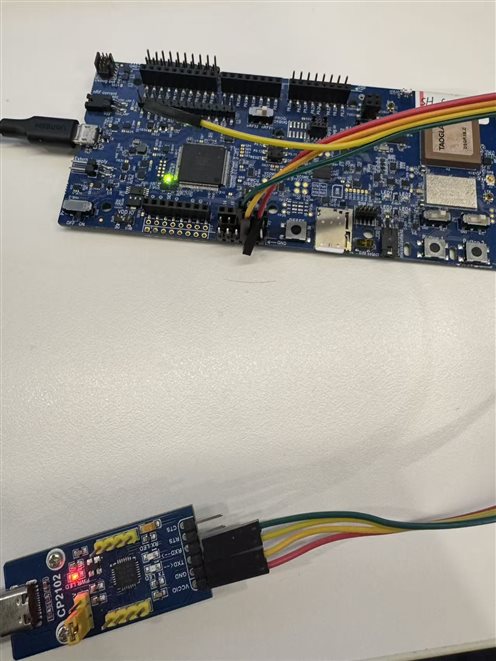
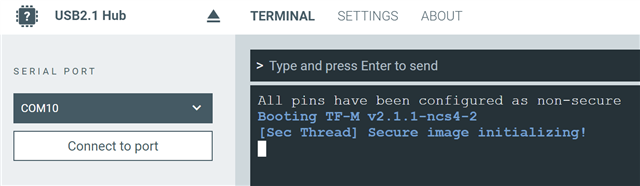
  • I have confirmed that:

    1. TF-M doesn't have a stand alone sysbuild configuration, it is a part of the Application

    2. TF-M will use application's non-secure uart1 pinctrl, even if uart1 is disabled.


    CONFIG_SERIAL=y
    CONFIG_TFM_LOG_LEVEL_SILENCE=n
     

    &uart1 {
        status = "disabled";
    };
    
    &pinctrl{
    	uart1_default: uart1_default {
    		group1 {
    			psels = <NRF_PSEL(UART_TX, 0, 16)>,
    				<NRF_PSEL(UART_RTS, 0, 14)>;
    		};
    		group2 {
    			psels = <NRF_PSEL(UART_RX, 0, 17)>,
    				<NRF_PSEL(UART_CTS, 0, 15)>;
    			bias-pull-up;
    		};
    	};
    
    	uart1_sleep: uart1_sleep {
    		group1 {
    			psels = <NRF_PSEL(UART_TX, 0, 16)>,
    				<NRF_PSEL(UART_RX, 0, 17)>,
    				<NRF_PSEL(UART_RTS, 0, 14)>,
    				<NRF_PSEL(UART_CTS, 0, 15)>;
    			low-power-enable;
    		};
    	};
    };
    

    Cheers!

Related