Hello everyone!
I'm trying to get a custom board based on the nRF54L10 working. I am currently connecting it to my computer via a J-Link Edu and would like to get some basic logging to work using RTT (the Edu doesn't support a virtual COM port).
I am using the following configuration:
- MacOS Tahoe 26.1
- nRF Connect SDK v3.1.1
- nRF Connect Extension for VSCode
- nRF54L10 based board
- J-Link RTT Viewer
I have created a custom board using the extension, but didn't make any changes to it. My `prj.conf` is
CONFIG_GPIO=y

CONFIG_UART_CONSOLE=n
CONFIG_USE_SEGGER_RTT=y
CONFIG_RTT_CONSOLE=y

CONFIG_CONSOLE=y
CONFIG_LOG=y
CONFIG_LOG_DEFAULT_LEVEL=4
and I'm trying to run some basic sample code:
#include <zephyr/kernel.h>
#include <zephyr/sys/printk.h>

int main(void) {
    while (true) {
        printk("Hello, World!\n");
        k_msleep(1000);
    }

    return 0;
}
I seem to be able to successfully flash the microcontroller, as no errors occur during that process.
When I open the J-Link RTT Viewer, I get some log messages about the microcontroller and then `LOG: RTT Viewer connected.`, however no log messages arrive after that, even when resetting the microcontroller manually or from within the extension. I also cannot type into the send field as I get a warning saying 0 of 1 bytes were sent.
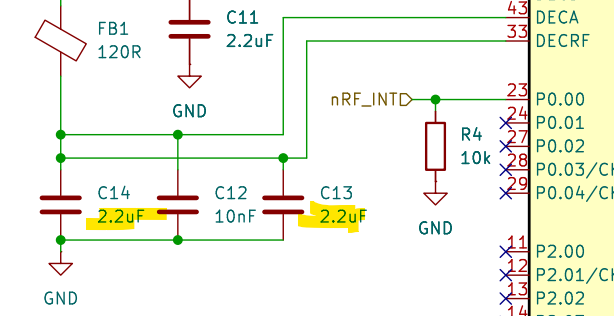
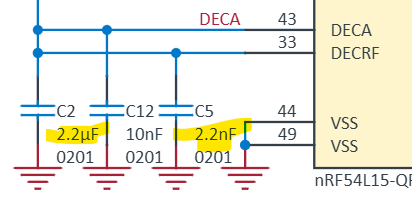
I have attached the schematic of the board and the project as a ZIP-Archive below.
Can anyone help me to configure RTT logging for my custom board?
Note: I'm not 100% confident in my soldering skills, however as flashing seems to work and with the J-Link being able to retrieve information from the microcontroller I'm assuming the MCU is at least online.