

1.do I need to write a XX_client.c and XX_server.c myself ? is there a basic model that I can build on it ?
2.I need myself model to send a custom message, how to do that ?
1.do I need to write a XX_client.c and XX_server.c myself ? is there a basic model that I can build on it ?
2.I need myself model to send a custom message, how to do that ?
Hi ycp,
I am pretty new to the NRF52 ecosystem and so I was wondering the same. After a lot of research and trial & error I found the following:
A model_init_cb function can be specified in the init_params of the mesh_stack_init function. In your model_init_cb function this should be done:
The function that actually adds the model is access_model_add. This function takes two arguments, access_model_add_params_t and access_model_handle_t which is just a uint16_t. Here is a code example of my usecase:
uint16_t model_handle;
access_model_add_params_t add_params =
{
.model_id = ACCESS_MODEL_VENDOR(0xFFAA, 0xF001), // Format of ACCESS_MODEL_VENDOR is (model_id, company_id)
.element_index = 0,
.p_opcode_handlers = &m_opcode_handlers[0],
.opcode_count = ARRAY_SIZE(m_opcode_handlers),
.p_args = NULL,
.publish_timeout_cb = publish_interval_cb
};
uint32_t status = access_model_add(&add_params, &model_handle);
Some of the Parameters inside the access_model_add_params_t need some explaining:
- model_id: The Model ID is used for identifying predefined Models, like the Simple_OnOff_Client you are probably using. If you want to make your own you you can choose your own ID and Company value. What I have found is, that the two MSB of these values should be 1 (0xC0 or higher).
- element_index: Defines in which element your model will be imported. Health and Config Server are at index 0.
- p_opcode_handlers: This contains your OpCodes and should look something like this:
static const access_opcode_handler_t m_opcode_handlers[] =
{
{ACCESS_OPCODE_VENDOR(0xC1, 0xF001), your_opcode_handler_function},
};
// Format of ACCESS_OPCODE_VENDOR is (opcode, company_id)
// Again what I have found is, that the two MSB of these values should be 1 (0xC0 or higher).
// Your OpCode Handler Function should look like this:
// static void your_opcode_handler_function(access_model_handle_t handle, const access_message_rx_t * p_rx_msg, void * p_args);
- p_args: Can be any additional arguments
- publish_timeout_cb: Haven't played around with it yet, currently is just an empty function for me.
After calling access_model_add you should call access_model_subscription_list_alloc, to allow it to subscribe to addresses. If both of these functions return the status 0 (NRF_SUCCESS) your model is added.
To send data you can now use the access_model_publish function. In my example I have it bound to a button in the button event handler. The parameter for the function look like this:
const uint8_t data[] = {0x00};
const access_message_tx_t msg = {
.opcode = ACCESS_OPCODE_VENDOR(0xC2, 0xF001), // Format of ACCESS_OPCODE_VENDOR is (opcode, company_id)
.p_buffer = &data,
.length = ARRAY_SIZE(data),
.force_segmented = false,
.transmic_size = NRF_MESH_TRANSMIC_SIZE_SMALL,
.access_token = nrf_mesh_unique_token_get()
};
access_model_publish(model_handle, &msg);
Here you can now specify your own data. You could make a Structure with all your Data and a Function which converts it to a uint8_t Array, aswel as a function which can then convert it back from a uint8_t Array to your Structure.
For most of the Information I used the Mesh SDK Documentation: www.nordicsemi.com/.../index
I hope this was helpful and if you have any more questions feel free to ask.
Cheers,
Kilian

yes ,it's very helpful ,thank you for shre your experience , but there are still have some detail , i can't figure it out ?
0.I know the model add process basically now , but dont know the detail yet.
1.if we define a server type compare to __generic_onoff_server_t
struct __vendor_xx_server_t
{
/** Model handle assigned to this instance. */
access_model_handle_t model_handle;
/** Tid tracker structure. */
tid_tracker_t tid_tracker; .........................does this member must include??
/** Model settings and callbacks for this instance. */
vendor_xx_server_settings_t settings; ..........................and this menber
}
and the client ........................
struct __generic_onoff_client_t
{
/** Model handle assigned to this instance */
access_model_handle_t model_handle;
/** Holds the raw message packet data for transactions */
generic_onoff_client_msg_data_t msg_pkt; .........................does this member must include??
/* Acknowledged message context variable */
access_reliable_t access_message; ..................I thanke maybe user access_model_reliable_publish more better
/** Model settings and callbacks for this instance */
generic_onoff_client_settings_t settings; .........................does this member must include??
};
2.Because i dont know if don't use some parament , does the state will stable , parament like transition_time_ms , tid ..., what those parament used for ?
Hi,
I don't quite understand your question, but I will try to answer it as best as possible.
Basically a model does not have to be either a server or client, it can also be both. The function of the model and all the parameters are defined in the access_model_add_params_t and access_opcode_handler_t. This means you do not have to build a structure like __generic_onoff_client. The only thing you need to save is the model handle for sending messages etc. As far as i know the parameters like transition_time_ms etc. are specific to this model.
For communication i would recommend using the reliable publish, so you know if the message was received by the desired destination. And again, what you send in these messages is completely up to you and there should not be any "required" parameters.
Cheers,
Kilian
1.yes ,you are right , now i create server_model successfully ,use mesh app can send message ,and it can return some message .
2.but send from a board client_model ,it is failed , but log show it was transmitted .
3. because i have no 2 J-LINK, i can not see the log both , when i drop the J-LINK the board seems can not run. i am so new to nrf52832,maybe i use the wrong way to download the firmware ,can you show me the wright way? thank you. i am use the SEGGER embedded studio IDE .
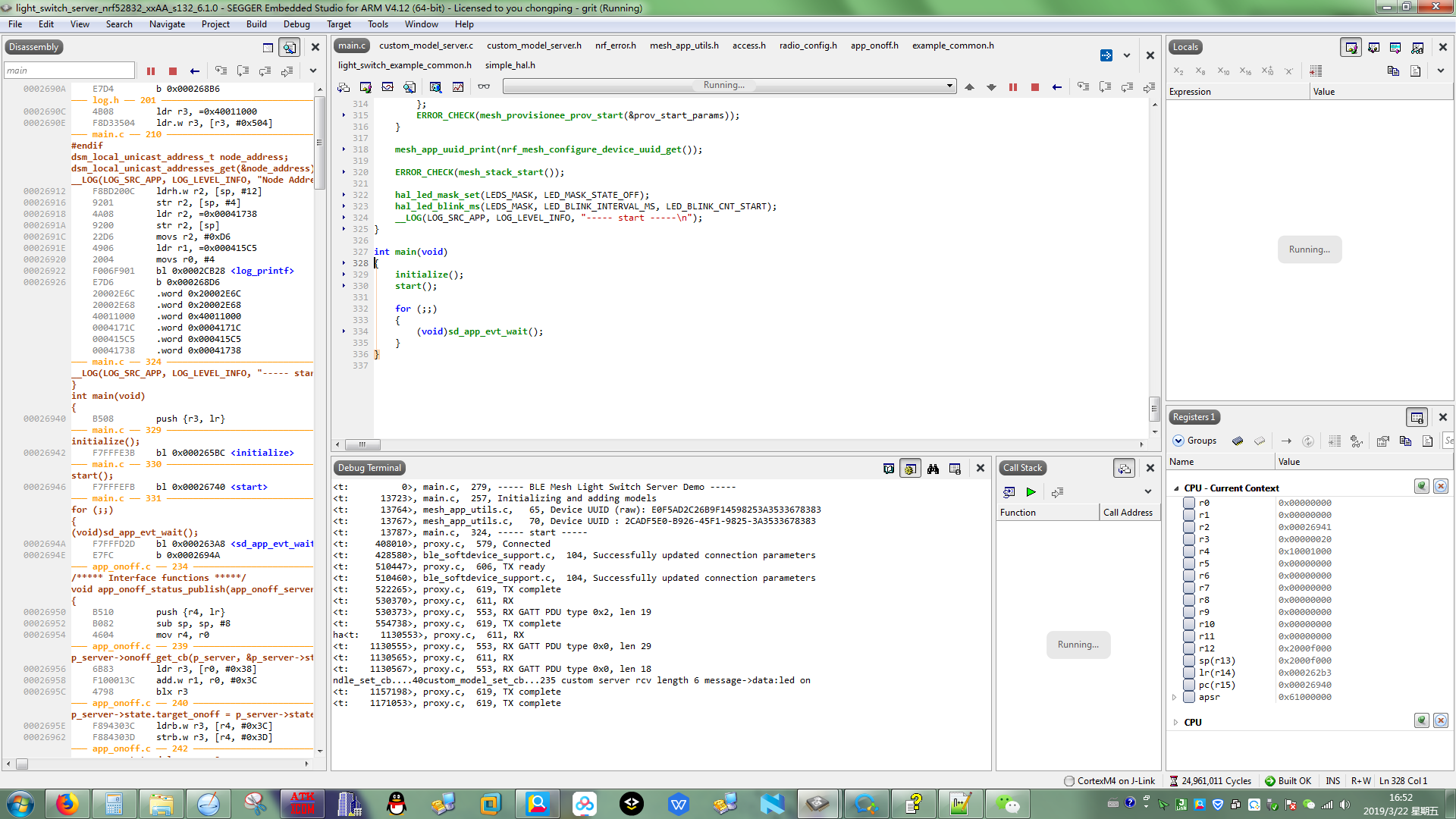
4.below is my client_model functions , it runs no error but can not transmit message out :
0).................................................client struct..............................................................
struct __custom_model_client
{
access_model_handle_t model_handle;
custom_status_cb_t status_cb;
custom_model_timeout_cb_t timeout_cb;
struct
{
bool reliable_transfer_active;
uint8_t* data;
uint16_t data_lenth;
} state;
};
1).....................................................init client.....................................................
uint32_t custom_model_client_init(custom_model_client_t * p_client, uint16_t element_index)
{
uint32_t status;
if (p_client == NULL ||
p_client->status_cb == NULL)
{
return NRF_ERROR_NULL;
}
access_model_add_params_t init_params;
init_params.model_id.model_id = CUSTOM_MODEL_CLIENT_ID ;
init_params.model_id.company_id = CUSTOM_MODEL_COMPANY_ID;
init_params.element_index = element_index;
init_params.p_opcode_handlers = &m_opcode_handlers[0];
init_params.opcode_count = sizeof(m_opcode_handlers) / sizeof(m_opcode_handlers[0]);
init_params.p_args = p_client;
init_params.publish_timeout_cb = handle_publish_timeout;
status = access_model_add(&init_params, &p_client->model_handle);
if (status == NRF_SUCCESS)
{
status = access_model_subscription_list_alloc(p_client->model_handle);
}
return status;
}
2).....................................................set.....................................................
uint32_t custom_model_client_set(custom_model_client_t * p_client, uint8_t* data , uint16_t length)
{
uint32_t status;
if (p_client == NULL || p_client->status_cb == NULL)
{
return NRF_ERROR_NULL;
}
else if (p_client->state.reliable_transfer_active)
{
return NRF_ERROR_INVALID_STATE;
}
printf("\n data:%s...lengh:%d \n",data,length);
if (access_reliable_model_is_free(p_client->model_handle))
{
uint32_t status = send_reliable_message(p_client,CUSTOM_MODEL_OPCODE_SET,data,length);
if (status == NRF_SUCCESS)
{
p_client->state.reliable_transfer_active = true;
}
}
else
{
printf("[error]model busy ...\n");
return NRF_ERROR_BUSY;
}
printf("%s...status:%d \n",__FUNCTION__,status);
return status;
}
3).....................................................application demo.....................................................
{
memset(custom_data,0,sizeof(custom_data));
i++;
if(i%2==0)
{
memcpy(custom_data,"led on",strlen("led on"));
}
else
{
memcpy(custom_data,"led off",strlen("led off"));
}
status = access_model_publish_address_set(custom_client.model_handle,publish_address_handle_dev);
(void)access_model_reliable_cancel(custom_client.model_handle);
custom_model_client_set(&custom_client,custom_data, strlen(custom_data));
hal_led_pin_set(BSP_LED_1, (bool)(i&(0x01)));
break;
}
Hi,
to program you can simply press the green play-button, as you probably did. To play it safe(and erase provisioning data) you can also do "Target -> Connect J-Link" and then "Target -> Erase all". I usually only do this, if I program a completely different example on the board or if I get a Mesh assert error right at the start.
You are using the access_model_publish_address_set-function to set the publication address. You can check if this succeeds by using the function ERROR_CHECK() on the status you get back.
But I suspect, that before setting the publication address you first need to bind a appkey to the model. I think this is done by the provisioner.
I am using the nrf-mesh app on android and provision the nodes by hand. This means I do not bind the appkey as well as set the publication address in my program.
Hi,
to program you can simply press the green play-button, as you probably did. To play it safe(and erase provisioning data) you can also do "Target -> Connect J-Link" and then "Target -> Erase all". I usually only do this, if I program a completely different example on the board or if I get a Mesh assert error right at the start.
You are using the access_model_publish_address_set-function to set the publication address. You can check if this succeeds by using the function ERROR_CHECK() on the status you get back.
But I suspect, that before setting the publication address you first need to bind a appkey to the model. I think this is done by the provisioner.
I am using the nrf-mesh app on android and provision the nodes by hand. This means I do not bind the appkey as well as set the publication address in my program.
Hi Tierli,
i find i used printf() to print log , when i comment all the printf() functions , it works!! maybe it is the reason ,after comment them all,drop J-LINK can still run !! i do not know why . i thank i should use __LOG instead , but i do not fully kown what it is..
That makes sense. I think printf() sends the data to stdout and LOG will use the J-Link RTT.
yes!