

This topic follows devzone.nordicsemi.com/.../why-having-nrf-connect---bluetooth-low-energy-open-makes-my-connection-faster-and-more-stable which was partially fixed (with fix in SoftDevice, connection is more stable and does not freeze anymore, however, it remains slow).
I could reproduce the issue only with code delivered by Nordic:
* Board PCA10028 programmed with "Nordic_HRM" sample program
* pc-ble-driver's heart_rate_collector sample program with very few changes:
- Added "#include <time.h>" and "clock_t start;" on top of the file
- Added "start = clock();" after "printf("Discovering primary services\n");fflush(stdout);" in service_discovery_start()
- Added "clock_t stop = clock();double diffticks=stop-start;double diffms=(diffticks)/(CLOCKS_PER_SEC/1000);printf("time taken %fms\n",diffms);" before "m_hrm_cccd_handle = p_ble_gattc_evt->params.desc_disc_rsp.descs[i].handle;" in on_descriptor_discovery_response
So now the program reports how long service discovery took
Now I ran the sample program:
- Twice in a raw, without "nRF Connect - Bluetooth Low Energy" being opened, service discovery took around 200ms
- Then, I open "nRF Connect - Bluetooth Low Energy"
- Twice in a raw, service discovery took less than 50ms
- Then, I close "nRF Connect - Bluetooth Low Energy"
- Once again, service discovery took around 200ms
- Then, I reopen "nRF Connect - Bluetooth Low Energy"
- Once again, service discovery took less than 50ms
See the video:
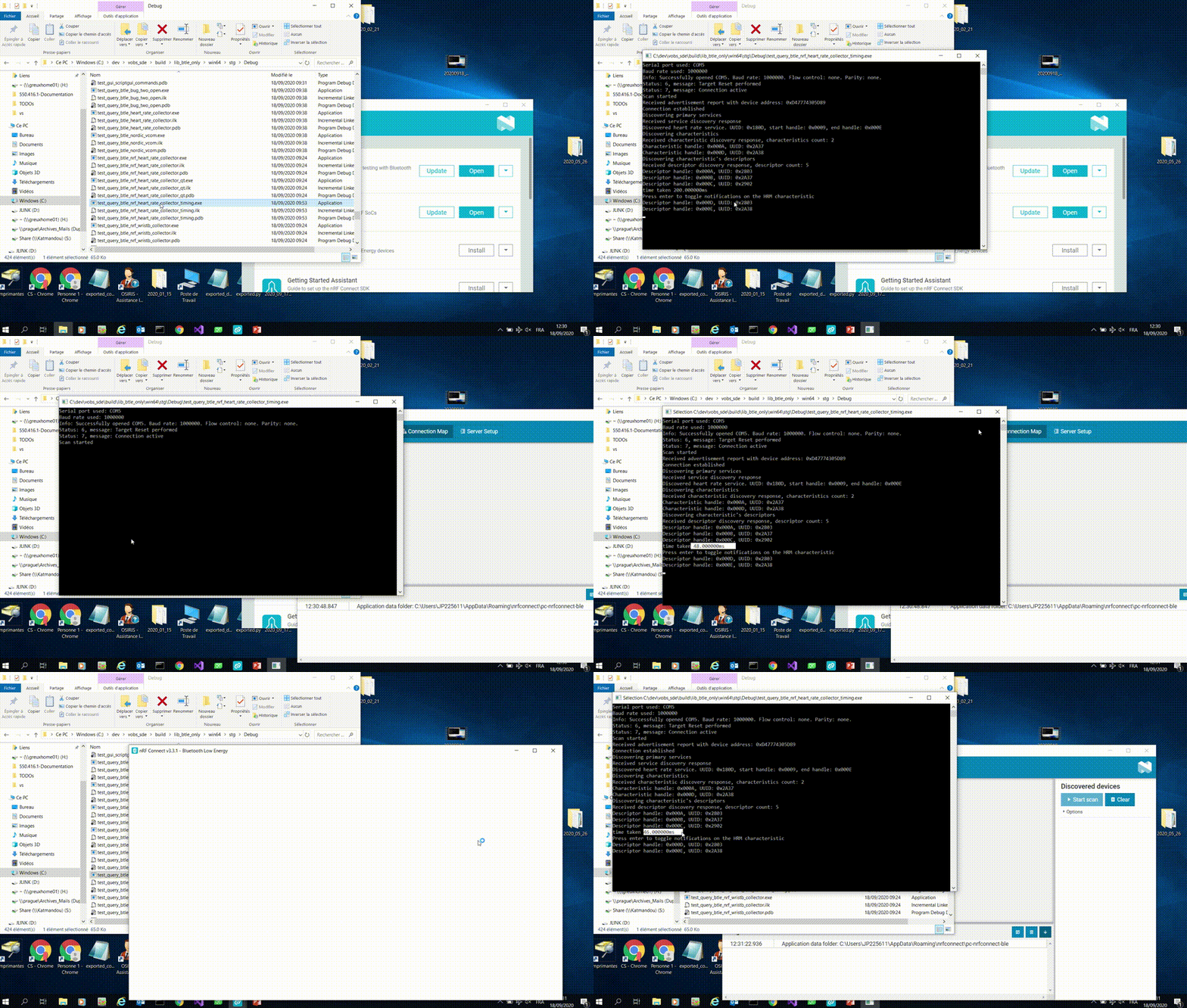
So the fact that "nRF Connect - Bluetooth Low Energy" is opened apparently really makes device discovery faster. Later, for our devices, it also makes data acquisition faster, meaning that witout "nRF Connect - Bluetooth Low Energy" being installed and running on the computer, we cannot reach the throughpout we need for our applications.
Could you please help us understanding what is "nRF Connect - Bluetooth Low Energy" doing at Windows level (or elsewhere) that make the device communication be faster?

