Hi,
I want to add a secured OTA(Button Less) in ble_peripheral\ble_app_template.
Is there any proper tutorial/document/example for this?
Thanks!
Hi,
I want to add a secured OTA(Button Less) in ble_peripheral\ble_app_template.
Is there any proper tutorial/document/example for this?
Thanks!
Hi,
Please consider using our Buttonless DFU Template Application as a starting point. You can also find more documentation about the buttonless mechanism here: Buttonless Secure DFU Service
Best regards,
Vidar
Hi,
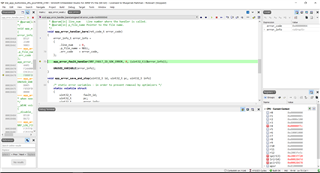
I am trying to upload nRF5_SDK_17.0.0_9d13099\examples\ble_peripheral\ble_app_buttonless_dfu but getting the follwing error. Can you please check?
Thanks
Hi,
The app will not be able to set up the SVCI interface unless you have a bootloader present.
// Initialize the async SVCI interface to bootloader before any interrupts are enabled.
err_code = ble_dfu_buttonless_async_svci_init();
APP_ERROR_CHECK(err_code);
Tip: disable NRF_FPRINTF_FLAG_AUTOMATIC_CR_ON_LF_ENABLED and enable NRF_LOG_BACKEND_RTT_ENABLED in sdk_config.h, then make sure you have selected the "debug" configuration in the drop down menu in the top left corner of SES. This will make it so that the error information is printed out to the debug terminal window next time you start a debug session.
The app will not be able to set up the SVCI interface unless you have a bootloader present.

Tip: disable NRF_FPRINTF_FLAG_AUTOMATIC_CR_ON_LF_ENABLED and enable NRF_LOG_BACKEND_RTT_ENABLED in sdk_config.h, then make sure you have selected the "debug" configuration in the drop down menu in the top left corner of SES. This will make it so that the error information is printed out to the debug terminal window next time you start a debug session.

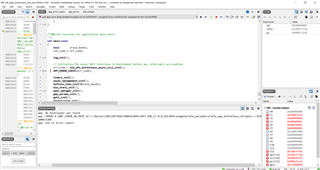
Here is the error logs.
The app will not be able to set up the SVCI interface unless you have a bootloader present.

Tip: disable NRF_FPRINTF_FLAG_AUTOMATIC_CR_ON_LF_ENABLED and enable NRF_LOG_BACKEND_RTT_ENABLED in sdk_config.h, then make sure you have selected the "debug" configuration in the drop down menu in the top left corner of SES. This will make it so that the error information is printed out to the debug terminal window next time you start a debug session.

Here is the error logs.
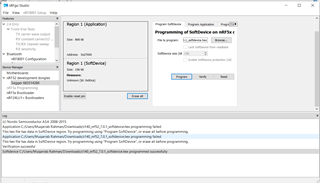
I have uploaded the examples\dfu\secure_bootloader\pca10056_s140_ble.
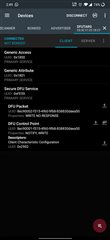
I have reached at this point now can you please guide is there any example/testing OTA file to perform OTA and check?
We have a tutorial that covers this here: https://devzone.nordicsemi.com/nordic/short-range-guides/b/software-development-kit/posts/getting-started-with-nordics-secure-dfu-bootloader
Hi Vidar Berg,
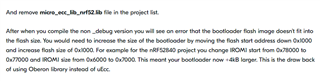
I am following the above link and stuck here. Can you please guide how to perform this step in segger?
Thanks
Hi,
The bootloader for 52840 has HW accelerated crypto enabled by default (cc310), are you sure you want to replace that with oberon?