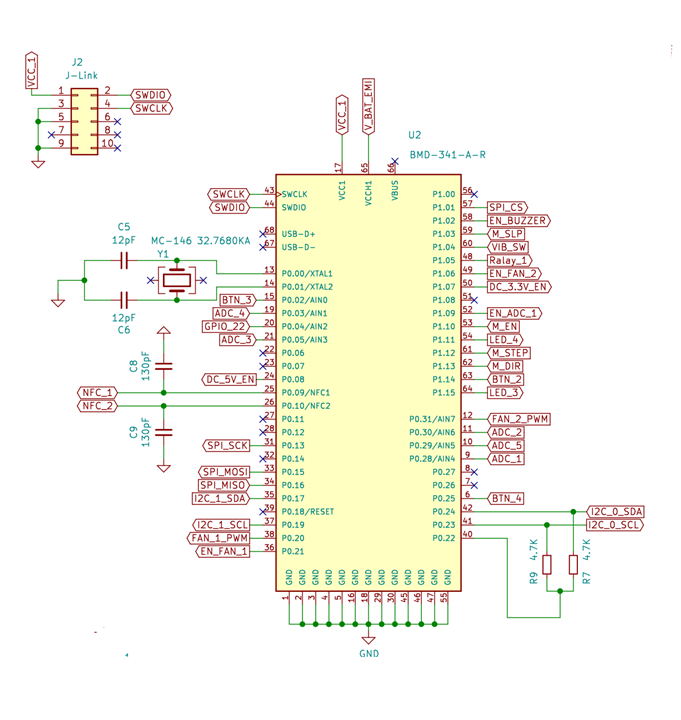
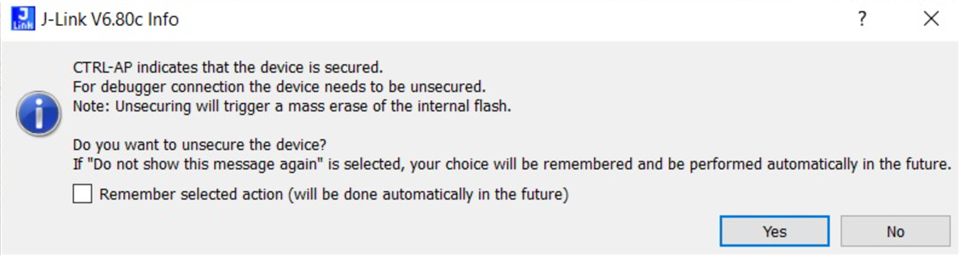
We have a custom PCB fitted with the nRF52840 SOC, we've previously erased and written to it via the nRF programmer tool. However, when trying to use the nrfjprog -e command it erases the board successfully but any subsequent attempts to reach the board (nrfjprog -e, nrfjprog --recover, or any command) produce the following error:
ERROR: nrfjprog could not identify the target device. This may be due to an
ERROR: invalid family argument, a problem with your device, or nrfjprog may
ERROR: not yet support your device.
ERROR: Please check the family argument passed, or upgrade nrfjprog to a more
ERROR: recent version.
ERROR: invalid family argument, a problem with your device, or nrfjprog may
ERROR: not yet support your device.
ERROR: Please check the family argument passed, or upgrade nrfjprog to a more
ERROR: recent version.
Trying to configure with the programmer tool produces:
Could not fetch memory size of target devkit: Error: Error occured when get library info. Errorcode: CouldNotOpenDevice (0x4) Lowlevel error: Unknown value (fffffffa)
Same goes for compilation attempts via Segger or VScode.
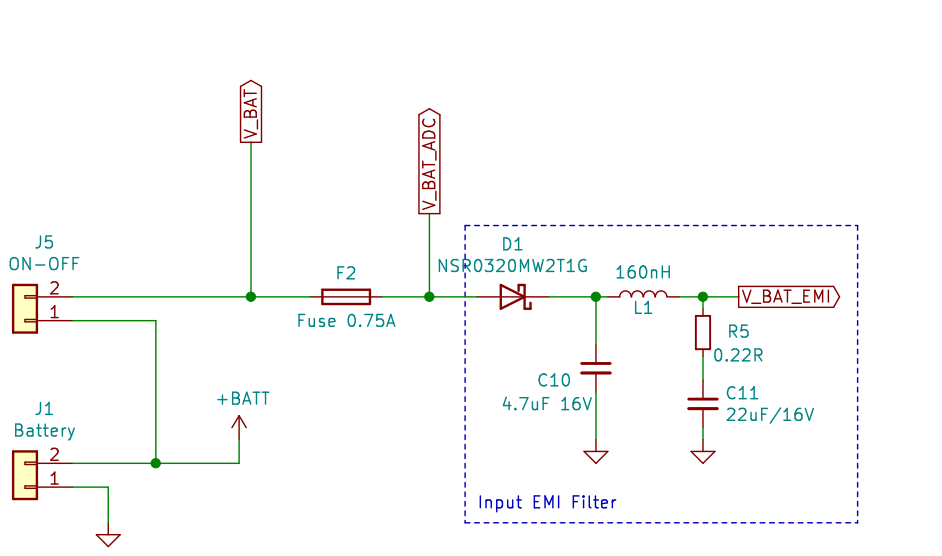
- We're using the Segger Jlink to communicate with the board via SWCLK and SWDIO, it is also feeding VCC but the board's power is dependent on a LiPo 3.7V battery via ADC.
- We've been rewriting, erasing, compiling etc. on this board for a long time and have never encountered this issue until the moment we used nrfjprog -e
- An attempt to use the command on another custom board produced the same results.
- An attempt to use the command on the nRF52840 DK and an Adafruit board caused no errors and everything seems to be working fine.
- Reset pin on the custom PCB is unavailable so that's not an option.
So obviously the problem is with our custom board, any suggestions, apart from not using the command again?