This post is older than 2 years and might not be relevant anymore
More Info: Consider searching for newer posts

How can you set up debug and release options for the Zigbee samples

When I open the Light Bulb project in Segger Embedded Studio I see a bewildering list of project items. I pick the first project, 'zephyr/merged.hex' and right click to set the project options there is no Pre-Processor definitions section where one would normally expect to define the DEBUG macro. What is the process for managing this.

As is, when I run the code the output in main.c that sends text to the debug log 'NRF_LOG()' does not result in code and a breakpoint cannot be set on it...
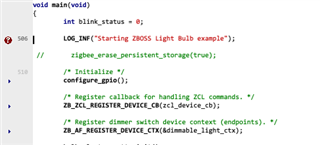
The same statements in some of the library files do output to the debug windows but not those in main.c. How can this be turned on?

Parents
  • Have you ever done the configuration NRF log function enable in your sdk_confif.h file? If it's not , you may not get the code of null function. So that , you can't set the breakpoint.

  • Looking at the folder structure for this project there is no sdk_config.h file. The structure of these projects seems to have completely changed in the latest versions of the SDK. The application is based on the zephyr architecture and uses a kconfig setup system to define what the settings are. I did have to change a number of settings in the kconfig files using the 'Configure nRF Connect SDK Project' menu option to anything at all to come out in the debug window which I find extremely disappointing. It would be nice to thing that samples supplied for use with the provided development environment would work properly without having to dive into a horrendously complex set up system just to get basic debug output working. Something that 100% of the audience is going to want to do.

Reply
  • Looking at the folder structure for this project there is no sdk_config.h file. The structure of these projects seems to have completely changed in the latest versions of the SDK. The application is based on the zephyr architecture and uses a kconfig setup system to define what the settings are. I did have to change a number of settings in the kconfig files using the 'Configure nRF Connect SDK Project' menu option to anything at all to come out in the debug window which I find extremely disappointing. It would be nice to thing that samples supplied for use with the provided development environment would work properly without having to dive into a horrendously complex set up system just to get basic debug output working. Something that 100% of the audience is going to want to do.

Children
Related