This post is older than 2 years and might not be relevant anymore
More Info: Consider searching for newer posts

Example for getting and setting rtc time using app using nrf52832

Hello,

I have just started learning nrf. I have an nrf52832 board and I want to get and set time using app.

I have seen this https://devzone.nordicsemi.com/f/nordic-q-a/57827/nrf5-calendar-example-questions

but haven't got much.

Please suggest me some examples.

Thank you in advance

Parents
  •  To compile it, clone the repository in the [SDK]/examples/peripheral/ folder in SDK v16.0.0.

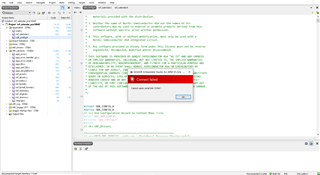
    I just did the same as you said but got the error

    Building ‘nrf_calendar_pca10040’ from solution ‘nrf_calendar_pca10040’ in configuration ‘Release’
    Linking nrf_calendar_pca10040.elf
    "C:/Program Files/SEGGER/SEGGER Embedded Studio for ARM 5.32a/gcc/arm-none-eabi/bin/ld" -X --omagic -eReset_Handler --defsym=__do_debug_operation=__do_debug_operation_mempoll -EL --defsym=__vfprintf=__vfprintf_long --defsym=__vfscanf=__vfscanf_long --gc-sections -TC:/nrf_sdk/nRF5SDK16/examples/peripheral/nrf5-calendar-example-master/pca10040/blank/ses/Output/Release/Obj/nrf_calendar_pca10040/nrf_calendar_pca10040.ld -Map Output/Release/Exe/nrf_calendar_pca10040.map -u_vectors -o Output/Release/Exe/nrf_calendar_pca10040.elf --emit-relocs --start-group @C:/nrf_sdk/nRF5SDK16/examples/peripheral/nrf5-calendar-example-master/pca10040/blank/ses/Output/Release/Obj/nrf_calendar_pca10040/nrf_calendar_pca10040.ind --end-group
    Output/Release/Obj/nrf_calendar_pca10040/ses_startup_nrf_common.o: in function `InitializeUserMemorySections':
    undefined reference to `__RAM1_segment_end__'
    Build failed

  • clone the repository in the [SDK]/examples/peripheral/ folder in SDK v16.0.0.

    I think that should be:  [SDK]\examples\ble_peripheral

    Which then gives me an SES Project "nrf_calendar_pca10040.emProject" in:

    [SDK]\examples\ble_peripheral\nrf5-calendar-example-master\pca10040\blank\ses

    If I open that, and do Build > Rebuild within SES - it builds successfully.

  • Thank you, after rebuilding its compiled, now where I can see the time because serial port is not connecting and aslo in the nrfConnect app its not showing up

  • Sorry, I hit the 'report as abusive' button by mistake - I can't see anywhere to 'cancel report'?

    See 's post about checking your DK.

    Does the COM port show up in the Windows device manager? Clearly, if it's not there then no app is going to be able to connect to it!

    EDIT

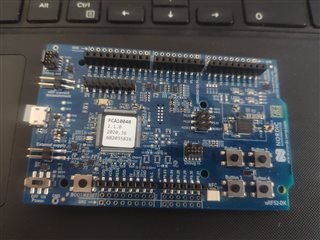
    I am using nrf52832 DK 

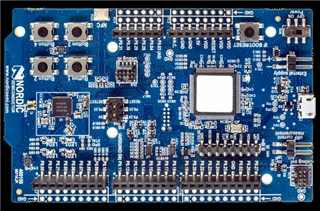
    Just to be clear, you mean this:

    https://www.nordicsemi.com/Software-and-Tools/Development-Kits/nRF52-DK

    Also, is it new & fresh out of the box - or has it been "previously enjoyed" by you and/or others for other projects?

Reply Children
Related