This post is older than 2 years and might not be relevant anymore
More Info: Consider searching for newer posts

Using nrfsniffer to debug connection loss

I am trying to use nrfsniffer to debug connection related issues.

We have a ble connection between central and peripheral and we are sending status updates to the peripheral fro the central at a rate of about 1 per second.

We have issues with the conenction and connection is regularly dropped and rebuilt. I can run this test walking arounf out side for say an hour and I regularly see the central indicating connection loss and connection being rebuilt.

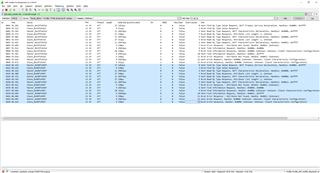
If I try and trace this with wireshark and nrf52 dk I see all the packets from the first period of connection; but on the subsequent reconnections I only see the connection req/ind from the central; I do not see the complete trace of packets between the central and peripheral.

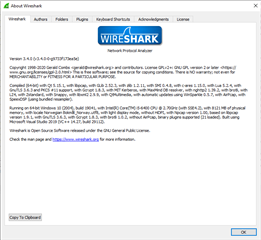
I am using wireshark 3.4.4 and nrf_sniffer_for_bluetooth_le_3.1.0_7cc811f.

We are seeing large gaps in the status update received by the peripheral and we suspect this is in actuality long periods of BLE not having a valid connection; hence we wish to see complete traces over these connect/disconnect cycles to try and debug the problems.


Or is snrfsniffer and wireshark just really not up to debugging  such problems?


Parents
  • Hi Kenneth,

    I have just repeated the microwave test using a new nrf52840 dongle as the sniffer.
    Successfully logged until the peripheral was put into the microwave;  I see one led flashing green; another solid red.

    On removing peripheral from the microwave the red led goes off and the green led is static; and wireshark is not seeing any more packets. I repeated and saw all leds off.possibleSnifferBug.pcapng

    I can see my central is connected to the peripheral and working properly.

    I would add to this that starting/stopping wireshark does not appear to start the dongle now; static green led; in fact wirshark appears crashed. Restarting wireshark; dongle interface is NOT seen!!! Had to unplug/plug dongle in again to get it seen from wireshark.

    This looks like sniffer FW bugs. 

    Could you please try and reproduce this one?

    Regards,
    Owain

  • I will see if I can get some time to recreate this. 

    Can you just provide details about the pca10040 you are using for test here? E.g. version printed on the label.

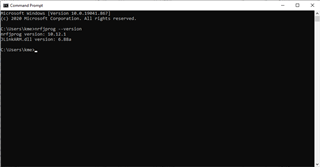
    Also type 'nrfjprog --version' in a command line window.

    Thanks,
    Kenneth

  • Here details of the two cards/dongles used for these tests....

    PCA10040  Sticker:: 1.2.1 2017.48 682534162 PCB: 400150    0256RUBR

    PCA10059 Sticker: 1.0.0 2018.22 CC:33:61:0C:BC:84   PCB: 400250  0284RUBR

    C:\Users\Owain>nrfjprog --version
    nrfjprog version: 9.8.1
    JLinkARM.dll version: 6.88a

    C:\Users\Owain>

Reply Children
Related